

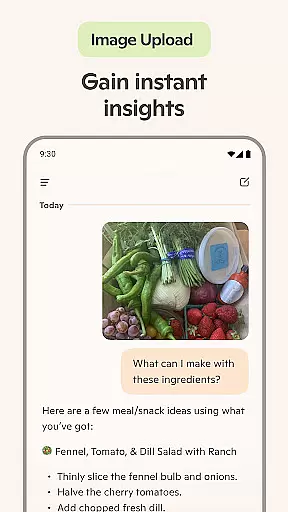
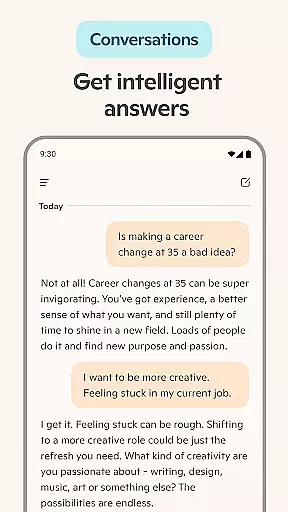
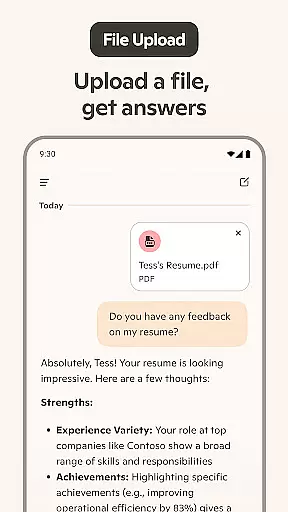
Microsoft Copilot is an advanced AI productivity application that serves as your daily AI companion. The app integrates GPT-5, the latest in AI technology, offering users a seamless blend of reasoning and conversational capabilities through its 'Smart' mode. Whether you're looking to boost productivity, generate creative content, or simplify complex tasks, Copilot provides intuitive solutions tailored to various needs.
The app's core functionalities include AI-powered chat assistance, photo generation from textual descriptions, and robust writing support. It can help summarize information, translate across multiple languages, proofread texts, and even assist with drafting emails or resumes. Additionally, Microsoft Copilot supports voice interactions, making it versatile for both personal and professional use cases.
With features like instant summaries, helpful rewrites, and AI-generated images, Copilot is designed to streamline workflows and spark creativity. Whether you're managing everyday tasks or tackling more intricate projects, this app ensures you have the right tools at your disposal to accomplish more with less effort.
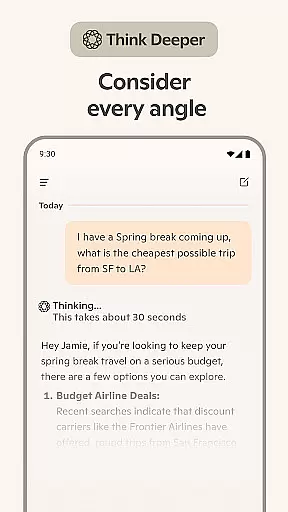
Microsoft Copilot stands out with its comprehensive suite of AI-driven features. One of its key highlights is the AI chat assistant, which delivers summarized answers to complex questions through simple conversations. This feature not only simplifies information retrieval but also enhances productivity by providing quick, actionable insights.
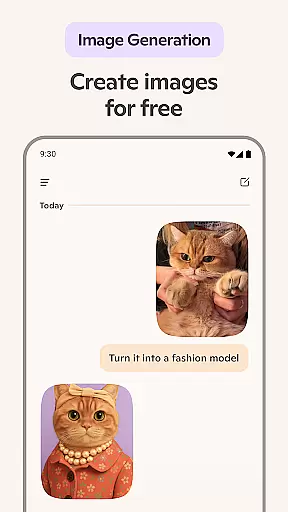
In addition to text-based interactions, Copilot offers an AI photo generator that turns textual prompts into high-quality visuals. This functionality ranges from creating photorealistic images to abstract designs, catering to diverse creative needs such as logo design, social media content creation, and storyboarding for films. The app also includes voice chat capabilities, allowing users to compose stories or generate visuals using spoken commands.
Copilot further enriches user experience with its multilingual translation and proofreading services, supporting hundreds of languages and regional dialects. Its versatility extends to helping users draft emails, cover letters, and resumes, ensuring polished and professional outputs. These features collectively position Microsoft Copilot as a powerful tool for anyone seeking to enhance their productivity and creativity.
At the heart of Microsoft Copilot lies its robust core task management system, designed to streamline your daily workflow. This feature allows users to efficiently organize and prioritize their tasks, ensuring that nothing important slips through the cracks. With smart AI capabilities, it provides summarized answers and straightforward solutions to complex questions, all through simple conversations with the AI helper.
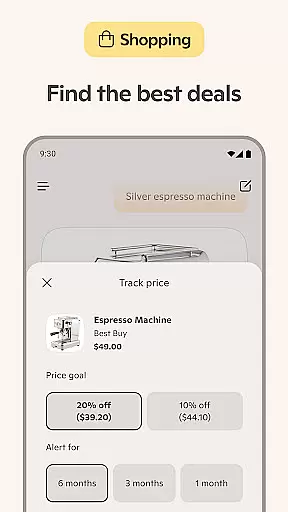
The application takes productivity a step further by integrating an AI chat assistant that can simplify the creation of grocery lists or weekly meal prep lists with AI-generated shopping lists. It also offers multi-language support, translating and proofreading across hundreds of languages, including regional dialects, which is particularly beneficial for international teams or individuals communicating globally.
Moreover, Microsoft Copilot's task management extends to composing and drafting various documents such as emails, cover letters, and even updating resumes. This not only saves time but also enhances the quality of written communications, making it an indispensable tool for both personal and professional use.
Microsoft Copilot excels in providing reliable cross-device synchronization, ensuring that your data and preferences are seamlessly updated across all your devices. This means whether you're switching from your desktop to your smartphone or tablet, your experience remains consistent and up-to-date without any manual intervention required. Such reliability is crucial for maintaining productivity and ensuring that you have access to your most current information wherever you go.
The app leverages the latest OpenAI and Microsoft AI models to offer a cohesive experience, combining reasoning and chat functionalities into one intuitive interface. By selecting 'Smart' mode, users can harness the power of GPT-5, which represents AI at its smartest and most intuitive, offering unparalleled assistance in learning, growing, and gaining confidence through AI-driven interactions.
Furthermore, the synchronization feature supports real-time collaboration, enabling users to work together on projects regardless of their physical location. Whether it's creating high-quality visuals from text prompts, rendering concepts into stunning visuals via voice chat, or sparking inspiration for new tasks, Microsoft Copilot ensures that every team member has access to the same resources and updates, fostering a collaborative environment that drives business success.
Advanced AI model integration
Versatile content generation
Multilingual support
User-friendly interface
Comprehensive productivity tools
Premium features may require subscription
Occasional response latency
Limited offline functionality
Resource-intensive on older devices
Privacy concerns with data usage

A customizable calendar for your Wear OS watch
 4.20
4.20
Experience real multitasking on your Android!
4.00
All in one sketching tool. Technical and General drawing. Online Maps support.
3.70
Send files, sync SMS, notifications & clipboard across devices via local network
4.40
App Lock with fingerprint, password: Lock apps & hide photos with lock screens
4.60
Find and delete junk files & block unwanted notifications & manage files
3.70
Functional QR scanner and barcode reader that requires little storage space.
4.60
ID.me Authenticator is a simple and free Two Factor Authentication solution
3.50
Secure your apps with lock screens, use custom themes and different features.
4.40
8 custom complications. Custom Time Fonts. Beautiful color schemes. A++ Design.
5.00
Mind Map and brainstorm, note taking and idea collection
4.80
Direct Chat without saving contacts & Dual WA Account on Single Device
4.70
Client for Nextcloud Deck
4.60
Secure, fast, open-source, Remote Desktop Client for Windows and Linux with SSH
4.60
PDF scanner & converter for files, photos, lottery, QR codes. One swipe away!
4.50
Share files & memories safely. Keep your photos and videos secure.
4.40
⏰ Finally a timer app which can run multiple timers simultaneously on your watch
3.90
Remotely view listen control and record cameras.
3.70
Experience and share your SolidWorks designs on your Android® phone and tablet.
2.50


User Reviews