
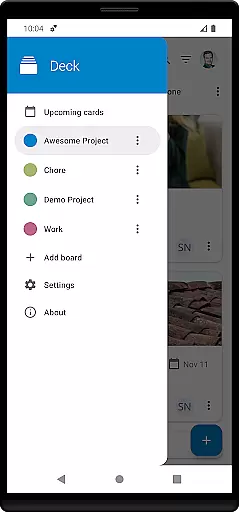
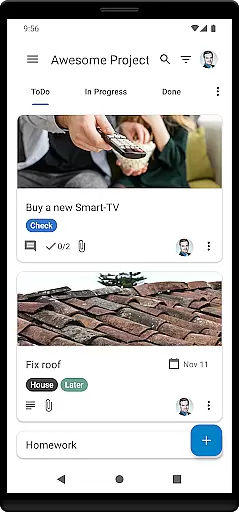
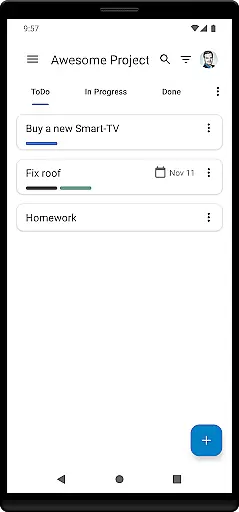
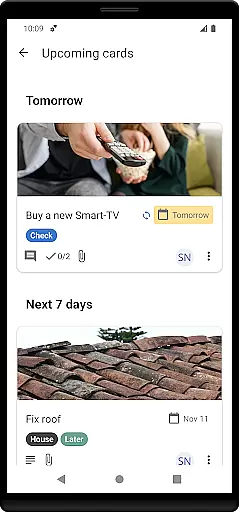

Nextcloud Deck is a productivity-focused application designed to streamline task management and team collaboration. This app allows users to create and organize tasks using customizable boards, lists, and cards, making it an ideal tool for both personal and professional project management.
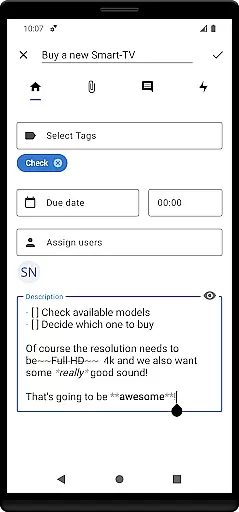
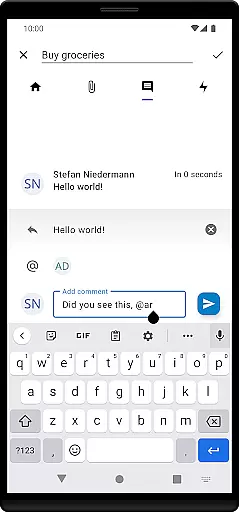
A key feature of Nextcloud Deck is its offline functionality, ensuring that users can manage their tasks even without an internet connection. The app also supports advanced features such as tagging, attachments, activity tracking, and comments, providing a comprehensive solution for efficient workflow management.
Whether you're coordinating a team project or organizing personal tasks, Nextcloud Deck offers a versatile platform that enhances productivity through its intuitive interface and robust feature set.
Nextcloud Deck stands out with its rich array of features tailored to enhance productivity. One of the notable functionalities is the support for multiple accounts, allowing users to manage different projects or teams from a single app interface.
The app provides extensive customization options, including dark mode and multi-language support, catering to user preferences and accessibility needs. Additionally, the ability to work offline ensures uninterrupted productivity regardless of connectivity issues.
Another significant advantage is the seamless integration with the broader Nextcloud ecosystem, including the Android app and the Deck app. This interconnected environment enables smooth synchronization and collaboration across devices, enhancing overall efficiency and user experience.
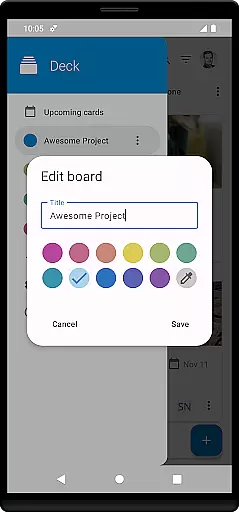
Nextcloud Deck offers a robust system for managing tasks through cards, lists, and boards, ensuring users can organize their projects effectively. This functionality is crucial for productivity apps as it allows users to visually track the progress of various tasks.
The app supports multiple accounts and works offline, providing flexibility and accessibility even without an internet connection. Users can manage tags, attachments, activities, and comments directly within each card, enhancing collaboration and communication among team members.
With features like dark mode and translations in many languages, Nextcloud Deck ensures a comfortable and personalized user experience. These aspects contribute to seamless task management, making it easier for users to focus on their work without distractions.
By integrating with the Nextcloud ecosystem, including the Nextcloud Android app, users benefit from a cohesive environment that enhances productivity and data security. This integration ensures that all task-related information is synchronized across devices, providing real-time updates and access.
Cross-device synchronization is a cornerstone of Nextcloud Deck's functionality, allowing users to maintain consistency and up-to-date information across all their devices. This feature is essential for users who switch between different platforms throughout their day.
The app's ability to work offline and then sync changes once online ensures that no productivity is lost, regardless of connectivity issues. This seamless transition between offline and online modes provides peace of mind and uninterrupted workflow.
Integration with the broader Nextcloud ecosystem, including the Nextcloud Android app, guarantees reliable and secure synchronization of data. Users can trust that their task management information is always current and accessible, whether they are on a desktop or mobile device.
Furthermore, the support for multiple accounts and comprehensive features such as tags, attachments, and comments ensure that every aspect of task management is mirrored accurately across devices. This reliability fosters a dependable and efficient user experience, central to maintaining high productivity levels.
User-friendly interface
Offline functionality
Multi-account support
Comprehensive task management
Robust collaboration tools
Limited third-party integrations
Requires Nextcloud setup
No built-in calendar view
Advanced features need learning
Occasional sync delays

QuickBooks Workforce lets teams view pay info and track time in one place.
 4.70
4.70
When you Focus, so will your Bean in this cozy focus timer
4.30
8 custom complications. Custom Time Fonts. Beautiful color schemes. A++ Design.
5.00
The upgraded version of Name Wheel with AI and the power to add your own wheels.
4.0
Make your handwriting beautiful, even more than pen on paper.
3.60
Translate text/voice/photos in 150+ languages. Offline & fast translator app.
4.50
Tally and goal counter for Wear OS & mobile
4.50
Scan paperwork into PDF/JPG, generate your own e-signature and send fax or email
4.70
AT&T Internet customers can use this app to personalize their Wi-Fi network.
4.40
Native client for Forgejo and Gitea
5.00
We're working to become the best machining app on the market! www.cncdirt.com
4.80
Pwnagotchi companion app
4.20
Todo reminder
4.10
Font maker keyboard with your own handwriting
4.10
Unlock AutoNotification
4.00
Create and edit presentations with Google Slides, part of Google Workspace.
4.00
* block pre-roll ads, pop-up and forced redirect ads * Samsung certification app
4.00
The ultimate file manager for rooted devices. The original and still the best.
4.00
A simple, portable logger for POTA, SOTA, Field Day, and more
4.3


User Reviews