
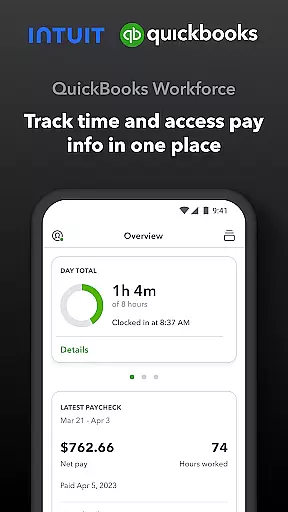
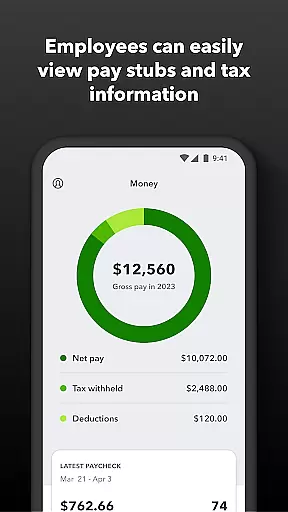
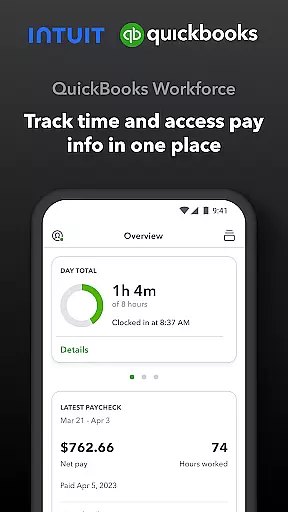
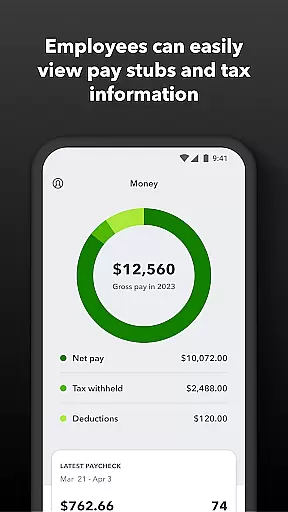
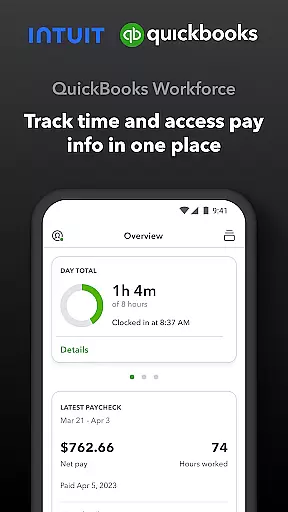
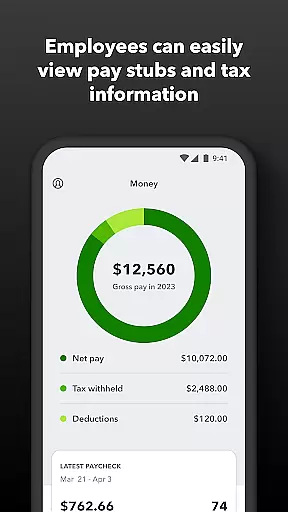
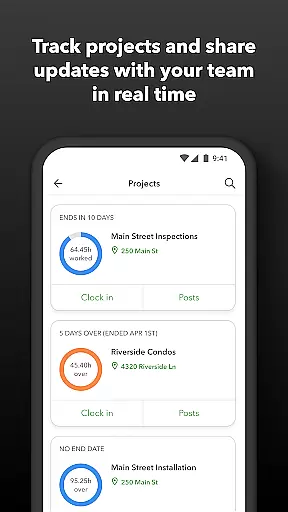
QuickBooks Workforce is a comprehensive productivity app designed to streamline payroll and time tracking for businesses using QuickBooks Payroll and QuickBooks Time. The app allows employees to access their pay information, including pay stubs and W-2s, anytime and anywhere, ensuring transparency and convenience in managing personal financial data.
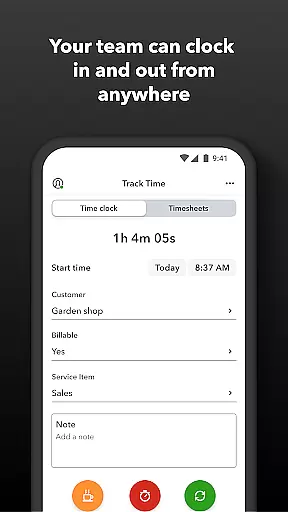
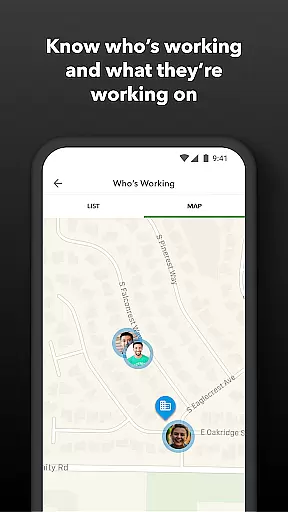
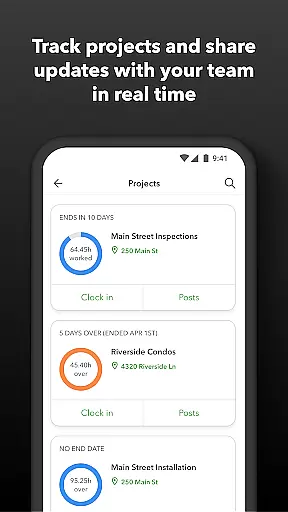
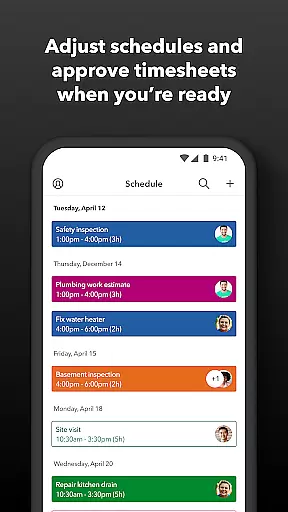
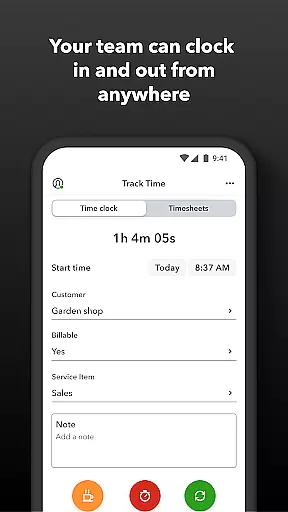
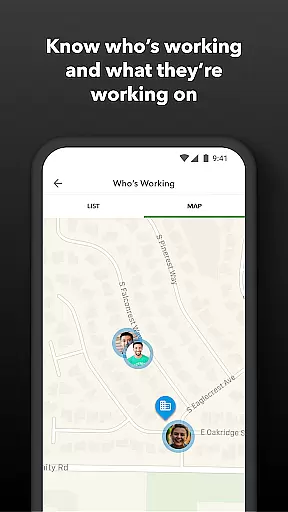
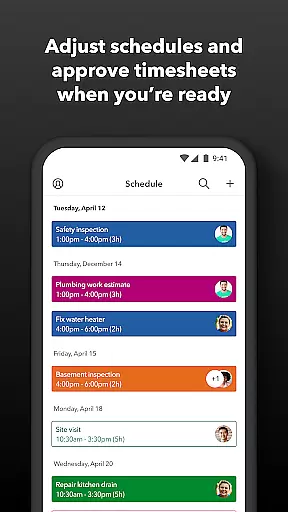
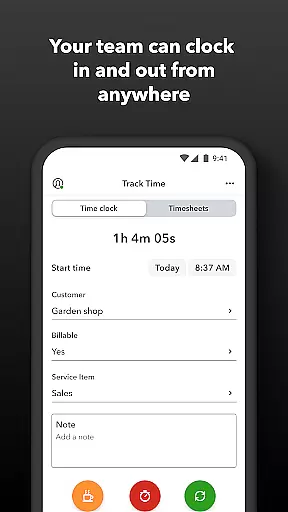
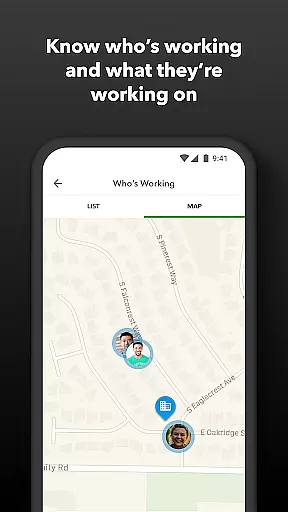
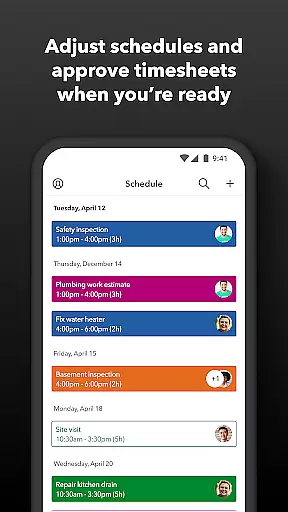
Beyond payroll access, QuickBooks Workforce offers robust time tracking features. Employees can clock in and out even without Wi-Fi, submit requests for paid time off, and manage their schedules efficiently. Employers benefit from real-time tracking of who is working and where, the ability to approve timesheets, and tools for scheduling and monitoring team productivity. This ensures optimal resource allocation and budget management.
The app's seamless integration with QuickBooks Online and other accounting software eliminates manual data entry, saving time and reducing errors. With additional capabilities like GPS-based time tracking and detailed reporting options, QuickBooks Workforce is an essential tool for businesses looking to enhance operational efficiency and maintain accurate records.
QuickBooks Workforce stands out with its extensive feature set tailored for both employees and employers. For employees, the app provides easy access to crucial pay information such as pay stubs and W-2s, enabling them to stay informed about their earnings. The ability to clock in and out without needing Wi-Fi or service ensures uninterrupted time tracking, which is vital for accurate payroll processing.
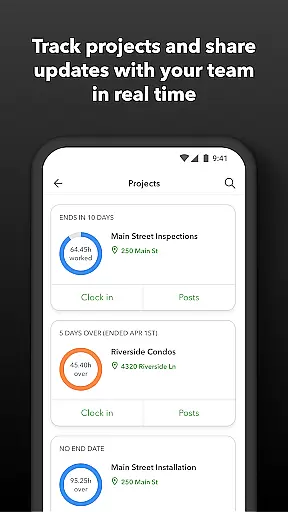
Employers and admins have powerful tools at their disposal, including the ability to approve, edit, or delete timesheets, schedule by job or shift, and receive alerts if employees don't clock in as planned. Real-time visibility into who is working and where helps in making informed decisions quickly. Advanced features like geofencing and detailed time reports further enhance oversight and control over workforce management.
Integration capabilities are another significant advantage of QuickBooks Workforce. The app seamlessly connects with QuickBooks Online and various payroll and accounting systems, facilitating smooth data flow and eliminating redundant tasks. Its open API allows developers to extend functionality, ensuring that businesses can customize the app to fit their unique needs. These features collectively contribute to increased productivity and reduced administrative overhead.
Task management is a cornerstone of productivity applications, and QuickBooks Workforce excels in this area by offering comprehensive tools for both employees and employers. The app allows team members to clock in and out, edit timesheets, and manage job schedules, all within a unified platform.
For employers and administrators, the ability to approve, modify, or delete timesheets adds another layer of control and efficiency. Real-time visibility into who is working and where, along with features like geofencing, ensures optimal workforce management. These capabilities not only streamline daily operations but also contribute to long-term strategic planning.
The app's integration with QuickBooks Online and other payroll systems eliminates manual data entry, saving time and reducing errors. With real-time reports available in multiple formats, businesses can make informed decisions quickly. This seamless connectivity across different software solutions enhances overall productivity and operational effectiveness.
Cross-device synchronization is vital for ensuring that all team members have access to the most up-to-date information regardless of their location or device. QuickBooks Workforce provides reliable synchronization that supports workforce mobility and flexibility. Employees can access pay stubs, W-2s, and other critical pay information anytime, anywhere, which is essential for maintaining transparency and trust within the team.
The appu2019s offline functionality allows users to clock in and out even without Wi-Fi or service, with data syncing automatically once connectivity is restored. This feature is particularly beneficial for teams working in remote or challenging environments. Additionally, the ability to submit and track paid time off, sick days, and holidays from any device ensures that everyone stays aligned and informed.
Employers benefit from real-time updates on employee status, including alerts if employees donu2019t clock in as scheduled or approach overtime. This immediate feedback loop helps in managing labor costs effectively while ensuring compliance with labor regulations. Overall, QuickBooks Workforceu2019s robust cross-device synchronization capabilities enhance both individual and team productivity.
User-friendly interface
Comprehensive time tracking
Seamless QuickBooks integration
Real-time reporting
GPS-based tracking
Limited free features
Subscription required
Advanced features costly
Occasional sync issues
Complex setup process

Send files, sync SMS, notifications & clipboard across devices via local network
 4.40
4.40
Smart PDF reader & editor to view, organize and manage PDF documents easily.
3.70
Protect and view your important info on your phone and tablet with eWallet®
4.80
Stay on top of your to-dos with Google Tasks, part of Google Workspace.
4.60
Multilingual translator for text, voice, and image translation!
4.90
Tally and goal counter for Wear OS & mobile
4.50
Scientific calculator for Android - looks and operates like the real thing!
4.90
Simple notepad & memo. Take notes, to-do list, shopping list with reminders.
4.80
Browse and view your photos and videos from the phone with photo & video hide.
4.10
Great calculator for Android named one of USA TODAY's "25 Essential Apps".
4.90
Best Tool for the professionals Electrician, Electrical contractors, etc.
4.90
Android Wallet Password Manager
4.80
Absolutely the best CNC machinist speed and feed calculator around. fswizard.com
4.60
Functional QR scanner and barcode reader that requires little storage space.
4.60
The AI assistant that thinks with you - write, code, and solve complex tasks
4.60
This small app MUST BE INSTALLED after purchase, else license won't work
4.40
Secure your apps with lock screens, use custom themes and different features.
4.40
Access, manage and transfer files on Android, PC, Mac, NAS and cloud storages.
4.30
Remotely view listen control and record cameras.
3.70


User Reviews