
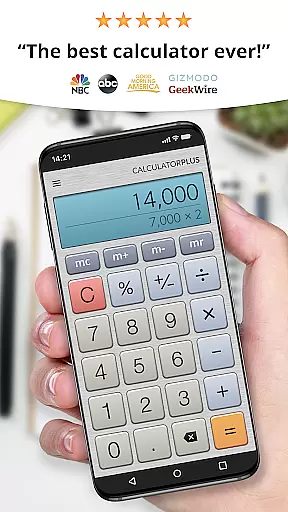
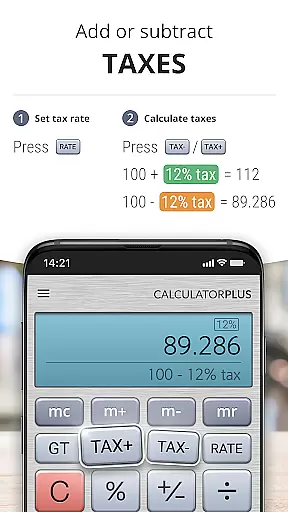
Calculator Plus is a feature-rich productivity app designed to replace traditional handheld calculators. This Android calculator offers advanced functionality beyond basic arithmetic, including memory functions, percentage calculations, and backspace correction. Its user-friendly interface displays calculations in clear, elegant type with proper comma placement, making it ideal for various tasks like budgeting, homework, and tax preparation.
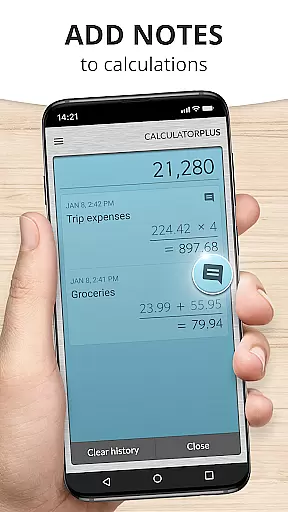
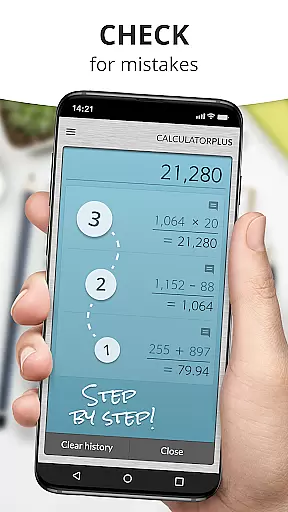
The app's standout feature is its ability to save and review past calculations, which proves invaluable when working on complex projects or returning to previous work. The swipe-enabled interface provides quick access to advanced math functions while maintaining an uncluttered display. Calculator Plus optimizes the mobile device's screen real estate to deliver an intuitive calculating experience that surpasses physical calculators.
Calculator Plus distinguishes itself through innovative features that enhance productivity. The app implements an automatic memory function that stores all calculations, allowing users to review their entire calculation history. Unlike traditional calculators, this feature enables seamless multitasking without losing valuable work.
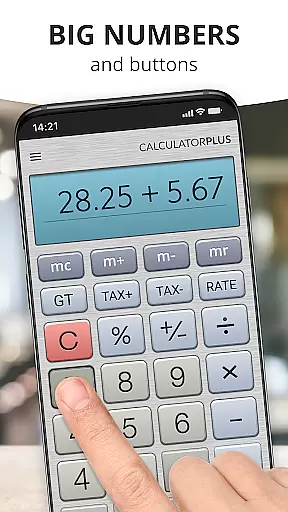
The calculator's design emphasizes usability with several key elements. It presents calculations in large, easy-to-read fonts with proper formatting, including appropriate comma placement. The backspace function allows for simple error correction without restarting calculations. Advanced mathematical operations are readily accessible through swipe gestures, while the visible memory function helps maintain running totals. These features collectively create a powerful yet user-friendly calculating tool.
Calculator Plus excels in core task management by offering a seamless calculation experience. The app allows users to save and review past calculations effortlessly, making it an ideal tool for various tasks such as shopping, homework, or balancing checkbooks.
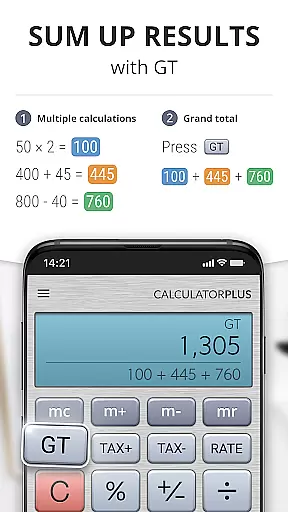
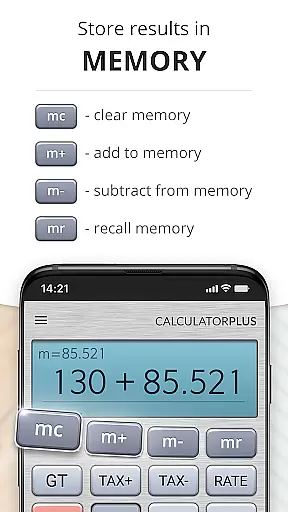
With its memory function, users can maintain a running total that is visible at all times. This feature ensures that you never lose track of your financial or mathematical computations, providing both convenience and accuracy.
The app's intuitive design includes backspace functionality for correcting simple mistakes without starting over. This saves time and effort, allowing users to focus on their work rather than troubleshooting errors.
Overall, Calculator Plus transforms the basic task of calculation into an efficient and user-friendly process, enhancing productivity for everyday use.
Cross-device synchronization is a standout feature of Calculator Plus, ensuring reliable access to calculations across multiple devices. Whether switching from phone to tablet, users will find their data consistently available right where they left off.
This reliability extends to the appu2019s ability to save calculations so that users can quit and return later without losing progress. Such continuity provides peace of mind and supports complex projects requiring intermittent attention.
Moreover, the elegant design and clear typeface make reading calculations easy on any device screen size. By incorporating commas appropriately and showing intermediate results during computation, the app maintains clarity regardless of the platform used.
In summary, Calculator Plus offers robust cross-device synchronization that enhances reliability and accessibility, making it a dependable choice for users who value uninterrupted workflow.
User-friendly interface
Automatic calculation saving
Advanced math functions
Clear number formatting
Backspace correction feature
Limited to basic design
No scientific notation
Android only support
Occasional minor bugs
Some features locked

Total remote control for your Android device, PC and cloud services (IFTTT)!
 4.20
4.20
Wake up & get tasks done! Add alarms & reminders on the Clock Launcher.
4.00
Send files, sync SMS, notifications & clipboard across devices via local network
4.40
We're working to become the best machining app on the market! www.cncdirt.com
4.80
Stay on top of your to-dos with Google Tasks, part of Google Workspace.
4.60
Functional QR scanner and barcode reader that requires little storage space.
4.60
To do list widget with a notebook organizer, checklist, simple shopping list
4.60
Okta MFA
4.70
Put a lock on your cloud: Take the security of your data into your own hands
3.70
Native client for Forgejo and Gitea
5.00
Use powerful, industry-leading AI tools to generate visual charts from any data
4.80
Absolutely the best CNC machinist speed and feed calculator around. fswizard.com
4.60
All document reader, all in one file viewer read PDF, DOCX, XLS, PPT, TXT files.
4.60
A Pixel Art watchface inspired by other iconic 90s designs for Wear OS devices!
4.40
A customizable calendar for your Wear OS watch
4.20
All in One PDF Reader: Manage, Read and Edit your Documents
4.20
Todo reminder
4.10
⏰ Finally a timer app which can run multiple timers simultaneously on your watch
3.90
Find and delete junk files & block unwanted notifications & manage files
3.70


User Reviews