
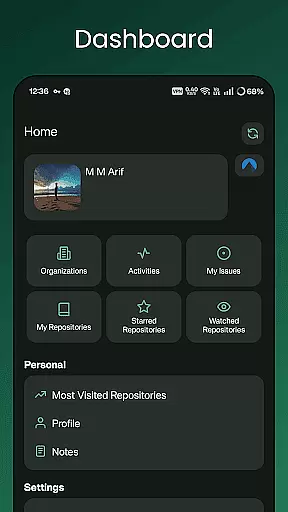
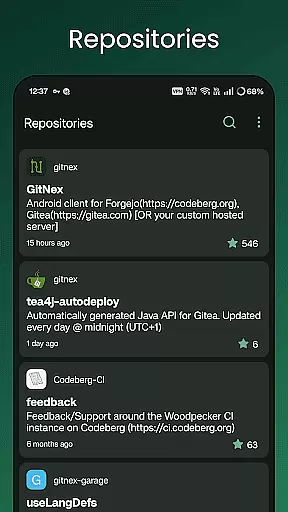
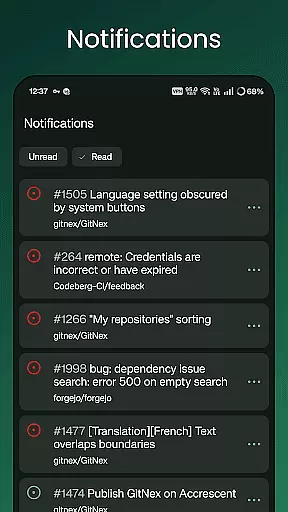
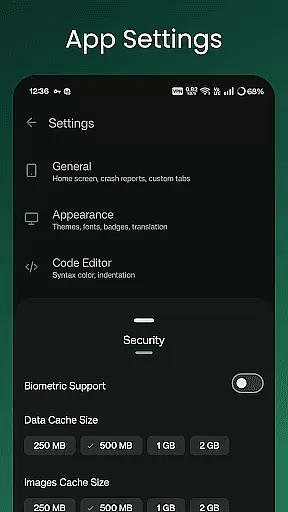
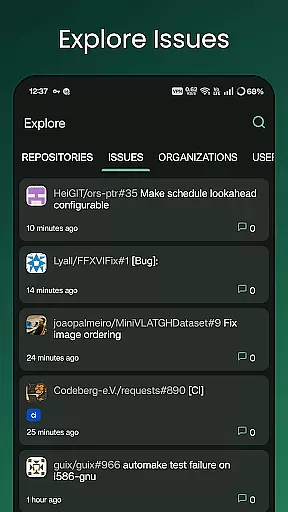
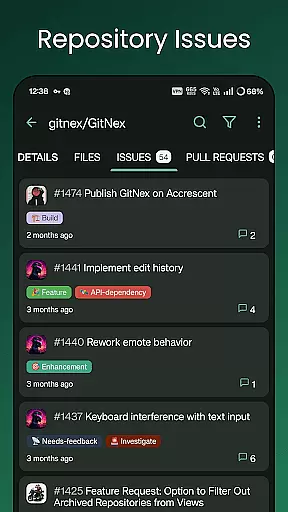
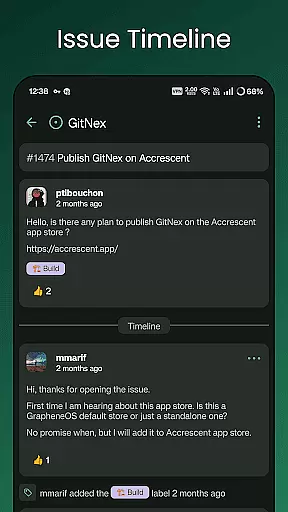
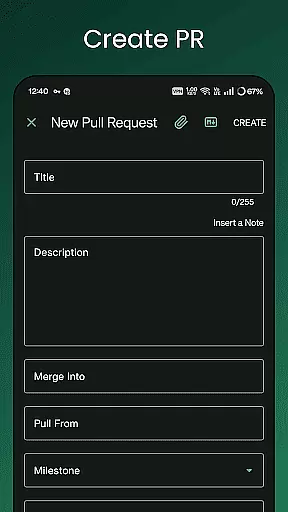
GitNex is a powerful open-source Android client designed for managing Git repositories on Forgejo and Gitea. This productivity-focused app allows users to efficiently handle multiple accounts, browse files and directories, and create various repository elements such as issues, pull requests, wikis, and more.
With its extensive feature set, GitNex supports repository exploration, issue tracking, milestone management, and release handling. The app also provides markdown and emoji support, themes, notifications, and self-signed certificate capabilities, making it an essential tool for developers and teams who need mobile access to their Git projects.
Whether you're maintaining codebases or collaborating with a team, GitNex offers a comprehensive solution for managing your repositories directly from your Android device, enhancing both individual and team productivity.
GitNex stands out with its rich feature set tailored for productivity. The app supports multiple accounts, enabling users to manage different profiles seamlessly. Its file and directory browser allows easy navigation through repository structures, while the built-in file viewer helps review code and documents without leaving the app.
One of the key strengths of GitNex is its ability to create and manage various repository components including issues, pull requests, wikis, milestones, releases, and labels. Users can explore repositories, issues, organizations, and users through the app's intuitive interface, which also displays profile information and commit histories.
Additional features include markdown and emoji support, extensive settings for customization, push notifications for important updates, and theme options for personalized aesthetics. With self-signed certificate support and secure access to Git servers, GitNex ensures both convenience and security for professional use.
Effective task management is essential for productivity applications, and GitNex excels in this area by providing robust tools for managing Git repositories. The app supports multiple accounts, allowing users to handle tasks across different profiles seamlessly.
GitNex offers features like pull requests, issues lists, and milestone tracking which are crucial for project management. These capabilities ensure that users can keep track of various tasks and collaborate efficiently with their teams.
The application also includes notifications and extensive settings options, empowering users to customize their task management experience. This level of personalization helps streamline workflows and ensures no important updates or deadlines are missed.
Cross-device synchronization is a key feature for users who need consistent access to their data from different devices. GitNex provides reliable synchronization for repository management, ensuring that all changes are updated across devices promptly.
With support for self-signed certificates and themes, the app maintains a secure and visually consistent experience on every device. This compatibility enhances the reliability of cross-device usage without compromising security or aesthetics.
Furthermore, GitNex's file browser and viewer enable users to manage files directly within the app, promoting an uninterrupted workflow regardless of the device being used. This seamless integration across platforms boosts productivity and user satisfaction.
User-friendly interface
Multi-account support
Comprehensive feature set
Open-source development
Active community support
Steep learning curve
Limited iOS availability
Occasional bugs
No offline mode
Complex setup required

Create study competitions, track your hours, and stay consistent with friends
 4.3
4.3
Easily read and manage all your PDF files
4.10
Activate Two Factor Authentication (2FA or Multi OTP), Password manager and more
4.10
Translate text/voice/photos in 150+ languages. Offline & fast translator app.
4.50
Calendar 2023 widget for Android. Appointment scheduler, planner, and reminder
4.60
Quickly and easily keep track of your work shifts
4.70
Access your phone's notifications, calls, apps, photos & texts on your PC
3.90
AT&T Internet customers can use this app to personalize their Wi-Fi network.
4.40
Daily processing of PDF documents.
4.40
PDF scanner & converter for files, photos, lottery, QR codes. One swipe away!
4.50
CalenGoo is a very flexible and feature-rich calendar app
4.40
Share files & memories safely. Keep your photos and videos secure.
4.40
Enjoy classic gameplay with customizable features and retro-style graphics.
4.30
Professional calendar app for Google Calendar, MS Outlook & Exchange
4.20
All in One PDF Reader: Manage, Read and Edit your Documents
4.20
Create and edit presentations with Google Slides, part of Google Workspace.
4.00
⏰ Finally a timer app which can run multiple timers simultaneously on your watch
3.90
Simple and reliable communication between inmates, friends and family
3.20
The upgraded version of Name Wheel with AI and the power to add your own wheels.
4.1


User Reviews