
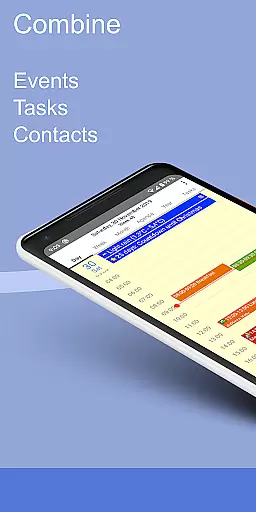
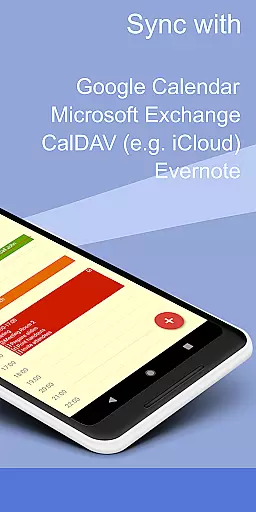
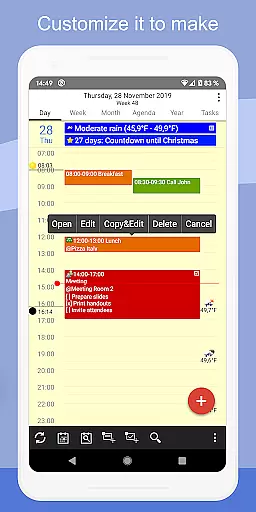
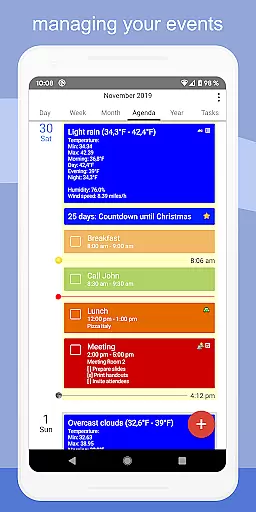
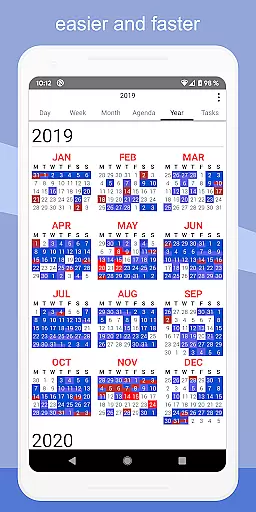
CalenGoo is a comprehensive productivity app designed to help users efficiently manage their events and tasks. With seamless synchronization capabilities, it connects directly with Google Calendar, Exchange, CalDAV, and iCloud, ensuring all your past and future events are always up-to-date across devices. The app offers extensive customization options, allowing users to tailor the interface and functionality to suit their preferences.
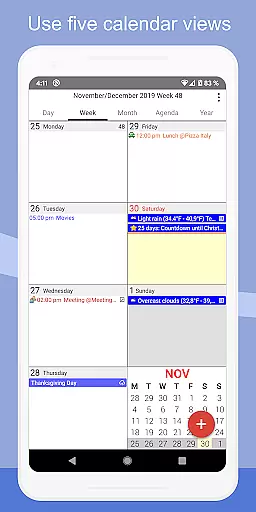
One of CalenGoo's standout features is its ability to attach photos, files, and even Evernote® notes to events when syncing directly with Google Calendar. It also provides practical tools like weather forecasts, event icons, and various reminder functions. Whether you need day, week, month, agenda, or year views, CalenGoo has you covered with multiple calendar layouts and widgets for easy access on your home screen.
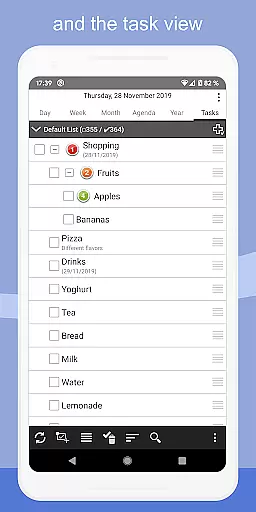
CalenGoo boasts an impressive array of features that cater to diverse productivity needs. Users can sync not only calendars but also tasks with multiple services such as Google Calendar, Exchange, CalDAV, and iCloud. The app supports advanced functionalities like drag-and-drop for moving or copying events, attaching files and photos to events, and adding Evernote® notes. Additionally, it includes five types of calendar views (day, week, month, agenda, and year) along with four styles of agenda views.
For those who require more granular control, CalenGoo offers numerous configuration options under 'Settings > Display and Use.' You can customize everything from event icons and keywords to themes (dark and light). Practical tools include widgets for your home screen, support for Exchange categories, sharing calendars via Google Calendar, and features like floating events, completable events, and templates for recurring events. Moreover, the app provides useful extras such as a print-to-PDF function, task lists within events, contact linking, and birthday reminders.
CalenGoo offers robust core task management features that cater to both personal and professional needs. The app allows users to sync tasks with multiple services including Google Calendar, Exchange, CalDAV, and iCloud, ensuring seamless integration across various platforms.
One of the standout functionalities is the ability to attach photos, files, and even Evernoteu00ae notes to events, enhancing the depth of task information. This feature proves invaluable for users who need to associate visual or textual data with their scheduled activities.
The app also supports a comprehensive reminder system with options like notifications, pop-up windows, spoken reminders, and different sounds. These diverse alert mechanisms ensure that users never miss an important event or task deadline.
Additionally, CalenGoo provides templates for recurring events, floating events, and completable events, allowing users to customize their task management experience according to their unique requirements. With extensive configuration options available under 'Settings', users can tailor the app's behavior and appearance to suit their preferences perfectly.
Cross-device synchronization is a critical feature for productivity apps, and CalenGoo excels in this area by offering reliable syncing capabilities with several calendar and task management services. Users can sync their calendars directly with Google Calendar, Exchange, CalDAV, and iCloud, ensuring that all devices reflect the most current schedule and task list.
The synchronization process is not limited to future events; CalenGoo also syncs all past events, providing a complete historical overview of oneu2019s schedule. This extensive syncing capability ensures that users have access to their full event history regardless of the device they are using.
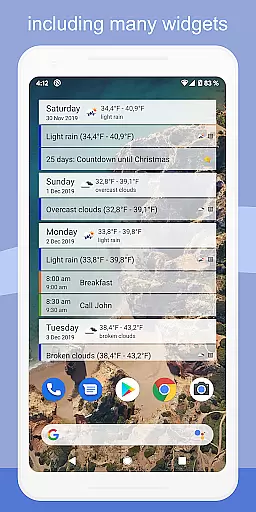
Moreover, CalenGoo supports widgets that display events on the home screen, making it easy to stay updated without opening the app. Available widgets include day, week, month, agenda, year, and task views, catering to different user preferences for information display.
In addition to calendar and task syncing, CalenGoo integrates smoothly with other services such as Evernoteu00ae and Exchange categories when synced directly via EWS. This level of integration enhances the reliability and utility of cross-device synchronization, ensuring that users have a consistent and up-to-date experience across all their devices.
User-friendly interface
Extensive customization
Multiple sync options
Rich feature set
Reliable support
Complex setup process
Paid application
Occasional sync issues
Steep learning curve
Limited free trial

Direct Chat without saving contacts & Dual WA Account on Single Device
 4.70
4.70
PDF scanner & converter for files, photos, lottery, QR codes. One swipe away!
4.50
Create and edit presentations with Google Slides, part of Google Workspace.
4.00
Tally and goal counter for Wear OS & mobile
4.50
* block pre-roll ads, pop-up and forced redirect ads * Samsung certification app
4.00
AI Chatbot and AI writing assistant powered by ChatGPT.
4.60
Seamlessly read, manage, and organize all your PDF files solution in one place
4.40
QuickEdit is a fast, stable and full featured text and code editor.
4.20
Note taking, handwriting, record audio, PDF annotation, planner & journal
4.20
Scientific calculator for Android - looks and operates like the real thing!
4.90
Protect and view your important info on your phone and tablet with eWallet®
4.80
We're working to become the best machining app on the market! www.cncdirt.com
4.80
Send files, sync SMS, notifications & clipboard across devices via local network
4.40
Unlock AutoNotification
4.00
The ultimate file manager for rooted devices. The original and still the best.
4.00
Remotely view listen control and record cameras.
3.70
Auto-shutoff Alarm with Sunrise, Sunset & Fixed Options.
3.50
Simple and reliable communication between inmates, friends and family
3.20
Ads Free App! Editor, Hide File, Copy, Move, Delete and Rename.. all facility av
1.70


User Reviews