
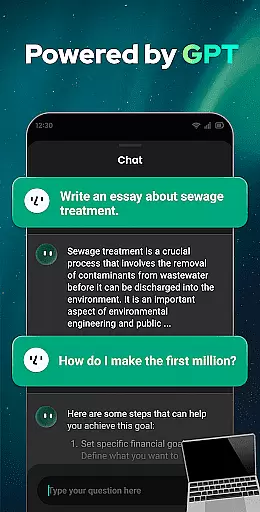
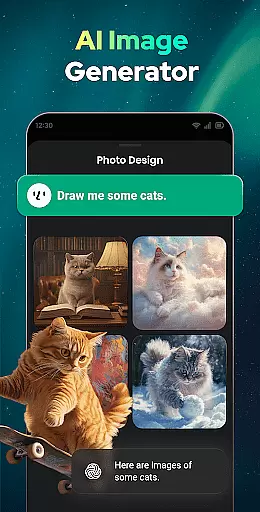
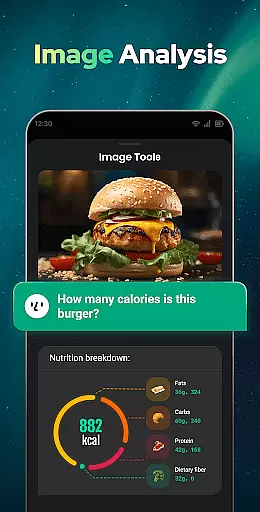
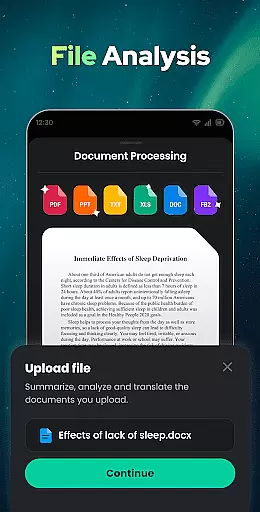

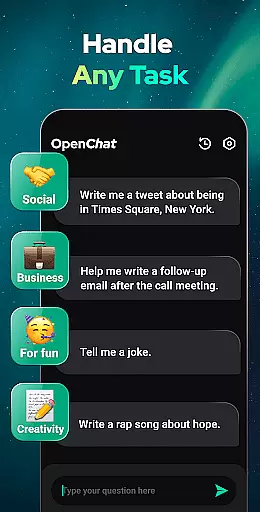
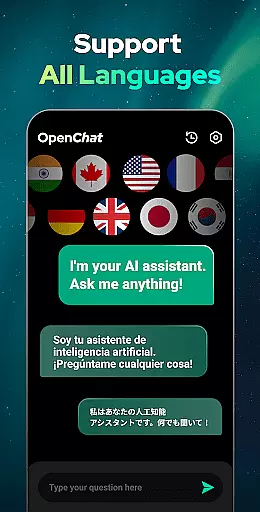
Open Chat is a cutting-edge AI chatbot application that stands out as the leading AI assistant in the Productivity category. Powered by the latest ChatGPT technology, including GPT-4, this app delivers human-like text responses to user queries across various domains such as social, health, work, and entertainment. Its multilingual support enables users to communicate in any language, making it an ideal tool for global communication and language learning.
The app's core functionality lies in its ability to handle diverse tasks through continuous dialogue. Whether you need help with writing essays, stories, or social media content, or require assistance with grammar checks and translations, Open Chat provides reliable support. The app also features a simple and elegant UI with Night Mode, enhancing user experience during extended use. With capabilities like chat history saving and follow-up question handling, Open Chat ensures a seamless conversational flow.
A key scenario where Open Chat excels is in providing instant responses to wide-ranging questions, similar to chatting with a knowledgeable friend. This makes it particularly valuable for professionals, students, and anyone seeking quick information or creative inspiration. By combining advanced AI technology with practical features, Open Chat significantly boosts productivity while maintaining an engaging user experience.
Open Chat distinguishes itself through several innovative features that enhance its functionality as a productivity tool. One of its most notable characteristics is the implementation of GPT-4 technology, which powers its ability to generate human-like responses across multiple languages. This feature allows users to engage in natural conversations while receiving accurate information and creative content suggestions.
The app's versatility extends to its role as both a smart chatbot and a comprehensive writing assistant. Users can leverage Open Chat for various writing tasks, from academic essays to creative storytelling and professional content creation. The inclusion of grammar checking, spell verification, and punctuation correction ensures that all written materials maintain high quality standards. Additionally, the continuous dialogue feature remembers chat history, enabling more meaningful interactions over time.
Another significant advantage is the app's multilingual support and translation capabilities. This feature not only facilitates international communication but also serves as a valuable language learning tool. Combined with practical elements like Night Mode and automatic chat history saving, these features create a robust platform that addresses multiple productivity needs while maintaining user comfort and convenience.
Effective task management is essential for productivity applications, serving as the backbone for organizing and executing tasks efficiently. Open Chat excels in this area by offering a versatile platform that handles any task thrown at it.
The app leverages cutting-edge ChatGPT technology to provide continuous dialogue and remembers chat history, allowing users to ask follow-up questions or continue previous conversations seamlessly. This feature ensures that task management is not only efficient but also personalized over time.
Users benefit from Open Chat's ability to assist with writing tasks, such as essays, stories, and social media posts, in any language. This makes it an invaluable tool for both personal and professional projects, enhancing productivity across different domains.
Moreover, the app's simple and elegant user interface, along with features like Night Mode, supports an uninterrupted workflow, making task management a smooth and enjoyable experience.
Cross-device synchronization is crucial for users who operate on multiple devices and need their data to be consistently updated and accessible. Open Chat addresses this need by automatically saving chat history, which can be reviewed anytime and managed according to the user's preference.
This assures that whether you're switching from your phone to a tablet or a computer, your conversations and tasks are preserved and can be picked up right where you left off, maintaining continuity in your workflow.
The reliability of this synchronization is further enhanced by the app's foundation on GPT-4 technology, which acts as a grammar checker, spell checker, and punctuation corrector, ensuring that all communications are of the highest quality before they are synchronized across devices.
With Open Chat, users can trust that their information is not only secure but also optimized for error-free cross-device experiences, providing peace of mind and confidence in their productivity toolset.
User-friendly interface
Multilingual support
Advanced AI technology
Continuous dialogue capability
Comprehensive writing assistance
Limited offline functionality
Occasional response delays
Subscription-based premium features
Privacy concerns with chat history
Learning curve for new users

Native client for Forgejo and Gitea
 5.00
5.00
Create study competitions, track your hours, and stay consistent with friends
4.5
Ads Free App! Editor, Hide File, Copy, Move, Delete and Rename.. all facility av
1.70
8 custom complications. Custom Time Fonts. Beautiful color schemes. A++ Design.
5.00
The upgraded version of Name Wheel with AI and the power to add your own wheels.
4.0
Font maker keyboard with your own handwriting
4.10
Simple and reliable communication between inmates, friends and family
3.20
Create and edit presentations with Google Slides, part of Google Workspace.
4.00
Seamlessly read, manage, and organize all your PDF files solution in one place
4.40
We're working to become the best machining app on the market! www.cncdirt.com
4.80
Use powerful, industry-leading AI tools to generate visual charts from any data
4.80
Secure, fast, open-source, Remote Desktop Client for Windows and Linux with SSH
4.60
App Lock with fingerprint, password: Lock apps & hide photos with lock screens
4.60
Enjoy classic gameplay with customizable features and retro-style graphics.
4.30
Make apps & sites with natural language prompts
4.10
Take control of your clipboard with Clipper!
3.90
Smart PDF reader & editor to view, organize and manage PDF documents easily.
3.70
Find and delete junk files & block unwanted notifications & manage files
3.70
A comprehensive suite of tools designed specifically for Lactation Consultants
4.0


User Reviews