

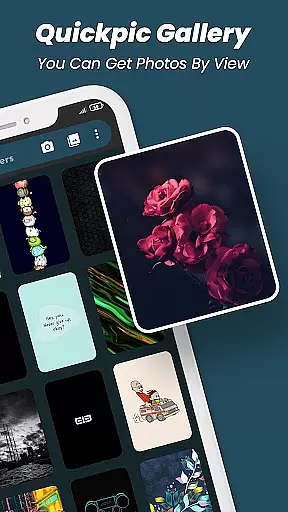
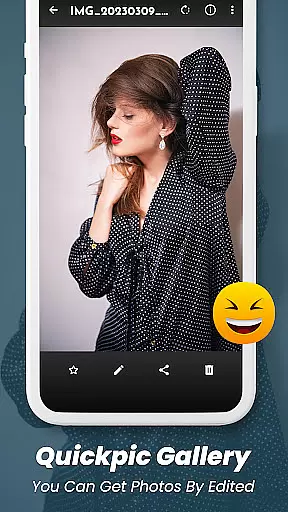
Quickpic Gallery Pro is a comprehensive productivity app designed to streamline photo and video management on Android devices. This app serves as an all-in-one gallery solution, offering tools for organizing, editing, and securing multimedia files with ease.
At its core, Quickpic Gallery Pro supports a variety of file formats, including images, videos, and GIFs, while providing advanced features like photo editing, privacy protection, and file recovery. Users can customize the interface, recover accidentally deleted media, and secure sensitive content using biometric authentication or passcodes.
Ideal for individuals seeking a reliable way to manage their digital memories, Quickpic Gallery Pro combines functionality with user-centric design, ensuring a productive and enjoyable experience for both casual users and professionals alike.
Quickpic Gallery Pro stands out as a feature-rich productivity tool tailored for managing multimedia files efficiently. Its advanced photo editor allows users to crop, rotate, flip, and apply filters effortlessly, while supporting a wide range of file formats such as JPEG, PNG, MP4, RAW, and more.
The app integrates robust security features, enabling users to protect private photos and videos using PINs, patterns, or fingerprint authentication. Additionally, its recycle bin functionality ensures accidental deletions can be recovered swiftly, making it both a gallery and a secure vault for precious memories.
With customizable UI options, users can tailor the app's appearance and functionality to suit their preferences. Dark mode, timeline views, and seamless sharing capabilities further enhance usability, ensuring a smooth and visually appealing experience for organizing and accessing media files.
At the heart of Quickpic Gallery Pro lies its robust core task management system, designed to streamline how users interact with their multimedia files. This gallery app allows for effortless organization, enabling users to copy, move, rename, and hide images and videos with ease. The intuitive interface ensures that even those who are not tech-savvy can manage their files without any hassle.
The app's functionality extends to letting users create new files and folders, which is crucial for maintaining a structured gallery. With just a few taps, important media can be grouped into albums or folders, making it simpler to locate specific memories. Additionally, the ability to delete files and folders provides necessary control over one's digital library, ensuring only desired content is retained.
Quickpic Gallery Pro also offers advanced photo editing tools, allowing users to modify their photos with text, stickers, filters, cropping, and more. This feature transforms the app from a simple gallery manager into a powerful creative suite where users can enhance their photos to express their personal style. Such comprehensive task management capabilities ensure that all user needs are met within a single, efficient application.
While Quickpic Gallery Pro focuses on managing multimedia files on a single device, it understands the importance of cross-device synchronization reliability in today's interconnected world. Although direct cloud sync features may not be its primary focus, the app ensures that your organized galleries and edited photos are preserved reliably on your device, ready for backup or transfer through other means.
The appu2019s stability ensures that every change made to your galleryu2014be it file organization, edits, or deletionsu2014is accurately saved. This reliability is vital when using third-party services or manual methods to move your data across devices. Users can rest assured that their carefully curated collections remain intact and true to their latest updates.
Moreover, Quickpic Gallery Pro supports a wide array of file types including JPEG, PNG, MP4, MKV, RAW, SVG, GIF, and more. This flexibility guarantees that no matter what device youu2019re transferring files to or from, compatibility wonu2019t be an issue. Whether sharing files via social media, email, or other platforms, the app provides seamless integration, ensuring your memories are always accessible and preserved across different ecosystems.
Feature-packed
User-friendly
Secure privacy
File recovery
Customizable UI
Storage-heavy
Premium cost
Complex UI
Fewer filters
Ads in free version

Take control of your clipboard with Clipper!
 3.90
3.90
Create study competitions, track your hours, and stay consistent with friends
4.3
Protect and view your important info on your phone and tablet with eWallet®
4.80
aCalendar+ makes your day, week and month
4.70
Easiest event planning, volunteer signups & parent teacher conference scheduling
2.20
App lock - lock apps with fingerprint, password, pin or pattern, protect privacy
4.70
Subscribe to Webcal & .ics calendars and keep them up-to-date!
4.50
Share files & memories safely. Keep your photos and videos secure.
4.40
Ultimate Virtual AI Character for immersive Roleplay Chat. Perfect Companion
3.90
Best Tool for the professionals Electrician, Electrical contractors, etc.
4.90
QuickBooks Workforce lets teams view pay info and track time in one place.
4.70
When you Focus, so will your Bean in this cozy focus timer
4.30
Enjoy classic gameplay with customizable features and retro-style graphics.
4.30
Device's storage information in a simple and clear graphical form (infographics)
4.10
Intelligent AI Assistant
4.10
Wake up & get tasks done! Add alarms & reminders on the Clock Launcher.
4.00
Mega cloud explorer plugin for Solid Explorer
3.80
Smart PDF reader & editor to view, organize and manage PDF documents easily.
3.70
IP Camera Viewer - Android TV : RTSP Surveillance camera viewer for Android TV
4.1


User Reviews