
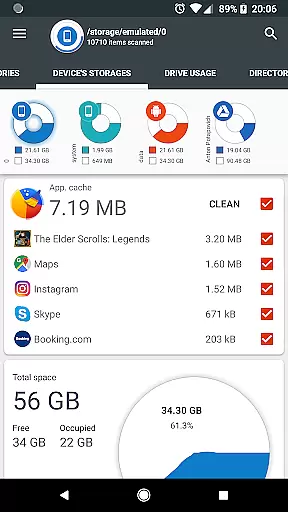
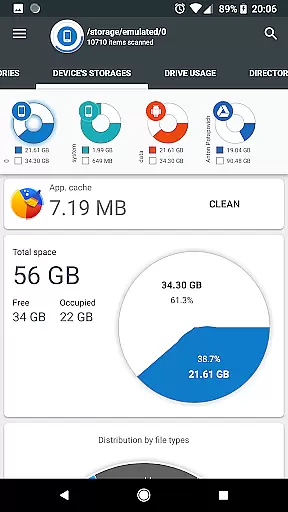
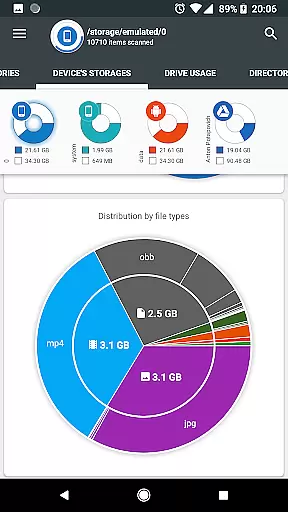
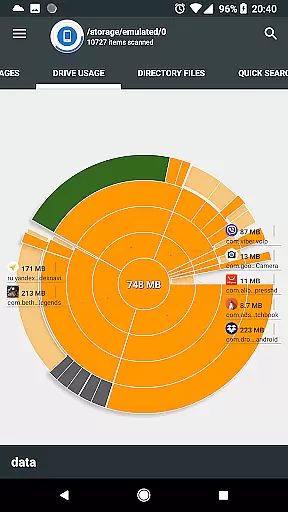
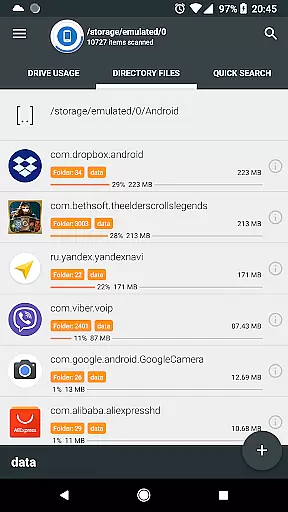
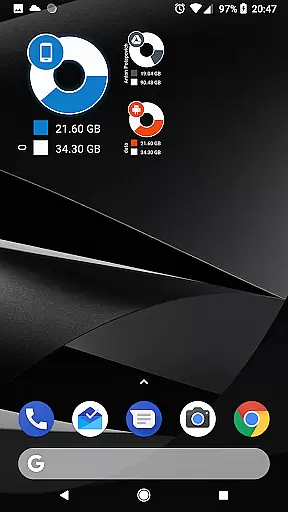
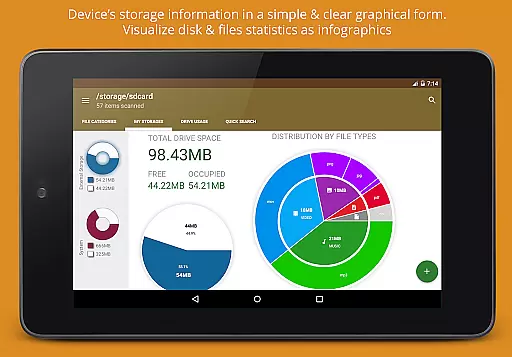
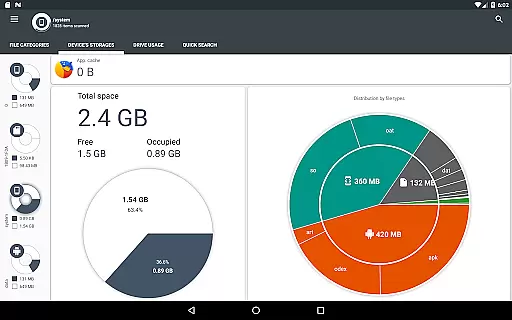
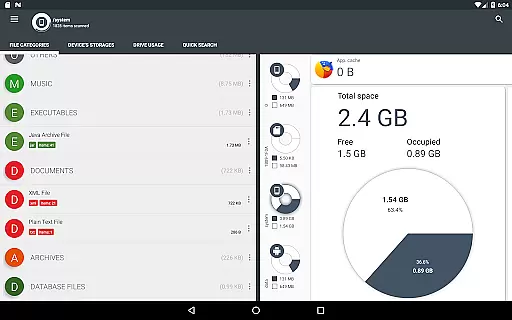
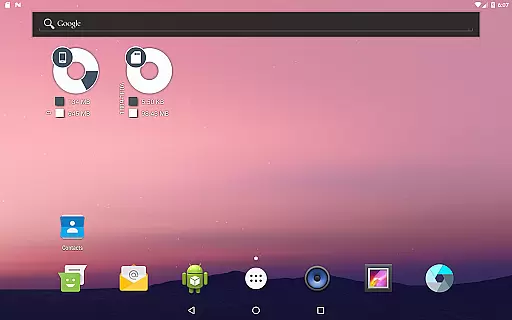
Disk & Storage Analyzer [PRO] is a comprehensive productivity tool designed to help users manage their device's storage efficiently. This app provides detailed insights into internal and external storage, USB devices, and even cloud drives through clear graphical representations like pie charts and sunburst diagrams. With its ads-free interface, the application allows users to access file-specific data such as name, path, size, and last modified date, making it easier to monitor and optimize storage usage.
One of the standout features of Disk & Storage Analyzer [PRO] is its ability to connect with cloud services like Google Drive, Dropbox, and Yandex.Disk, offering users a unified view of their storage statistics across platforms. Additionally, the app offers functionality for managing installed applications by displaying their sizes, cache data, and allowing cache cleaning or app deletion. Its intuitive visualization tools and global search capabilities make it an essential utility for anyone looking to maintain optimal device performance.
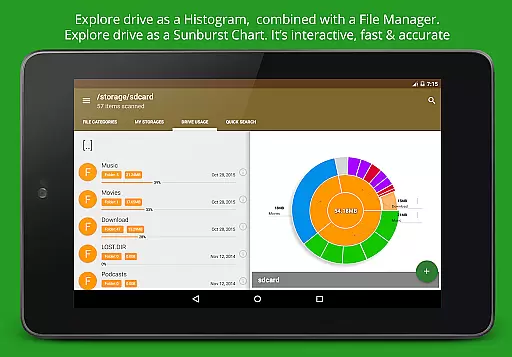
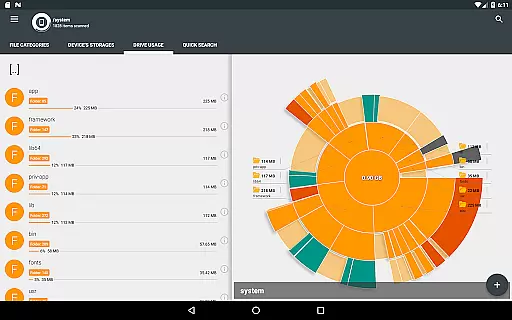
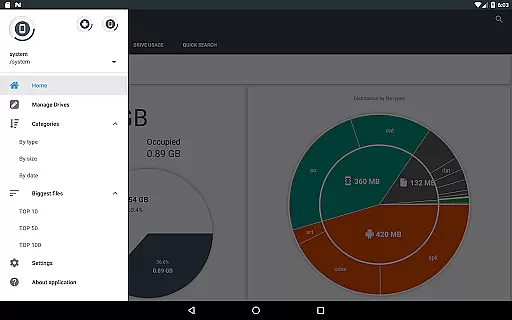
The app boasts a variety of advanced features that cater to both casual and power users. One key feature is its robust file usage visualization, where folders and files are displayed in a Sunburst chart format, sorted by size. This interactive chart lets users click through nested levels to explore deeper directories, providing a seamless way to navigate complex storage structures. The central sector represents the current directory, while surrounding sectors display subfolders and files, enabling quick identification of large or unnecessary files.
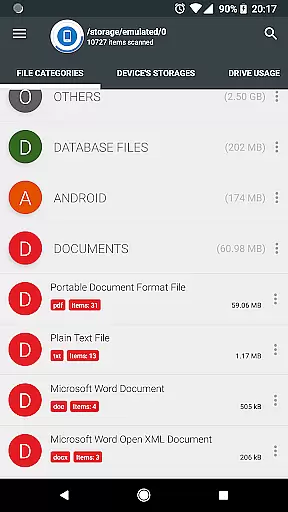
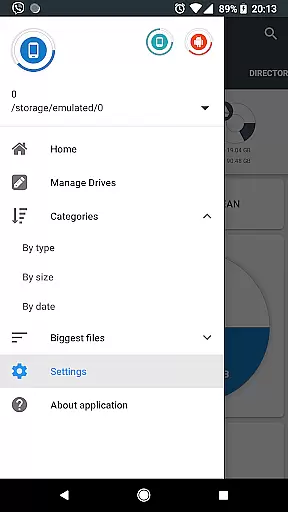
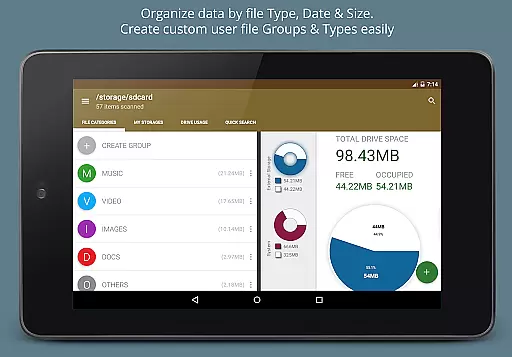
Another notable feature is the global search functionality, which indexes files from both local and cloud storage at startup. This ensures that users can quickly find files using the Quick Search page, which displays results based on categories or extensions. Long-clicking on files opens a context menu with options to open, delete, or share them. Furthermore, the app categorizes files by type, size, and date, offering structured views that simplify file management. These features collectively enhance user experience by providing powerful tools for efficient storage oversight.
Disk & Storage Analyzer [PRO] excels in core task management by offering users a comprehensive suite of tools to monitor and manage their device's storage effectively. The application provides detailed insights into file usage, categorizing data across internal and external storage, USB devices, and even cloud drives like Google Drive and Dropbox.
Through an intuitive interface, users can access graphical representations such as pie charts and sunburst diagrams that clearly illustrate storage distribution. This functionality empowers users to understand which files or categories consume the most space, enabling informed decisions about data management.
The app goes beyond simple visualization by allowing direct actions within its interface. Users can clean caches, delete unnecessary files, and manage installed applications, all from one centralized location. These capabilities streamline the process of freeing up valuable storage space without needing to navigate through multiple settings menus.
By integrating these powerful features, Disk & Storage Analyzer [PRO] ensures that users maintain optimal device performance through efficient storage management, ultimately enhancing productivity and device longevity.
While Disk & Storage Analyzer [PRO] focuses primarily on individual device storage analysis, it offers reliable cross-device synchronization for cloud storage services. By connecting to platforms like Google Drive, Dropbox, and Yandex.Disk, the application enables users to view and manage their cloud-stored files alongside local device storage.
This synchronization feature maintains consistency across devices, ensuring that users have an accurate and up-to-date understanding of their total digital storage landscape. When changes are made to cloud files through the app, these updates reliably reflect across all connected devices.
The application's robust connection protocols guarantee secure and stable interactions with cloud services. This reliability is crucial when performing sensitive operations such as deleting files or analyzing storage patterns across multiple devices.
Although the primary focus remains on storage analysis, this cross-device capability significantly enhances the application's value by providing a holistic view of a user's digital footprint, regardless of where files are stored. This comprehensive approach to storage management helps maintain organization and efficiency across all digital platforms.
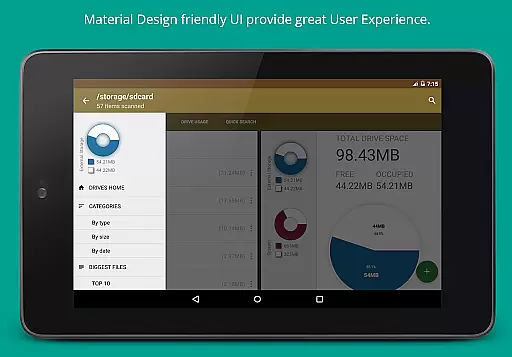
User-friendly interface
Comprehensive storage analysis
Cloud drive integration
Efficient cache management
Advanced file visualization
No automatic backup option
Limited real-time sync
Premium version cost
Occasional force closes
Requires many permissions

Create study competitions, track your hours, and stay consistent with friends
 4.0
4.0
Automates browsing any website and notifies you of important changes or events
4.30
Remotely view listen control and record cameras.
3.70
Todo reminder
4.10
PDF scanner & converter for files, photos, lottery, QR codes. One swipe away!
4.50
Activate Two Factor Authentication (2FA or Multi OTP), Password manager and more
4.10
Functional QR scanner and barcode reader that requires little storage space.
4.60
* block pre-roll ads, pop-up and forced redirect ads * Samsung certification app
4.00
Okta MFA
4.70
Native client for Forgejo and Gitea
5.00
Android Wallet Password Manager
4.80
Mind Map and brainstorm, note taking and idea collection
4.80
Fill, sign & send docs, forms, agreements & contracts via electronic signature.
4.50
This small app MUST BE INSTALLED after purchase, else license won't work
4.40
Share files & memories safely. Keep your photos and videos secure.
4.40
A customizable calendar for your Wear OS watch
4.20
Total remote control for your Android device, PC and cloud services (IFTTT)!
4.20
ID.me Authenticator is a simple and free Two Factor Authentication solution
3.50
Simple and reliable communication between inmates, friends and family
3.20


User Reviews