
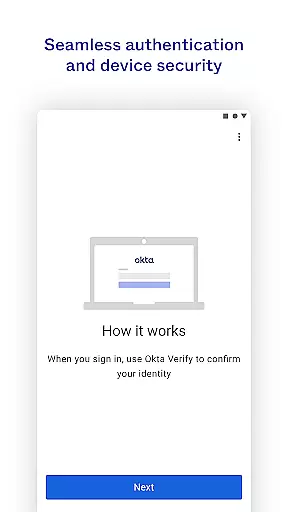
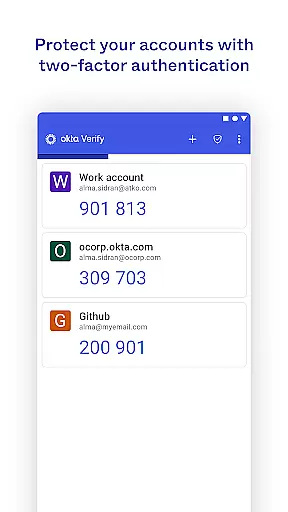
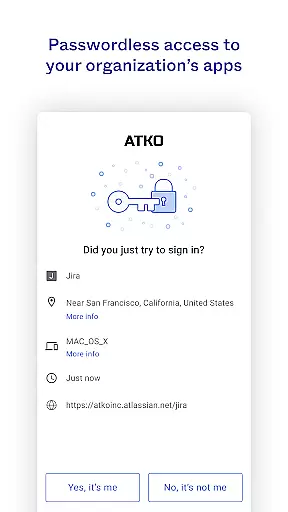
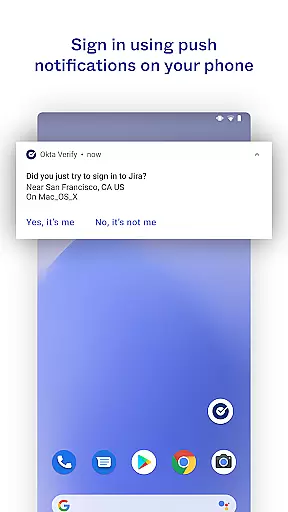
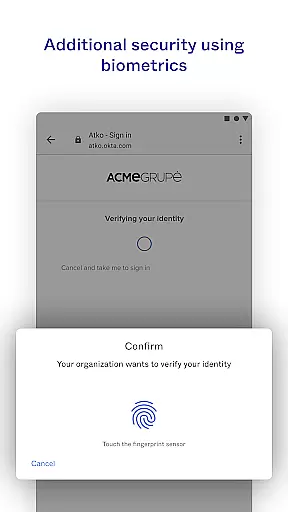
Okta Verify is a productivity-focused application designed to enhance security through two-step verification. This app ensures that only authorized users can access their accounts by providing multiple authentication methods. Users can verify their identity using push notifications, temporary 6-digit codes, or biometric authentication if enabled by their organization. The app also requires camera permission for QR code scanning during the initial device enrollment process.
This application is particularly useful for organizations looking to bolster their security protocols while maintaining ease of access for employees. By integrating with existing systems, Okta Verify provides a seamless yet secure method of accessing critical applications and data.
Okta Verify offers several key features that make it an essential tool for secure access. Firstly, it supports multiple verification methods including push notifications sent directly to your device, time-based one-time passwords (TOTP), and biometric authentication. These options provide flexibility and ensure that users can always authenticate securely regardless of their situation.
Another notable feature is its compatibility with various organizational policies. Administrators can enable or disable specific verification methods based on security requirements. Additionally, the app's ability to scan QR codes streamlines the setup process, making it easier for users to enroll their devices quickly and efficiently.
Okta Verify excels in core task management by providing a streamlined approach to secure app access through two-step verification. This process ensures that only authorized users can access their accounts.
The app offers multiple verification methods including push notifications, temporary 6-digit codes, and biometric authentication if enabled by the organization. These options allow users to choose the most convenient and secure method for their needs.
By integrating these advanced security features, Okta Verify simplifies the user experience while maintaining high-security standards. Users can easily manage their authentication tasks without compromising on safety.
Cross-device synchronization is a critical feature of Okta Verify, ensuring that users can seamlessly verify their identity across multiple devices. This reliability is essential for maintaining consistent access to important applications.
When enrolling a device, Okta Verify requests camera permission to scan a QR code, facilitating quick and accurate setup. This process ensures that all devices are properly synchronized with the user's account.
With robust synchronization capabilities, Okta Verify guarantees that users have a dependable and efficient way to manage their authentication tasks, regardless of the device they are using.
Enhanced Security
User-Friendly Interface
Multiple Verification Methods
Seamless Integration
Flexible Authentication Options
Requires Camera Permission
Dependent on Network Connectivity
Limited Offline Functionality
Potential Biometric Limitations
Organization-Dependent Features

Wake up & get tasks done! Add alarms & reminders on the Clock Launcher.
 4.00
4.00
8 custom complications. Custom Time Fonts. Beautiful color schemes. A++ Design.
5.00
aCalendar+ makes your day, week and month
4.70
Enjoy classic gameplay with customizable features and retro-style graphics.
4.30
Calendar 2023 widget for Android. Appointment scheduler, planner, and reminder
4.60
* block pre-roll ads, pop-up and forced redirect ads * Samsung certification app
4.00
This small app MUST BE INSTALLED after purchase, else license won't work
4.40
Seamlessly read, manage, and organize all your PDF files solution in one place
4.40
Browse and view your photos and videos from the phone with photo & video hide.
4.10
QuickBooks Workforce lets teams view pay info and track time in one place.
4.70
All document reader, all in one file viewer read PDF, DOCX, XLS, PPT, TXT files.
4.60
Fill, sign & send docs, forms, agreements & contracts via electronic signature.
4.50
Translate text/voice/photos in 150+ languages. Offline & fast translator app.
4.50
Subscribe to Webcal & .ics calendars and keep them up-to-date!
4.50
Share files & memories safely. Keep your photos and videos secure.
4.40
Font maker keyboard with your own handwriting
4.10
A Revolutionary All-in-One Artificial Intelligence Tools
3.80
Auto-shutoff Alarm with Sunrise, Sunset & Fixed Options.
3.50
IP Camera Viewer - Android TV : RTSP Surveillance camera viewer for Android TV
4.0


User Reviews