
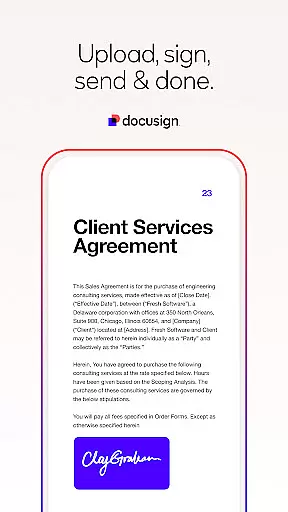
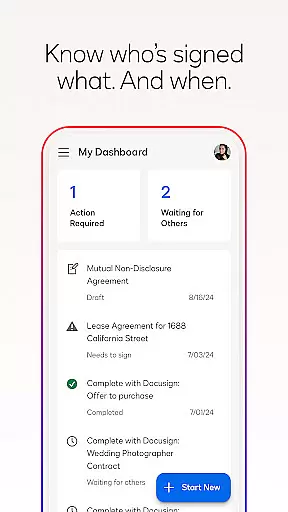


Docusign is the leading Intelligent Agreement Management platform that revolutionizes how businesses and individuals handle agreements. The app enables secure e-signatures for PDFs, forms, and contracts from virtually anywhere, at any time, using almost any device. Trusted by millions globally, Docusign offers unlimited free signing for all parties, making it the world's #1 choice for electronic signatures.
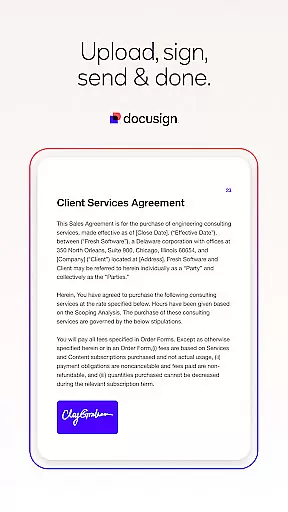
With its streamlined agreement management features, users can send, track, and manage documents with ease. The app supports multiple document formats including PDF, Word, Excel, and images, while providing advanced functionalities like 'Sign Here' tags, real-time push notifications, and responsive signing for mobile devices. Whether you're handling NDAs, sales contracts, or lease agreements, Docusign ensures a legal, secure, and efficient process.
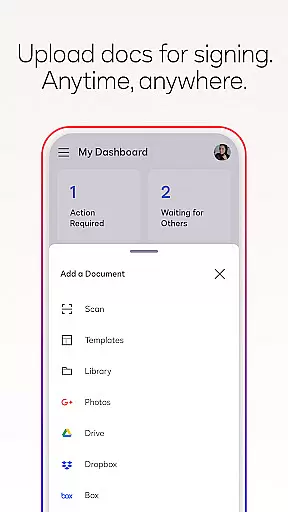
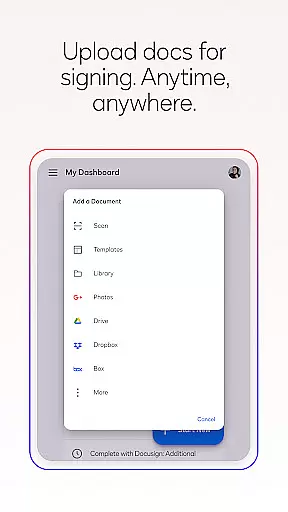
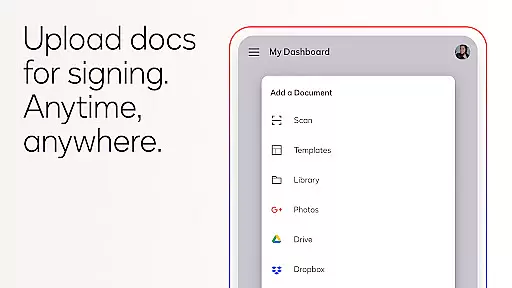
Docusign stands out with its comprehensive set of productivity-enhancing features tailored to simplify agreement processes. Users can create customized digital signatures directly on their devices and upload documents via email, Google Drive, Dropbox, or even photo scanning. The app's responsive signing functionality automatically adapts documents to fit the signer's device screen size and orientation, ensuring an optimal user experience.
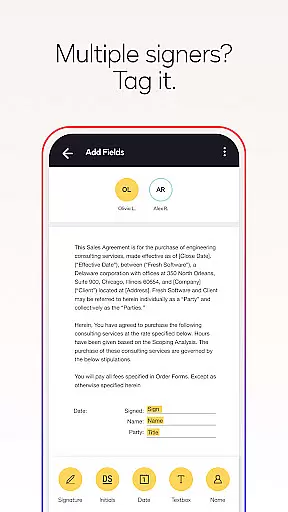
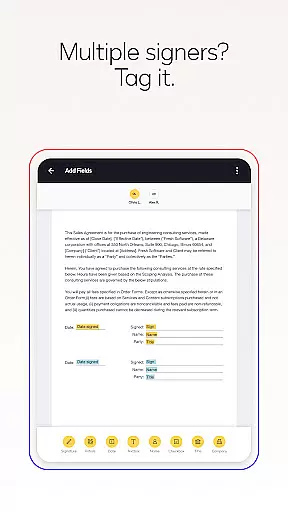
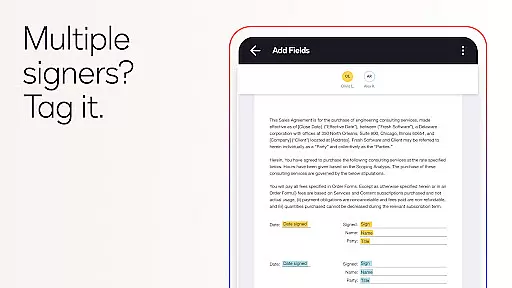
One of the key highlights is its ability to support complex workflows for multiple signers, allowing users to set signing orders and invite others to sign. Advanced features include reusable templates, in-person signing, and the ability to remind or void documents with a single tap. Additionally, Docusign complies with the eSign Act, offering legally binding agreements with complete audit trails and document encryption, making it safer than traditional paper-based methods.
In the realm of productivity, core task management is pivotal for organizing and executing work efficiently. DocuSign excels in this area by providing a streamlined process to manage agreements from creation to completion.
DocuSign's application allows users to create customized digital signatures, upload documents from various sources, and prepare them with specific tags that indicate where to sign or add information. This ensures that tasks related to document signing are clear and structured, making it easier for users to complete their agreements without confusion.
The app also supports setting workflows for multiple signers, which means you can define who needs to sign what and in what order. This feature simplifies complex transactions involving several parties, ensuring that each participant knows their role and when they need to act.
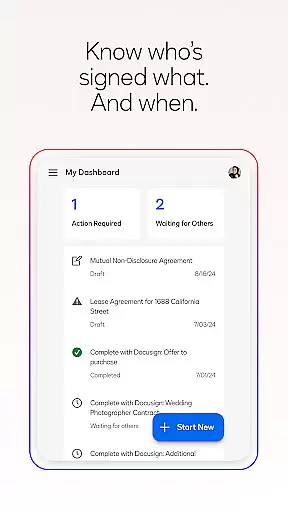
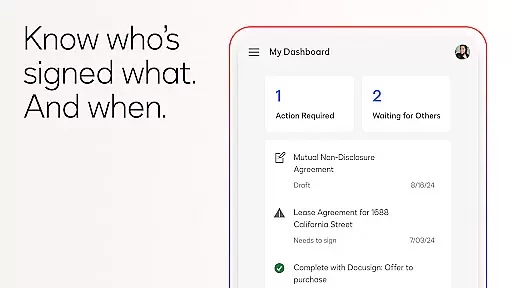
With real-time push notifications, users are immediately informed about the status of their documents, allowing them to keep track of progress and follow up as needed. This comprehensive approach to task management not only saves time but also enhances the overall efficiency of handling agreements.
Cross-device synchronization is essential for maintaining consistency and accessibility across different platforms. DocuSign offers reliable synchronization that ensures users have seamless access to their documents regardless of the device they use.
Whether you're working on a smartphone, tablet, or computer, DocuSign's responsive signing functionality adapts documents to fit the screen size and orientation of your device. This adaptability guarantees that all users, irrespective of their chosen platform, enjoy an optimal viewing and signing experience.
Moreover, DocuSign provides cloud storage integration options such as Google Drive, Dropbox, and others, enabling automatic syncing of files across devices. Users can start drafting an agreement on one device and continue editing or send it out for signatures from another without missing a beat.
This level of synchronization reliability empowers professionals to stay productive and connected, no matter where they are or which device they choose to use. It eliminates the frustration of version control issues and lost updates, thus fostering a more dependable and user-friendly environment for managing important agreements.
User-friendly interface
Legally compliant signatures
Real-time notifications
Multi-format document support
Secure encryption protocols
Limited free sending in Personal Plan
Advanced features require subscription
No offline functionality
Occasional syncing delays
Higher cost for premium plans

Ads Free App! Editor, Hide File, Copy, Move, Delete and Rename.. all facility av
 1.70
1.70
Direct Chat without saving contacts & Dual WA Account on Single Device
4.70
aCalendar+ makes your day, week and month
4.70
All in One PDF Reader: Manage, Read and Edit your Documents
4.20
Create and edit presentations with Google Slides, part of Google Workspace.
4.00
* block pre-roll ads, pop-up and forced redirect ads * Samsung certification app
4.00
Great calculator for Android named one of USA TODAY's "25 Essential Apps".
4.90
The ultimate file manager for rooted devices. The original and still the best.
4.00
QuickEdit is a fast, stable and full featured text and code editor.
4.20
Native client for Forgejo and Gitea
5.00
Seamlessly integrate data and reports to build your presentation to impress
4.80
Android Wallet Password Manager
4.80
App Lock with fingerprint, password: Lock apps & hide photos with lock screens
4.60
All document reader, all in one file viewer read PDF, DOCX, XLS, PPT, TXT files.
4.60
Tally and goal counter for Wear OS & mobile
4.50
A lightweight JSON & XML files creator, editor and viewer (Premium Version)
4.40
Make apps & sites with natural language prompts
4.10
Wake up & get tasks done! Add alarms & reminders on the Clock Launcher.
4.00
⏰ Finally a timer app which can run multiple timers simultaneously on your watch
3.90


User Reviews