

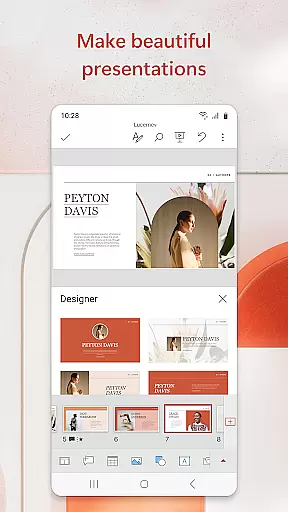
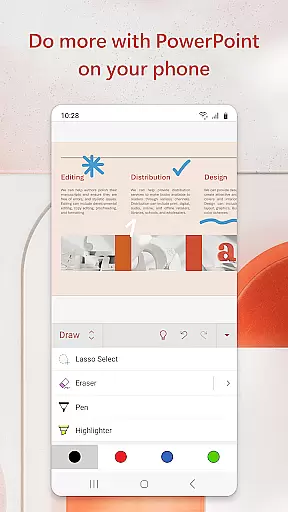

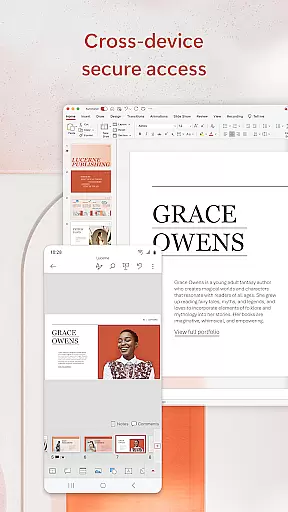
Microsoft PowerPoint is the quintessential presentation tool that empowers users to create, edit, and present professional slideshows from their mobile devices. With its comprehensive suite of features, this app allows you to craft presentations with music, graphics, charts, and more, ensuring your quarterly or yearly reports stand out. The app syncs seamlessly across devices, eliminating concerns about multiple file versions and allowing for real-time collaboration on ppt or pptx files.
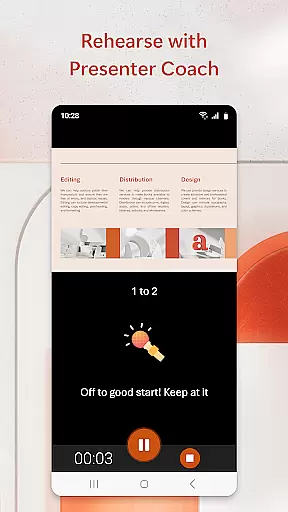
One standout feature is the Presenter Coach, an AI-driven tool designed to refine public speaking skills. It provides real-time suggestions, helping users adjust pacing, avoid filler words, and speak confidently. Whether presenting on-site or remotely, PowerPoint's presentation view ensures clarity and confidence in delivery. This makes it an indispensable tool for professionals who need to make impactful presentations on the go.
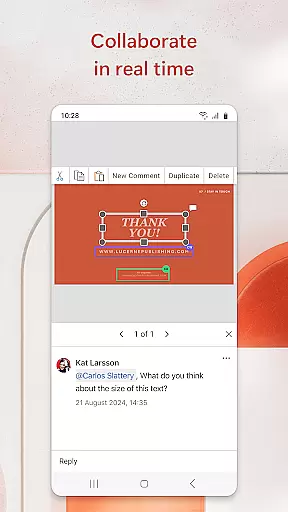
The app also facilitates teamwork by enabling easy sharing and feedback collection. Integrated comments allow users to stay on top of changes and collaborate efficiently. With customizable templates and tools, PowerPoint helps users create polished presentations that leave a lasting impression. Available on Android devices with 1 GB RAM or above, Microsoft PowerPoint offers a complete solution for creating dynamic and engaging slideshows.
Microsoft PowerPoint stands out with its robust set of features tailored for productivity and collaboration. Users can create presentations from scratch or utilize pre-existing templates, which are highly customizable to fit any theme or purpose. The app supports multimedia integration, allowing users to add photos, videos, music, and charts to enhance their slideshows. These capabilities ensure that every presentation is not only informative but visually compelling as well.
A key feature is the Presenter Coach, an innovative AI tool that assists users in honing their public speaking skills. It offers real-time feedback during practice sessions, helping users improve pacing, reduce filler words, and deliver confident presentations. Additionally, the built-in presentation timer aids in delivering concise and impactful slideshows. PowerPoint also enables seamless synchronization across devices, ensuring that users have access to their latest files regardless of where they are working from.
Collaboration is made effortless with integrated commenting and permission settings. Teams can work together in real time, viewing edits and feedback instantly. This collaborative environment fosters efficient teamwork and ensures everyone stays aligned. Overall, Microsoft PowerPoint combines powerful creation tools with advanced AI coaching and seamless collaboration features, making it an essential app for anyone looking to create impressive presentations.
Microsoft PowerPoint revolutionizes core task management by offering seamless tools for creating, editing, and presenting slideshows. The app enables users to manage their presentation tasks efficiently from any location, ensuring that productivity is not confined to a desktop.
With features like real-time collaboration, users can work together on the same presentation simultaneously. This ensures that feedback and edits are incorporated instantly, streamlining the entire workflow process. The ability to access recently used files across devices further enhances task continuity and efficiency.
The Presenter Coach feature adds another layer of task management by helping users refine their delivery. By providing real-time suggestions and a presentation timer, it ensures that presentations are not only well-prepared but also delivered confidently and within the allocated time frame.
Cross-device synchronization is a cornerstone of Microsoft PowerPoint's reliability, allowing users to start a presentation on one device and continue on another without missing a beat. This ensures that whether you're at your desk or on the move, your work is always up-to-date and accessible.
The app syncs presentations seamlessly across devices, eliminating concerns about multiple file versions. This means that all collaborators are always working on the latest version of a presentation, thus avoiding confusion and ensuring consistency in collaborative projects.
PowerPoint's robust cloud integration supports this synchronization, storing presentations securely and making them available wherever needed. This reliability empowers users to focus on content creation and delivery, knowing their work is safely synchronized and readily available on any device they choose to use.
User-friendly interface
Real-time collaboration
AI-powered Presenter Coach
Seamless cross-device sync
Customizable templates
Requires subscription for full features
Limited offline functionality
High system requirements
Occasional syncing issues
Complex for beginners

Client for Nextcloud Deck
 4.60
4.60
Direct Chat without saving contacts & Dual WA Account on Single Device
4.70
Secure, fast, open-source, Remote Desktop Client for Windows and Linux with SSH
4.60
Tally and goal counter for Wear OS & mobile
4.50
Access, manage and transfer files on Android, PC, Mac, NAS and cloud storages.
4.30
Docker, Kubernetes management over Portainer Mobile
4.40
A beautiful digital clock with autostart and many other functions
4.70
Seamlessly read, manage, and organize all your PDF files solution in one place
4.40
Set up, print, and get support—in one place
4.20
Android Wallet Password Manager
4.80
Mind Map and brainstorm, note taking and idea collection
4.80
The long-awaited modern gallery app for your Nextcloud server
4.70
Planet Free VPN - The best Fast Unlimited and Secure VPN Without Logs
4.50
A customizable calendar for your Wear OS watch
4.20
Pwnagotchi companion app
4.20
Access your phone's notifications, calls, apps, photos & texts on your PC
3.90
Make your handwriting beautiful, even more than pen on paper.
3.60
Easiest event planning, volunteer signups & parent teacher conference scheduling
2.20
The upgraded version of Name Wheel with AI and the power to add your own wheels.
4.4


User Reviews