
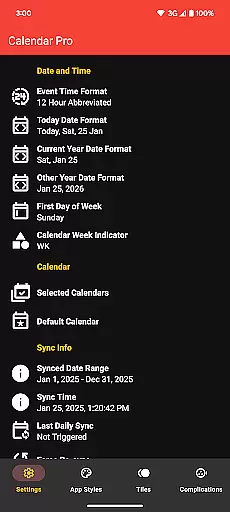
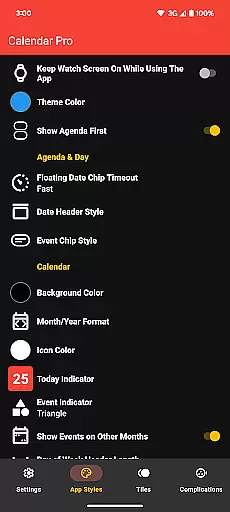
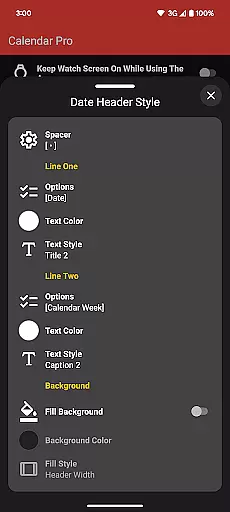
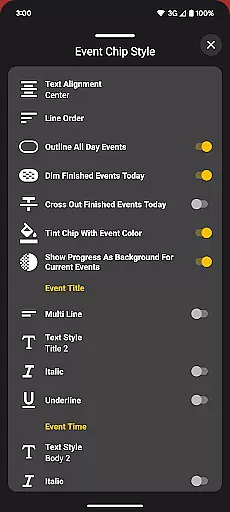
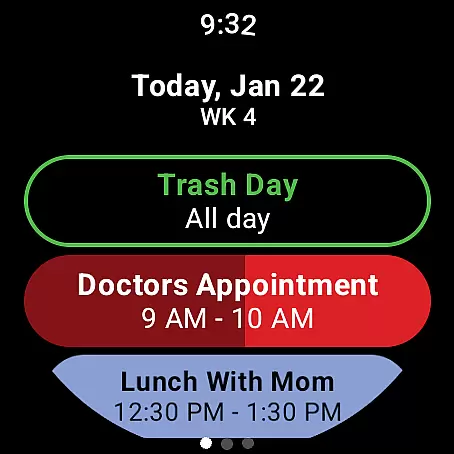
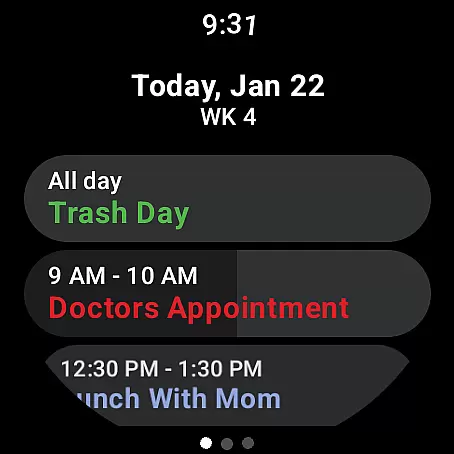
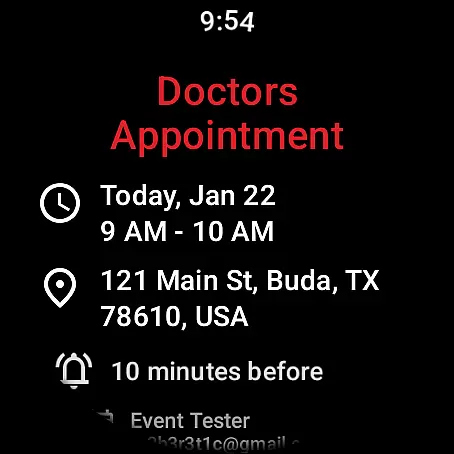
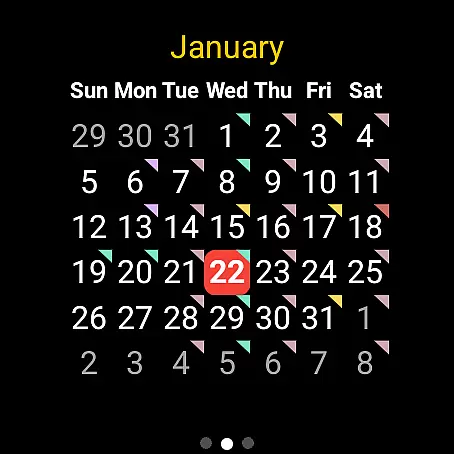
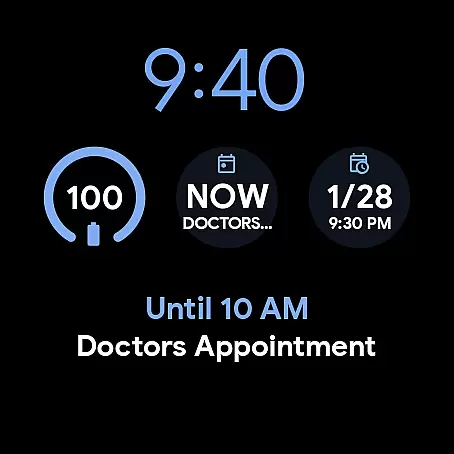
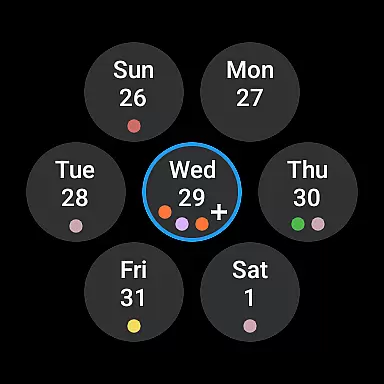
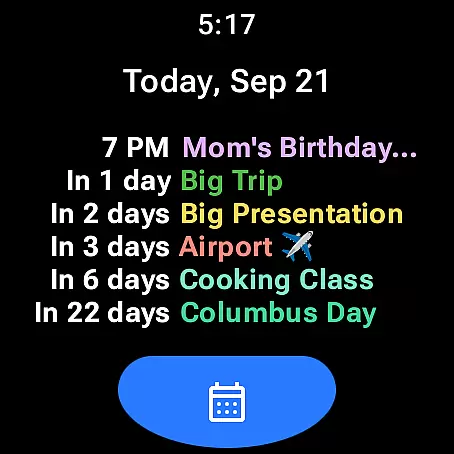
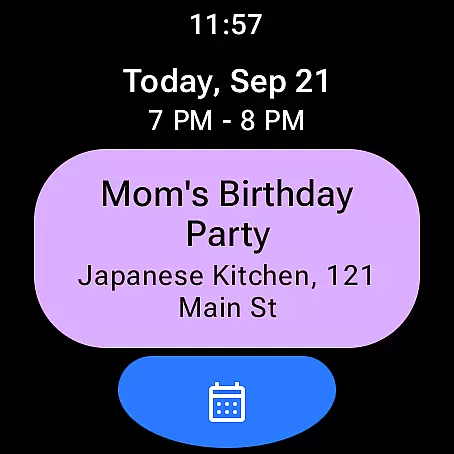
Calendar Pro for Wear OS is a comprehensive productivity tool designed to streamline your scheduling directly from your wrist. This app syncs all your phone calendars to your Wear OS smartwatch, offering seamless access to your events and appointments. With the ability to add, edit, and delete events directly on your watch, it ensures you stay organized on-the-go.
The app features customizable month calendars with event indicators, an adaptable agenda view, and multiple theme colors to suit your preferences. It supports popular calendar services like Google Calendar, Outlook, and Samsung Calendar, making it versatile for various users. Whether you're managing work projects or personal commitments, Calendar Pro provides a unified platform that enhances efficiency without requiring a subscription, unlocking all features at a one-time cost.
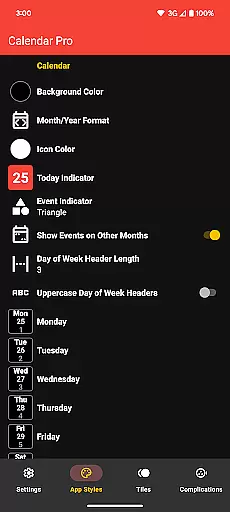
Calendar Pro stands out with its extensive customization options and practical features tailored for productivity enthusiasts. The app offers multiple calendar views including month, week, and agenda layouts, each with detailed customization settings. Users can personalize background colors, date formats, event indicators, and more, ensuring the interface matches their unique style and needs.
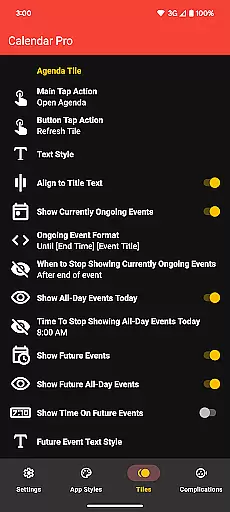
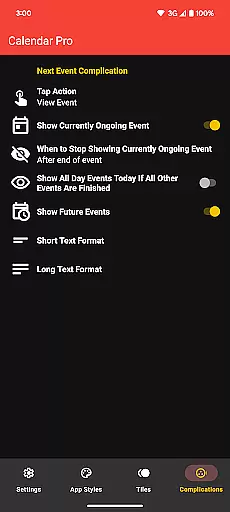
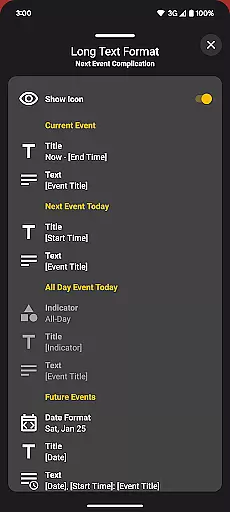
A key highlight is the Next Event complication, which provides timely reminders of upcoming engagements. The Agenda Tile displays up to six upcoming events, while the Month Calendar Tile gives an overview of scheduled activities. These features are complemented by support for various calendar integrations such as Google, Outlook, and Samsung, alongside third-party apps like DAVx⁵ and ICSx⁵. The inclusion of multiple theme colors and scaling options further enhances usability, making Calendar Pro a robust solution for managing your time effectively.
Calendar Pro for Wear OS excels in core task management by providing users with a comprehensive suite of tools to manage their schedules effectively. The app syncs the next 12 months of events to your watch, allowing you to stay informed and organized without needing your phone nearby.
The standout feature is the ability to add, edit, and delete events directly from your Wear OS device. This hands-on approach streamlines task management, making it more accessible and convenient. Users can view detailed information about each event, ensuring they never miss important appointments or meetings.
Customizable views such as the month calendar with event indicators and various agenda layouts empower users to tailor the app to their preferences. These options ensure that whether you're planning your day, week, or month, Calendar Pro offers a personalized experience that enhances productivity and keeps you on track.
Cross-device synchronization is a critical component of Calendar Pro for Wear OS, ensuring that all your calendars from your phone are reliably synced to your smartwatch. This seamless integration supports a wide range of calendar services including Google Calendar, Outlook Calendar, Samsung Calendar, DAVxu2075, and ICSxu2075.
The app provides real-time updates, meaning any changes made on your phone are instantly reflected on your watch. This reliability ensures that you always have the most current information at your fingertips, no matter which device you're using.
Furthermore, Calendar Pro offers multiple customization options for its various tiles and complications, allowing users to choose exactly what information is displayed and how it appears. This level of personalization not only enhances usability but also ensures that the synchronization process aligns perfectly with individual workflow requirements.
User-friendly interface
Extensive customization
Multiple calendar support
No subscription required
Real-time event updates
Requires phone app
Limited free features
Complex setup process
Premium price point
Device compatibility issues

A Revolutionary All-in-One Artificial Intelligence Tools
 3.80
3.80
Experience Reading - Night Mode for Documents
4.40
When you Focus, so will your Bean in this cozy focus timer
4.30
A lightweight JSON & XML files creator, editor and viewer (Premium Version)
4.40
Tally and goal counter for Wear OS & mobile
4.50
A comprehensive suite of tools designed specifically for Lactation Consultants
4.5
Share files & memories safely. Keep your photos and videos secure.
4.40
Intelligent AI Assistant
4.10
Set up, print, and get support—in one place
4.20
Native client for Forgejo and Gitea
5.00
Seamlessly integrate data and reports to build your presentation to impress
4.80
A beautiful digital clock with autostart and many other functions
4.70
The AI assistant that thinks with you - write, code, and solve complex tasks
4.60
All document reader, all in one file viewer read PDF, DOCX, XLS, PPT, TXT files.
4.60
PDF scanner & converter for files, photos, lottery, QR codes. One swipe away!
4.50
Total remote control for your Android device, PC and cloud services (IFTTT)!
4.20
Professional calendar app for Google Calendar, MS Outlook & Exchange
4.20
Take control of your clipboard with Clipper!
3.90
Make your handwriting beautiful, even more than pen on paper.
3.60


User Reviews