
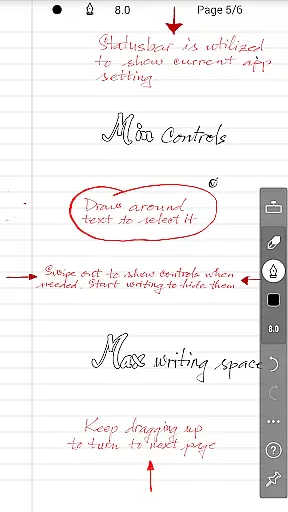
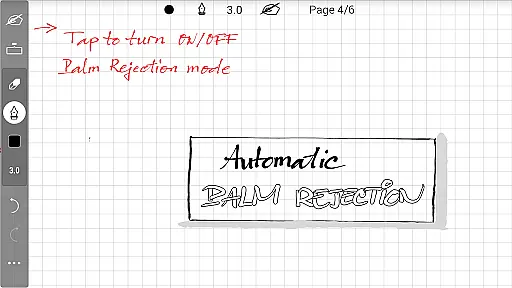
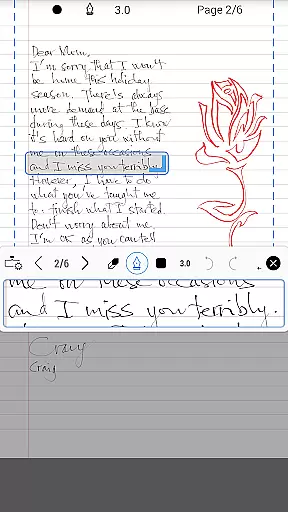
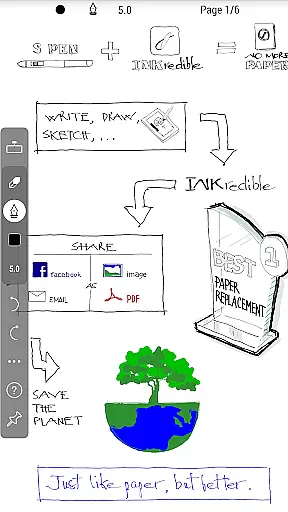
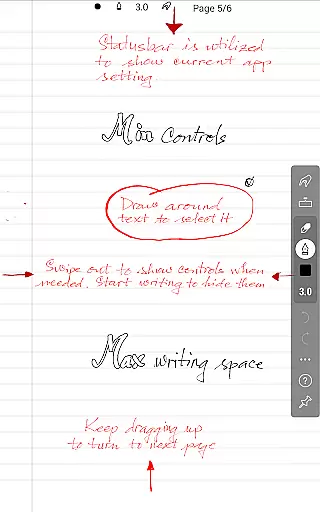
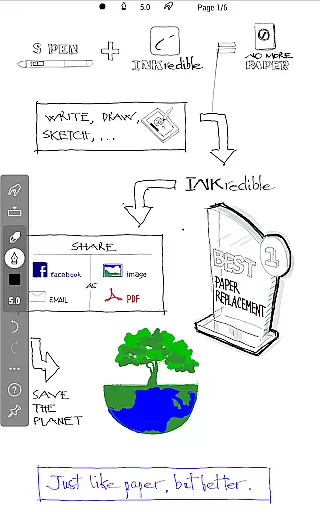
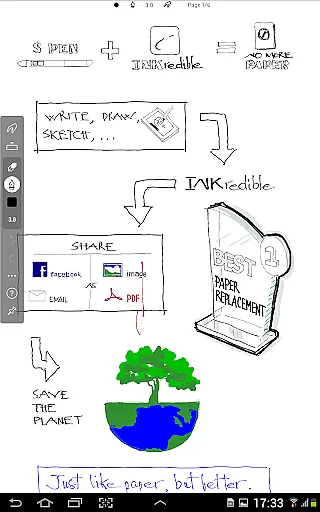
INKredible PRO is a premium handwriting app designed to deliver an exceptional writing experience on tablets. Building upon the success of its predecessor, Notes Plus, this app offers advanced inking capabilities with automatic palm and wrist rejection, making digital writing feel as natural as using pen and paper. The app focuses on simplicity, providing a clean interface free from distractions, while ensuring beautiful handwriting through sophisticated vector-graphics technology.
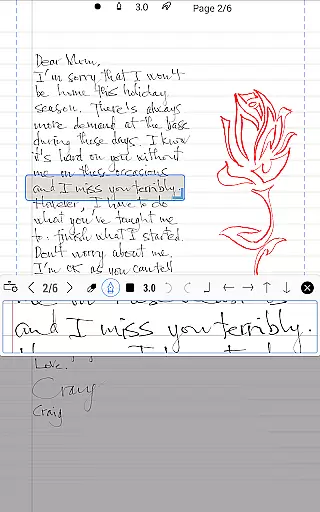
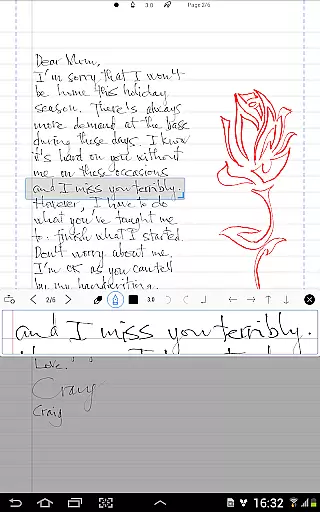
The app's core strength lies in its ability to make handwriting not only more legible but also visually appealing. With over three years of research and development, INKredible PRO uses Bezier curves to enhance the beauty of your notes, ensuring they look stunning at any resolution - whether for printing or display purposes. This makes it an ideal tool for students, professionals, and anyone who values the authenticity of handwritten notes combined with the convenience of digital storage.
Whether you're taking lecture notes, sketching ideas, or drafting documents, INKredible PRO provides a seamless writing experience that feels almost perfect. Its distraction-free environment allows users to focus solely on their content creation, making it an invaluable productivity tool for tablet users seeking a superior writing application.
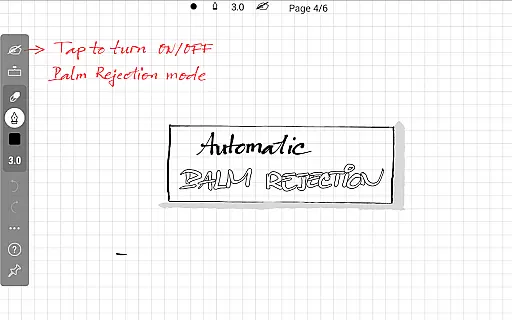
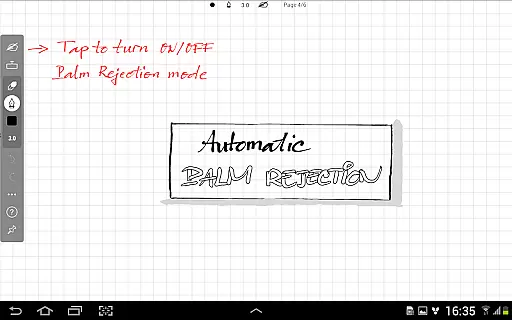
INKredible PRO stands out with its specialized features tailored for an optimal writing experience. One of its key features is the advanced automatic palm and wrist rejection technology, which ensures that only the stylus input is registered, mimicking the natural feel of writing on paper without unwanted touches.
The app leverages sophisticated vector-graphics inking technology, developed over three years, to render handwriting beautifully using Bezier curves. This feature not only enhances the visual appeal of notes but also ensures high-quality output at any resolution, making it suitable for both digital viewing and physical printing. Additionally, the minimalist UI design removes all distractions, presenting users with a blank canvas that encourages focused and uninterrupted writing sessions.
INKredible PRO includes all premium features unlocked, offering users access to future updates at no extra cost. This comprehensive package provides excellent value by combining essential writing tools with continuous improvements, making it a top choice for those seeking a reliable and aesthetically pleasing handwriting app.
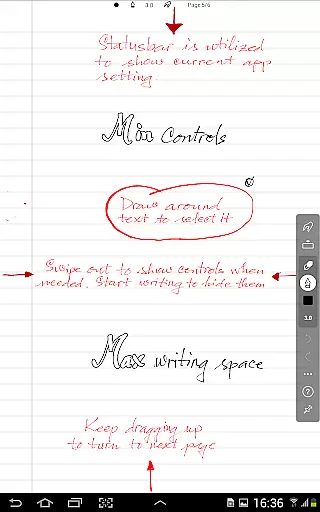
INKredible PRO excels in core task management by focusing on providing an unparalleled writing experience. The app strips away unnecessary distractions, offering users a clean slate to work on, which is crucial for effective task handling.
The simplicity of the interface ensures that users can concentrate on their tasks without being overwhelmed by complex controls or options. This minimalist approach enhances productivity by allowing users to focus solely on their content creation.
With features inherited from the popular Notes Plus app and enhanced palm rejection technology, INKredible PRO ensures that managing your tasks feels as natural as writing on paper. This seamless integration of advanced technology with everyday utility makes it an ideal tool for those who prioritize efficiency.
Cross-device synchronization is vital for users who operate across multiple platforms. INKredible PRO guarantees reliable synchronization, ensuring that all your notes and tasks are up-to-date regardless of the device you're using.
This reliability stems from the app's robust backend infrastructure, which supports real-time updates and backups. As a result, users can seamlessly transition between devices without losing any progress or data integrity.
Moreover, the automatic backup feature provides peace of mind, knowing that your valuable information is securely stored and easily retrievable. This level of synchronization reliability empowers users to stay productive and organized, no matter where they are or which device they choose to use.
Advanced palm rejection
Beautiful handwriting rendering
Distraction-free interface
High-resolution output
Free future updates
Higher price point
Limited additional features
No cloud sync option
Tablet-specific usage
Learning curve for new users

Secure, fast, open-source, VNC and SSH Remote Desktop for Windows, Linux and Mac
 4.70
4.70
Easily read and manage all your PDF files
4.10
A simple, portable logger for POTA, SOTA, Field Day, and more
4.5
Make apps & sites with natural language prompts
4.10
Font maker keyboard with your own handwriting
4.10
Calendar 2023 widget for Android. Appointment scheduler, planner, and reminder
4.60
Tally and goal counter for Wear OS & mobile
4.50
Use powerful, industry-leading AI tools to generate visual charts from any data
4.80
Put a lock on your cloud: Take the security of your data into your own hands
3.70
Android Wallet Password Manager
4.80
Protect and view your important info on your phone and tablet with eWallet®
4.80
Understand anything with a personalized AI research assistant
4.80
A beautiful digital clock with autostart and many other functions
4.70
All document reader, all in one file viewer read PDF, DOCX, XLS, PPT, TXT files.
4.60
Share files & memories safely. Keep your photos and videos secure.
4.40
Intelligent AI Assistant
4.10
Secure, open-source, SPICE and SSH Remote Desktop for QEMU KVM virtual machines
4.00
Smart PDF reader & editor to view, organize and manage PDF documents easily.
3.70
Find and delete junk files & block unwanted notifications & manage files
3.70


User Reviews