
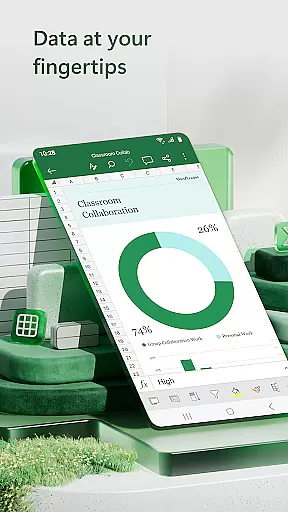
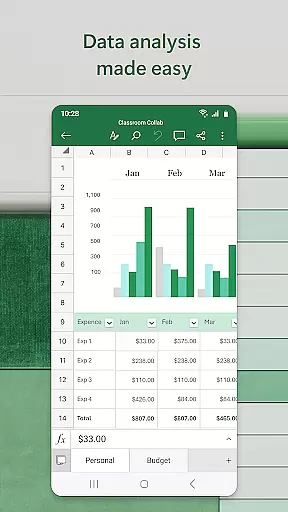

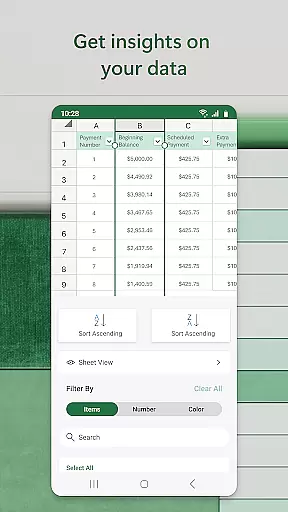
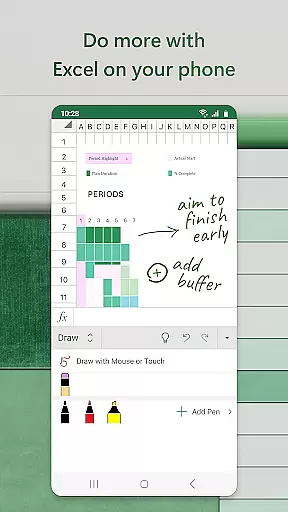
Microsoft Excel is the go-to productivity app for creating, editing, and managing spreadsheets, charts, and data analytics on mobile devices. With its robust set of features, users can perform budgeting, expense tracking, and financial analysis with ease. The app offers a familiar interface that works seamlessly across all devices, ensuring consistent performance whether you're using a phone or tablet.
Excel's powerful tools allow users to build detailed spreadsheets, create visually appealing charts, and analyze complex data sets while on the go. Its integration with Microsoft 365 enhances collaboration capabilities, enabling real-time sharing and editing of documents. Whether for personal finance management or professional data analysis, Excel provides an essential suite of tools that boost productivity and streamline workflows.
Microsoft Excel stands out with its comprehensive feature set tailored for productivity. Users can leverage modern templates to create budgets, track expenses, and perform financial analysis efficiently. The app supports advanced calculations through built-in formulas and functions, making it easy to manage accounting tasks and run complex data computations without any hassle.
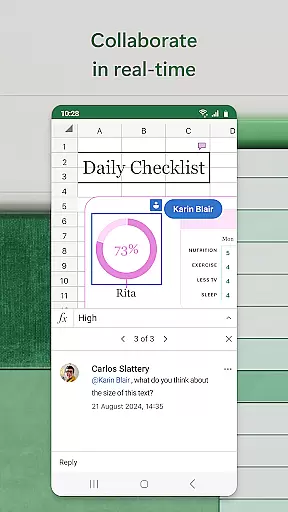
One of the key highlights is its ability to generate dynamic charts and pivot tables that bring data to life. These visualization tools help in identifying trends and insights quickly. Additionally, Excel's collaboration features are robust, allowing multiple users to work on the same document simultaneously. With options to annotate, highlight, and draw directly on worksheets, teams can collaborate effectively regardless of their location.
Microsoft Excel revolutionizes core task management by providing users with a comprehensive suite of tools to handle spreadsheets, budgets, and data analytics efficiently. The app's modern templates allow for the creation of charts, budgets, and task lists that cater to both personal and professional needs.
With built-in features such as an accounting calculator, familiar formulas, and data analysis tools, Excel enables users to run complex calculations and manage workbooks with ease. These capabilities ensure that whether you're performing financial analysis or tracking project progress, the functionality remains consistent across all devices.
Excel stands out by offering robust formatting options and worksheet resources that enhance productivity. Users can build customized charts and sheets tailored to specific requirements, making it an indispensable tool for anyone looking to streamline their task management processes.
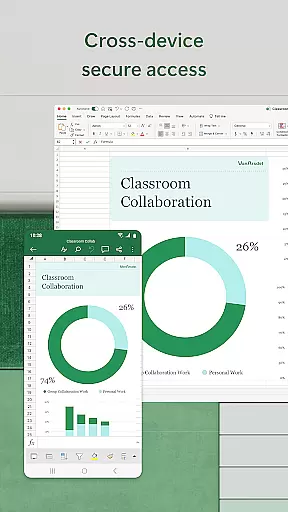
Cross-device synchronization is a critical feature of Microsoft Excel, ensuring that your data is reliably accessible no matter where you are. With the ability to create, view, edit, and share files from any device, Excel provides seamless integration between your desktop, tablet, and smartphone.
This synchronization extends beyond mere file access; it includes real-time collaboration features that allow multiple users to work on the same document simultaneously. Whether you're editing documents, tracking expenses, or compiling charts, changes are updated instantly across all devices, enhancing team productivity and communication.
Furthermore, Excelu2019s subscription model ensures that updates and new features are automatically rolled out, keeping your application up-to-date without manual intervention. This guarantees that your experience remains smooth and efficient, regardless of the device you choose to use, thereby solidifying Excel's position as a leader in reliable cross-device productivity solutions.
Comprehensive feature set
User-friendly interface
Real-time collaboration
Cross-device compatibility
Robust data analysis tools
Requires subscription for full features
Steep learning curve for beginners
High system requirements
Limited offline functionality
Occasional sync issues

Seamlessly integrate data and reports to build your presentation to impress
 4.80
4.80
Android Wallet Password Manager
4.80
The upgraded version of Name Wheel with AI and the power to add your own wheels.
4.4
⏰ Finally a timer app which can run multiple timers simultaneously on your watch
3.90
Multilingual translator for text, voice, and image translation!
4.90
ID.me Authenticator is a simple and free Two Factor Authentication solution
3.50
Best Tool for the professionals Electrician, Electrical contractors, etc.
4.90
Simple notepad & memo. Take notes, to-do list, shopping list with reminders.
4.80
Seamlessly read, manage, and organize all your PDF files solution in one place
4.40
We're working to become the best machining app on the market! www.cncdirt.com
4.80
aCalendar+ makes your day, week and month
4.70
Secure, fast, open-source, Remote Desktop Client for Windows and Linux with SSH
4.60
A Pixel Art watchface inspired by other iconic 90s designs for Wear OS devices!
4.40
This small app MUST BE INSTALLED after purchase, else license won't work
4.40 4.20
4.20
Total remote control for your Android device, PC and cloud services (IFTTT)!
4.20
Pwnagotchi companion app
4.20
Cloud storage, automatic phone backup, and more.
4.10
Ultimate Virtual AI Character for immersive Roleplay Chat. Perfect Companion
3.90


User Reviews