
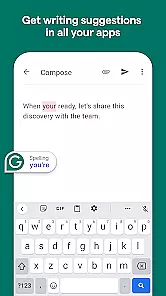
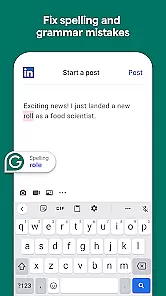
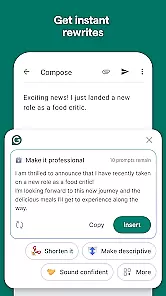
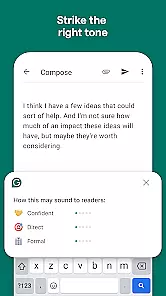
Grammarly is a productivity app designed to enhance your writing skills. It functions as an advanced text editor that checks for grammar, spelling, and punctuation errors in real-time. The app also provides style suggestions to improve clarity and engagement in your writing.
One of the standout features is its cross-platform compatibility, working seamlessly across email clients, social media platforms, and word processors. Whether you're drafting an important email or creating content for your blog, Grammarly ensures your writing is polished and professional.
This app is particularly useful for students, professionals, and content creators who need to produce high-quality written material regularly. By using Grammarly, users can save time on proofreading and focus more on the creative aspects of writing.
Grammarly offers a comprehensive suite of writing tools. Its core functionality includes grammar checking, spell checking, and plagiarism detection. These features work together to ensure your documents are not only error-free but also original.
The app's AI-powered writing assistant goes beyond basic corrections. It analyzes sentence structure, suggests vocabulary enhancements, and even considers the tone of your writing. This level of detail helps users maintain consistency throughout their documents.
Additional features include a personal dictionary for custom words, integration with popular applications like Microsoft Office and Google Docs, and a browser extension for web-based writing. These capabilities make Grammarly a versatile tool for all your writing needs.
Task management is essential for productivity applications, serving as the backbone for organizing and prioritizing work. Grammarly excels in this area by offering users an intuitive way to manage their writing tasks efficiently.
The app provides real-time suggestions that help users prioritize edits and improvements in their text. This feature ensures that the most critical issues are addressed first, streamlining the editing process significantly.
Users benefit from a structured approach to writing, where each suggested change contributes to enhancing the overall quality of the document. This systematic method not only saves time but also improves the accuracy and clarity of the content.
By integrating advanced algorithms with user-friendly interfaces, Grammarly's task management capabilities ensure that writers can focus on their core activityu2014creating compelling contentu2014while the tool takes care of refining it.
Cross-device synchronization is crucial for modern productivity tools, allowing seamless transitions between devices without losing progress or data integrity. Grammarly offers reliable synchronization across various platforms, ensuring consistent performance regardless of the device used.
This functionality enables users to start editing on one device and continue on another without any disruptions. Whether switching from a smartphone to a desktop or vice versa, Grammarly maintains all changes and preferences consistently.
Reliable synchronization enhances collaboration opportunities, as team members can access documents simultaneously from different locations. This feature supports dynamic workflows and fosters efficient teamwork environments.
Grammarlyu2019s commitment to maintaining high standards of synchronization reliability underscores its dedication to providing a seamless user experience, empowering writers to produce polished content effortlessly across multiple devices.
Accurate grammar checks
User-friendly interface
Wide platform support
Real-time suggestions
Plagiarism detector
Premium version costly
Occasional false positives
Limited offline functionality
Resource-intensive
Privacy concerns

Secure, fast, open-source, VNC and SSH Remote Desktop for Windows, Linux and Mac
 4.70
4.70
Ads Free App! Editor, Hide File, Copy, Move, Delete and Rename.. all facility av
1.70
Unlock AutoNotification
4.00
All in one sketching tool. Technical and General drawing. Online Maps support.
3.70
Subscribe to Webcal & .ics calendars and keep them up-to-date!
4.50
Tally and goal counter for Wear OS & mobile
4.50
Experience and share your SolidWorks designs on your Android® phone and tablet.
2.50
Secure your apps with lock screens, use custom themes and different features.
4.40
QuickEdit is a fast, stable and full featured text and code editor.
4.20
Mind Map and brainstorm, note taking and idea collection
4.80
Direct Chat without saving contacts & Dual WA Account on Single Device
4.70
A beautiful digital clock with autostart and many other functions
4.70
Calendar 2023 widget for Android. Appointment scheduler, planner, and reminder
4.60
Experience Reading - Night Mode for Documents
4.40
Docker, Kubernetes management over Portainer Mobile
4.40
Automates browsing any website and notifies you of important changes or events
4.30
All in One PDF Reader: Manage, Read and Edit your Documents
4.20
Device's storage information in a simple and clear graphical form (infographics)
4.10
The upgraded version of Name Wheel with AI and the power to add your own wheels.
4.5


User Reviews