
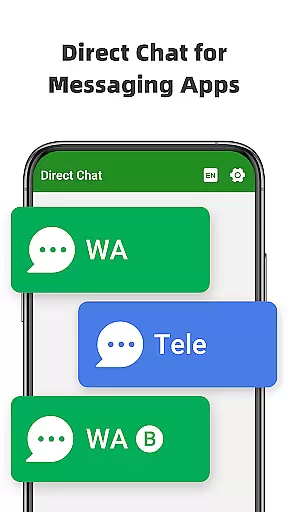
Direct Chat & Messaging is a productivity-focused application designed to streamline communication tasks without the need for saving temporary contacts. The app offers three core functionalities that cater to different messaging needs. First, it enables direct chat and messaging for WA, WA Business, and Tele Chatting App, allowing users to initiate conversations without permanently saving phone numbers. This feature is particularly useful for one-time or infrequent interactions. Second, the Dual App - Web Scan for WA feature allows users to access the same WA account on multiple devices or manage two WA accounts on a single device. This ensures seamless connectivity with automatic message syncing and efficient file management. Lastly, the app includes a Message Recovery function that lets users recover deleted messages and media from WA, ensuring no important content is lost.
The app's ability to read incoming notifications helps in detecting and saving messages or media before they are deleted. With privacy protection measures in place, all recovered content is securely stored on the user's device. Direct Chat & Messaging proves to be an invaluable tool for anyone looking to simplify their messaging tasks while maintaining privacy and accessibility across multiple devices.
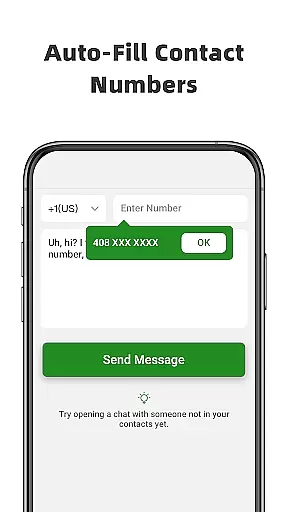
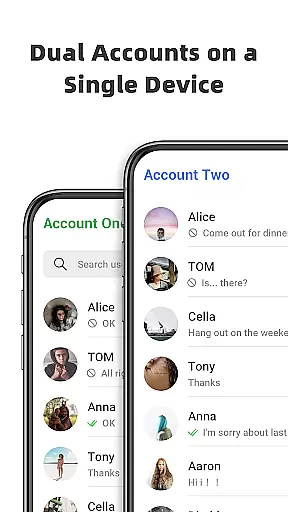
Direct Chat & Messaging stands out with its innovative features tailored to enhance productivity. One of the key highlights is the Direct Chat functionality, which supports WA, WA Business, and Tele Chatting App. This feature eliminates the need to save phone numbers, making it ideal for quick, one-off conversations. Users simply enter the phone number, copy the message, and click send, streamlining the entire process. Another remarkable feature is the Dual App - Web Scan for WA, which allows users to manage multiple WA accounts efficiently. Whether you want to use the same account on different devices or handle two accounts on one device, this feature ensures strong connectivity and prevents unexpected logouts.
Additionally, the Message Recovery function adds another layer of utility by enabling users to retrieve deleted messages and media, including photos and videos. The app reads incoming notifications to detect deletions and automatically saves the content for recovery. Users can access the recovered content through notifications or by opening the app directly. Privacy is a top priority, and the app ensures that no data is collected or stored externally. All these features collectively make Direct Chat & Messaging a comprehensive solution for managing communications effectively while safeguarding user privacy.
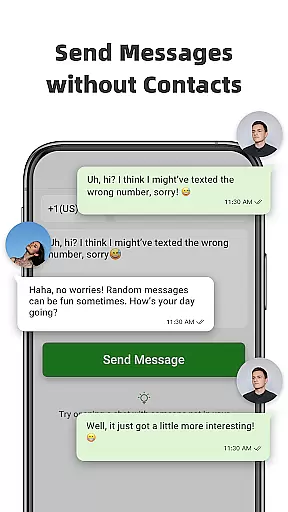
Direct Chat & Messaging offers a unique approach to core task management by eliminating the need to save temporary contacts. This is particularly beneficial for professionals who need to communicate with multiple clients or partners without cluttering their contact list.
The app's Direct Chat feature allows users to initiate conversations directly with any phone number, supporting WA, WA Business, and Tele Chatting App. This functionality streamlines communication tasks by enabling users to send messages without permanently saving numbers, making first-time interactions more efficient.
With simple steps - entering the phone number, copying the message, and clicking the send button - users can quickly complete their messaging tasks. This intuitive process saves time and enhances productivity, especially in business environments where rapid communication is essential.
The Dual App - Web Scan for WA feature further extends task management capabilities by allowing users to manage two WA accounts on one device or access the same account on multiple devices. This ensures seamless connectivity and efficient message handling across different platforms.
Cross-device synchronization is a critical feature of Direct Chat & Messaging, ensuring reliable access to messaging accounts across multiple devices. The Dual App - Web Scan for WA functionality allows users to maintain strong connections without unexpected logouts, providing consistent access to important communications.
This synchronization capability automatically syncs all messages from cloned WA accounts, enabling users to read and reply to messages anytime, anywhere. The app also efficiently manages all downloaded files from cloned accounts, maintaining organizational integrity across devices.
For professionals who need to switch between devices frequently, this reliable synchronization ensures that no important messages are missed. The app maintains real-time updates, keeping all connected devices current with the latest communications.
Additionally, the Message Recovery feature works seamlessly across devices, allowing users to recover deleted messages and media regardless of which device they're using. This comprehensive synchronization system provides peace of mind and ensures business continuity across different work environments.
User-friendly interface
Multi-device support
Efficient file management
Secure message recovery
Privacy protection
Limited to specific platforms
Requires notification access
Potential battery drain
Not affiliated with WA
Dependent on stable connection

Take control of your clipboard with Clipper!
 3.90
3.90
Native client for Forgejo and Gitea
5.00
Ads Free App! Editor, Hide File, Copy, Move, Delete and Rename.. all facility av
1.70
Functional QR scanner and barcode reader that requires little storage space.
4.60
The AI assistant that thinks with you - write, code, and solve complex tasks
4.60
Tally and goal counter for Wear OS & mobile
4.50
A comprehensive suite of tools designed specifically for Lactation Consultants
4.1
Put a lock on your cloud: Take the security of your data into your own hands
3.70
Note taking, handwriting, record audio, PDF annotation, planner & journal
4.20
The long-awaited modern gallery app for your Nextcloud server
4.70
A beautiful digital clock with autostart and many other functions
4.70
Fill, sign & send docs, forms, agreements & contracts via electronic signature.
4.50
Send files, sync SMS, notifications & clipboard across devices via local network
4.40
A Pixel Art watchface inspired by other iconic 90s designs for Wear OS devices!
4.40
A customizable calendar for your Wear OS watch
4.20
Font maker keyboard with your own handwriting
4.10
Ultimate Virtual AI Character for immersive Roleplay Chat. Perfect Companion
3.90
A Revolutionary All-in-One Artificial Intelligence Tools
3.80
Create study competitions, track your hours, and stay consistent with friends
4.3


User Reviews