
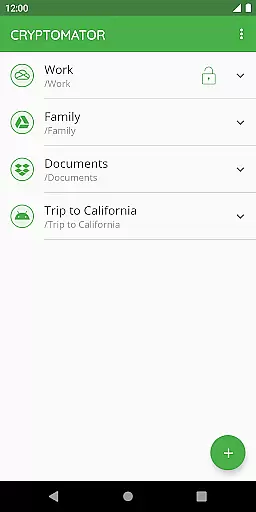
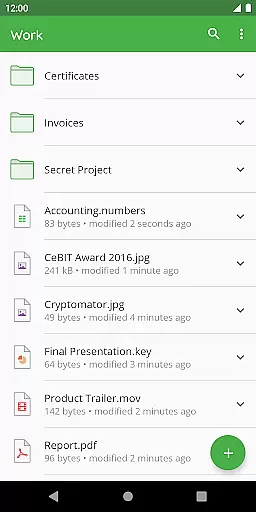
Cryptomator is a user-friendly encryption tool designed to secure your cloud-stored data. With its intuitive interface, users can easily create secure vaults and protect their files with AES encryption using a 256-bit key length. The app ensures that your data remains private by encrypting both file contents and filenames, making it an ideal solution for anyone concerned about digital privacy.
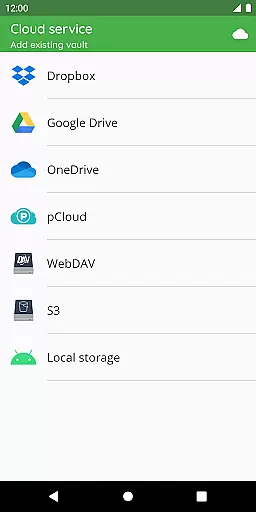
Compatible with major cloud services like Dropbox, Google Drive, and OneDrive, Cryptomator allows seamless access across multiple devices. Whether you're on Android or other platforms, the app provides consistent security without compromising convenience. Its open-source nature means transparency in how your data is protected, giving users peace of mind while managing their sensitive information.
Cryptomator stands out with its robust security features tailored for productivity-focused users. The app employs advanced encryption standards, including AES with a 256-bit key and scrypt for enhanced password protection against brute-force attacks. This ensures that only authorized users can access the encrypted vaults, which are automatically locked when the app is sent to the background.
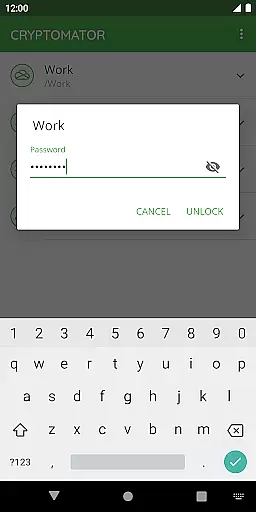
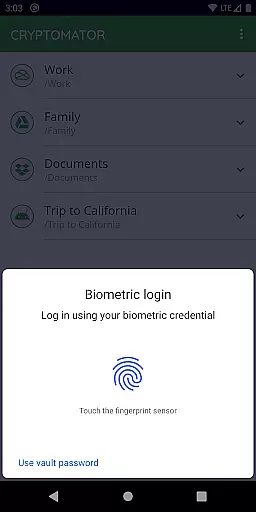
Usability is at the core of Cryptomator's design. Users can unlock vaults with a simple password or even fingerprint authentication, streamlining the access process. Additionally, the app supports local storage vault creation, allowing integration with third-party sync apps. This flexibility makes Cryptomator suitable for various workflows, ensuring that your data remains secure whether stored locally or in the cloud.
In the realm of productivity, managing tasks efficiently is paramount. Cryptomator excels by not just offering a tool for task management but by securing your digital workspace comprehensively. The application allows users to create secure vaults for their data, essentially managing the task of safeguarding your digital files against unauthorized access.
With its intuitive interface, Cryptomator simplifies the process of encrypting files before they are uploaded to cloud services. This means that users can easily manage their data security tasks without needing extensive technical knowledge or additional software. By simply creating a vault and assigning a password, users gain control over who accesses their information.
The true power of Cryptomator in task management lies in its seamless integration with popular cloud storage services. Whether you use Dropbox, Google Drive, or OneDrive, Cryptomator ensures that your files are encrypted locally on your device before they reach the cloud. This gives users peace of mind knowing that their data remains protected throughout its lifecycle.
Furthermore, Cryptomator's ability to lock vaults automatically when not in use adds an extra layer of security to your task management strategy. Users can focus on their core responsibilities without worrying about data breaches, as Cryptomator handles the critical task of maintaining data integrity and confidentiality.
Cross-device synchronization is crucial for users who operate across multiple platforms and devices. Cryptomator addresses this need by providing reliable synchronization capabilities that ensure your encrypted vaults are accessible wherever you go. This feature is particularly beneficial for individuals who require constant access to their secured files on the move.
One of Cryptomator's standout features is its compatibility with various cloud storage services such as Dropbox, Google Drive, and OneDrive. This compatibility ensures that once you've encrypted your files using Cryptomator, they can be synchronized across all your devices without compromising security. As a result, users enjoy uninterrupted access to their data while maintaining high-security standards.
Moreover, Cryptomator supports local storage options on Android devices, allowing users to work with third-party sync apps effectively. This flexibility enhances cross-device operations, making it easier for users to maintain a consistent workflow regardless of the device they are using at any given time.
By focusing on automatic locking mechanisms after sending the app to the background, Cryptomator guarantees that your data remains secure even when switching between devices. This reliability in synchronizing data securely across devices makes Cryptomator an indispensable tool for modern professionals seeking robust solutions for managing sensitive information.
Strong AES encryption
User-friendly interface
Multi-platform support
Automatic vault locking
Open-source transparency
Limited free features
No built-in cloud sync
Fingerprint setup complexity
Occasional performance lags
Requires technical knowledge

Mega cloud explorer plugin for Solid Explorer
 3.80
3.80
Wake up & get tasks done! Add alarms & reminders on the Clock Launcher.
4.00
Easily read and manage all your PDF files
4.10
Automates browsing any website and notifies you of important changes or events
4.30
Pwnagotchi companion app
4.20
Subscribe to Webcal & .ics calendars and keep them up-to-date!
4.50
Calendar 2023 widget for Android. Appointment scheduler, planner, and reminder
4.60
Secure your apps with lock screens, use custom themes and different features.
4.40
Share files & memories safely. Keep your photos and videos secure.
4.40
Android Wallet Password Manager
4.80
Use powerful, industry-leading AI tools to generate visual charts from any data
4.80
A simple Whisper AI keyboard for reliable speech transcription and rewording
4.60
Docker, Kubernetes management over Portainer Mobile
4.40
A Pixel Art watchface inspired by other iconic 90s designs for Wear OS devices!
4.40
All in One PDF Reader: Manage, Read and Edit your Documents
4.20
Create and edit presentations with Google Slides, part of Google Workspace.
4.00
Remotely view listen control and record cameras.
3.70
Experience and share your SolidWorks designs on your Android® phone and tablet.
2.50
A comprehensive suite of tools designed specifically for Lactation Consultants
4.1


User Reviews