
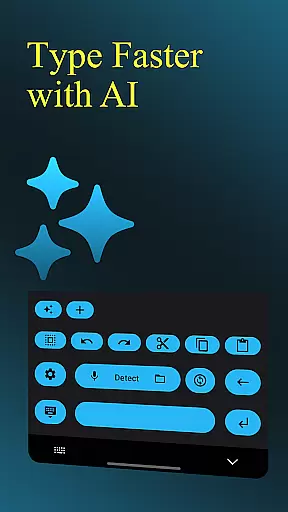
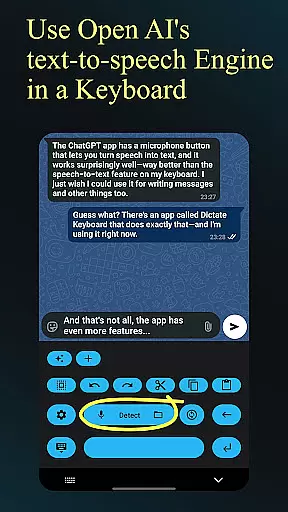
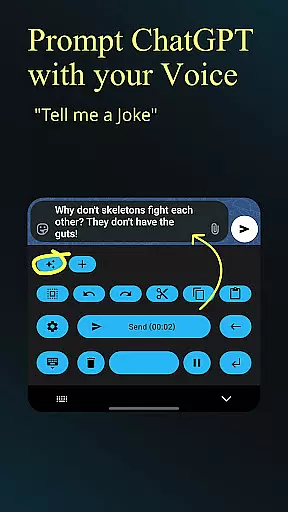
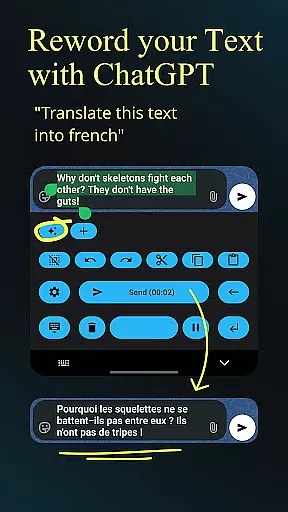
Dictate Keyboard is a cutting-edge productivity tool designed to streamline text input through advanced speech recognition technology. This innovative keyboard app converts spoken words into written text with remarkable accuracy, supporting all major languages. Its AI-powered engine not only transcribes your speech but also intelligently adds punctuation and formatting elements.
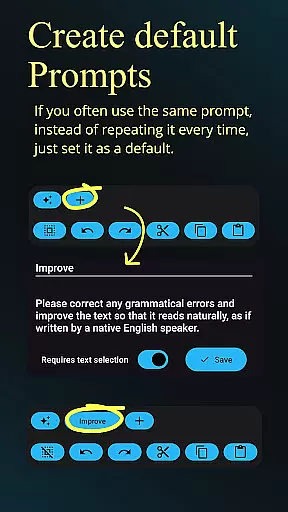
Beyond basic transcription, Dictate offers professional-grade features including custom rewording through GPT models, multiple transcription options, and comprehensive file support for audio and video content. The application's versatility extends to its customizable settings, allowing users to adjust themes, switch between different recognition models, and even set system prompts that guide the transcription style.
Ideal for content creators, business professionals, and anyone seeking efficient text input, Dictate Keyboard revolutionizes how we interact with digital devices. By combining powerful AI capabilities with user-friendly interface design, it delivers exceptional value for users who need fast, accurate, and flexible text entry solutions.
The Dictate Keyboard distinguishes itself through an impressive array of sophisticated features designed to enhance productivity. At its core, the application utilizes state-of-the-art Whisper technology alongside other advanced transcription models, ensuring unparalleled accuracy in speech-to-text conversion across multiple languages.
Professional users will appreciate the app's ability to execute complex rewording instructions using GPT-5 and alternative models, enabling functions such as translation, summarization, and style transformation. The auto-formatting capability understands verbal commands for structuring content, while supporting various input methods including phone and Bluetooth microphones.
Additional notable features include seamless integration with external API servers, comprehensive theme customization options, and efficient switching between different transcription providers. The open-source nature of the application, combined with its extensive documentation on GitHub, ensures transparency and facilitates continuous improvement through community contributions.
Dictate Keyboard revolutionizes core task management by integrating advanced speech recognition technology into a user-friendly keyboard interface. This innovative approach allows users to convert spoken language into text with remarkable accuracy, supporting all common national languages.
The app's AI-driven system goes beyond basic transcription by intelligently adding punctuation and formatting spoken commands. Users can create new paragraphs, insert specific words, and even dictate complex instructions without manual corrections, significantly enhancing productivity.
What sets Dictate apart in task management is its ability to handle custom rewording instructions using powerful models like GPT-5. This feature enables users to translate, summarize, or change writing styles on the fly, making it an invaluable tool for professional and personal projects alike.
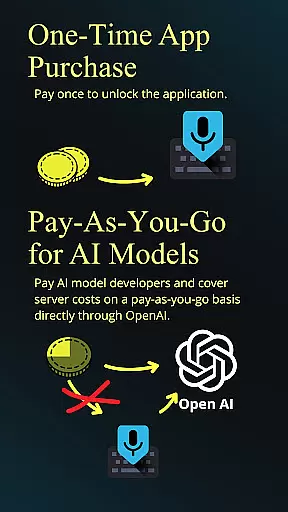
The application's versatility extends to switching between different transcription models and providers, including OpenAI and Groq. This flexibility ensures users can optimize their workflow while maintaining control over costs through a pay-per-use API key system.
Cross-device synchronization forms the backbone of Dictate Keyboard's reliability, offering users seamless access to their customized settings across multiple devices. The application achieves this through its sophisticated integration with various transcription models and providers.
Users can maintain consistent preferences regardless of their chosen device, including dark-mode, light-mode, and custom theme settings. The app's open-source nature ensures that these synchronization features are transparent and continuously improved by the developer community.
The reliability of Dictate's synchronization is further enhanced by its support for custom API servers and proxy configurations. This infrastructure guarantees that user preferences, prompts, and system settings remain consistent across devices without compromising security or performance.
While requiring an initial API key setup with OpenAI or Groq, the app provides detailed guidance through this process. Once configured, users enjoy uninterrupted synchronization of their Dictate experience, complete with haptic feedback settings and preferred transcription models across all their devices.
Advanced speech recognition
Multi-language support
Customizable transcription
Open-source flexibility
User-friendly interface
Requires API setup
Incurs usage fees
Complex initial configuration
Limited offline functionality
Dependent on external services

Client for Nextcloud Deck
 4.60
4.60
A customizable calendar for your Wear OS watch
4.20
Customizable calendar widget for seamless event sync, planning & scheduling.
4.00
CalenGoo is a very flexible and feature-rich calendar app
4.40
All in One PDF Reader: Manage, Read and Edit your Documents
4.20
Tally and goal counter for Wear OS & mobile
4.50
A comprehensive suite of tools designed specifically for Lactation Consultants
4.5
Okta MFA
4.70
Put a lock on your cloud: Take the security of your data into your own hands
3.70
Use powerful, industry-leading AI tools to generate visual charts from any data
4.80
All document reader, all in one file viewer read PDF, DOCX, XLS, PPT, TXT files.
4.60
A Pixel Art watchface inspired by other iconic 90s designs for Wear OS devices!
4.40
Share files & memories safely. Keep your photos and videos secure.
4.40
Automates browsing any website and notifies you of important changes or events
4.30
Make apps & sites with natural language prompts
4.10
Font maker keyboard with your own handwriting
4.10
Cloud storage, automatic phone backup, and more.
4.10
The ultimate file manager for rooted devices. The original and still the best.
4.00
Experience and share your SolidWorks designs on your Android® phone and tablet.
2.50


User Reviews