
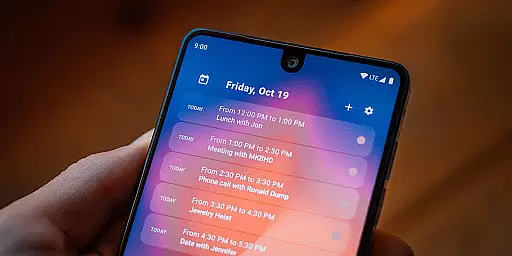
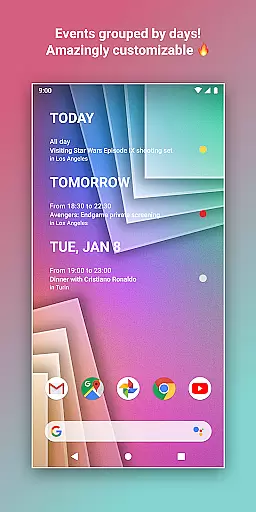
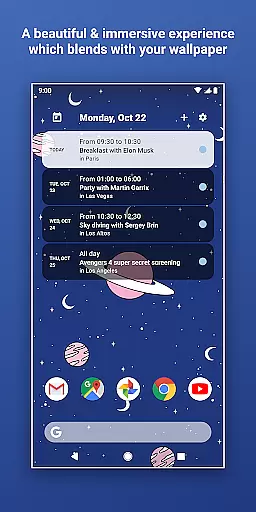
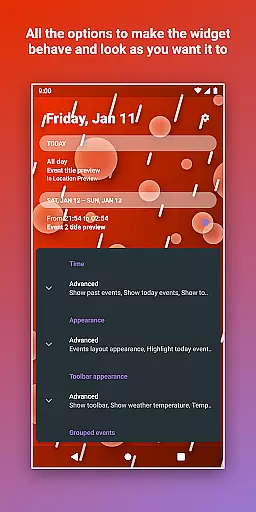
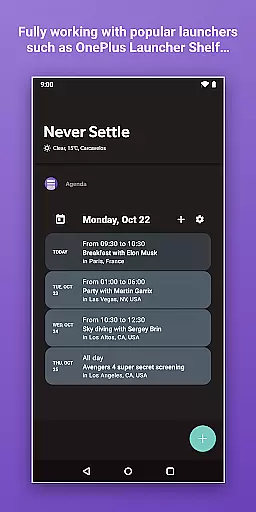
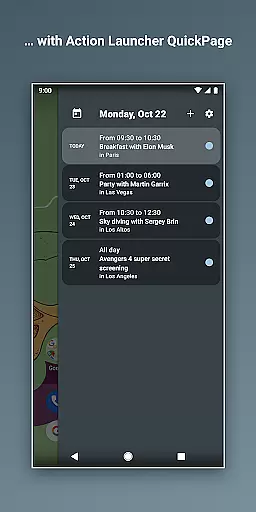
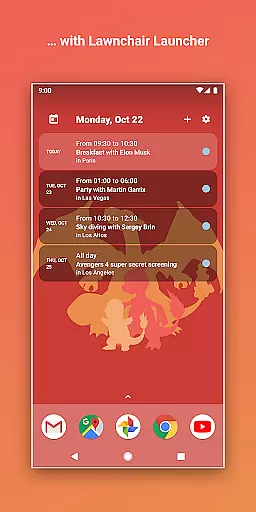
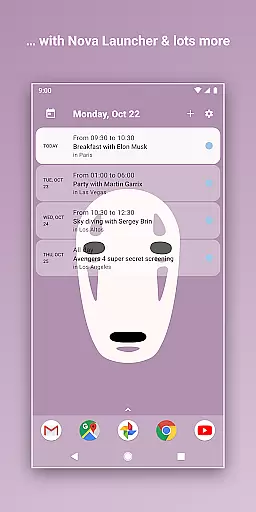
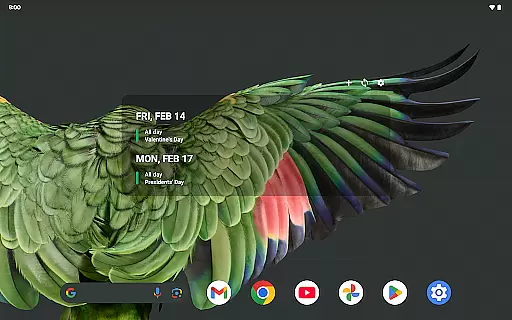
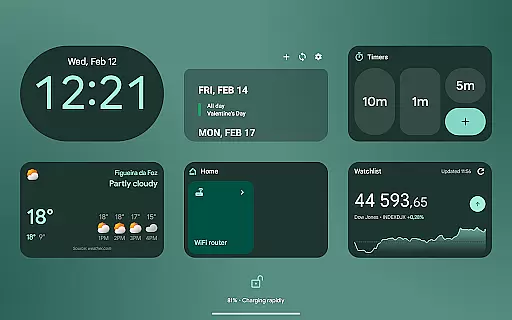
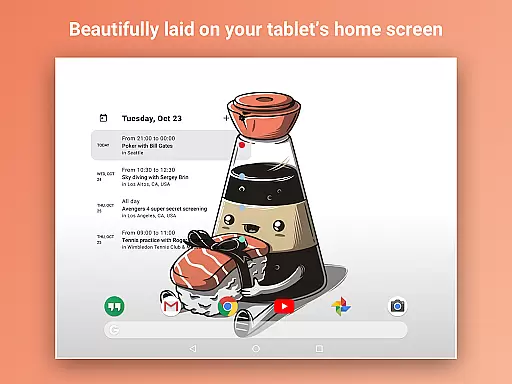
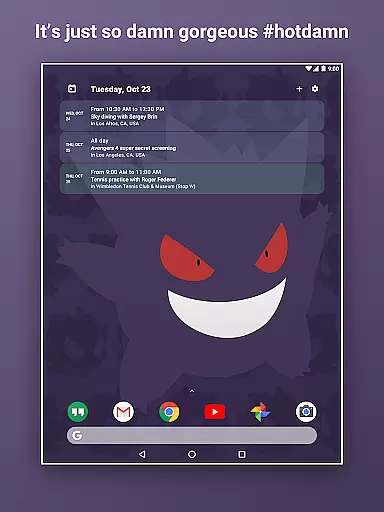
Home Agenda is a powerful productivity tool designed to streamline your daily planning and organization. This customizable calendar widget, agenda, and planner for Android offers seamless integration with popular calendar services like Google Calendar and Outlook. With instant synchronization capabilities, users can effortlessly manage their events and appointments directly from their home screen.
The app stands out with its highly customizable interface, allowing users to personalize widget sizes and themes to match their preferences. Whether you need a quick overview of your day or want to add and edit events on the go, Home Agenda provides all the necessary tools. Its optimized performance ensures minimal battery impact while maintaining real-time notifications and updates.
What makes Home Agenda particularly unique is its commitment to user privacy. Unlike many other calendar apps, it operates 100% locally without tracking user data or displaying ads. This ensures your personal information remains private while you maintain full control over your schedule. The clean, modern interface transforms your home screen into an efficient planning hub, making it an essential tool for anyone seeking better time management.
Home Agenda distinguishes itself through several key features that enhance user productivity. First and foremost is its custom design capability, which allows users to create personalized themes and adjust widget sizes according to their preferences. This level of customization ensures that each user's home screen reflects their unique style while providing essential calendar information at a glance.
The app's instant sync feature connects seamlessly with various calendar services including Google Calendar and Outlook. This integration enables users to automatically update and view their events in real-time, eliminating the need for manual entries. The easy planning functionality lets users quickly add, edit, and manage events directly from their home screen, saving valuable time and effort.
Another notable feature is its optimized performance, designed to minimize battery consumption while maintaining full functionality. The app achieves this through efficient coding and resource management. Additionally, Home Agenda's commitment to privacy sets it apart from competitors - it operates entirely offline without collecting user data or displaying advertisements. These features collectively create a comprehensive planning solution that prioritizes both functionality and user security.
Task management is at the heart of productivity applications, and Home Agenda excels in this area by providing users with an intuitive platform to organize their daily schedules. The app allows for seamless integration with existing calendars such as Google Calendar and Outlook, ensuring that all events are synchronized in real time.
With Home Agenda, users can effortlessly view, add, and edit events, which streamlines the planning process. This instant access to one's schedule ensures that important tasks and appointments are never overlooked, thus enhancing personal efficiency.
The customizable nature of the widget means that users can tailor the appearance and functionality to suit their specific needs. Whether it's adjusting the size or choosing a theme that matches their personal style, Home Agenda offers a personalized experience that keeps users engaged and organized.
Cross-device synchronization is crucial for users who operate multiple devices throughout their day. Home Agenda addresses this need by ensuring reliable and consistent updates across all linked devices. Once an event is added or modified, the changes are immediately reflected on every device connected to the user's account.
This level of synchronization reliability provides peace of mind, knowing that whether you're viewing your agenda on your phone, tablet, or any other connected device, the information is current and accurate. It eliminates the redundancy of manual updates on each device, saving time and reducing the risk of errors.
Furthermore, Home Agenda's optimized performance ensures minimal battery impact while maintaining constant sync. Users can trust that their data remains private and secure, without being tracked or targeted by ads, making it a reliable tool for managing their busy lifestyles efficiently.
User-friendly interface
Highly customizable widgets
Instant calendar synchronization
Strong privacy protection
Minimal battery consumption
Limited reminder functionality
No public API access
Android-only availability
Requires manual setup
Basic free version

 4.20
4.20
The long-awaited modern gallery app for your Nextcloud server
4.70
⏰ Finally a timer app which can run multiple timers simultaneously on your watch
3.90
Font maker keyboard with your own handwriting
4.10
Activate Two Factor Authentication (2FA or Multi OTP), Password manager and more
4.10
The AI assistant that thinks with you - write, code, and solve complex tasks
4.60
A comprehensive suite of tools designed specifically for Lactation Consultants
4.2
Set up, print, and get support—in one place
4.20
Browse and view your photos and videos from the phone with photo & video hide.
4.10
Understand anything with a personalized AI research assistant
4.80
Scan paperwork into PDF/JPG, generate your own e-signature and send fax or email
4.70
Absolutely the best CNC machinist speed and feed calculator around. fswizard.com
4.60
Planet Free VPN - The best Fast Unlimited and Secure VPN Without Logs
4.50
Device's storage information in a simple and clear graphical form (infographics)
4.10
Make apps & sites with natural language prompts
4.10
Experience real multitasking on your Android!
4.00
Wake up & get tasks done! Add alarms & reminders on the Clock Launcher.
4.00
A Revolutionary All-in-One Artificial Intelligence Tools
3.80
Make your handwriting beautiful, even more than pen on paper.
3.60


User Reviews