
Web Alert (Pro) is a powerful productivity tool designed to monitor web pages for changes and notify users when specific modifications occur. With its advanced features, this app is especially beneficial for professionals in web development or automation.
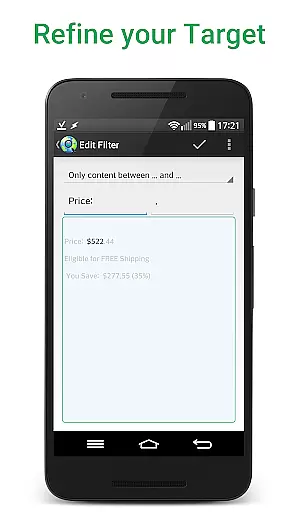
The core functionality includes the ability to set custom check frequencies, filter text changes between specific words, and monitor numeric values like product prices. Additionally, users can define time ranges without checks or notifications, ensuring minimal disruptions. The app also supports regular expressions (RegEx), CSS, and jQuery selectors, making it highly versatile for various monitoring needs.
One practical use case is tracking price drops in online stores. By setting up alerts for specific products, users can be notified immediately when prices change, allowing them to make timely purchasing decisions. This feature provides significant value by saving both time and money.
Web Alert (Pro) offers an extensive range of features that cater to both casual users and professionals. One standout feature is the ability to perform parallel checks, enabling simultaneous monitoring of multiple web pages. This ensures comprehensive coverage and rapid detection of changes.
Another notable capability is the filtering of content using regular expressions (RegEx), CSS, and jQuery selectors. Users can focus on specific parts of a web page, such as HTML source code, and receive notifications only when relevant changes occur. This precision minimizes unnecessary alerts and enhances productivity.
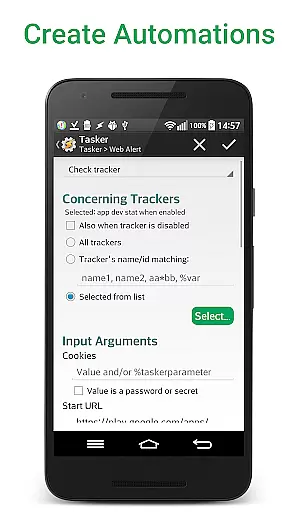
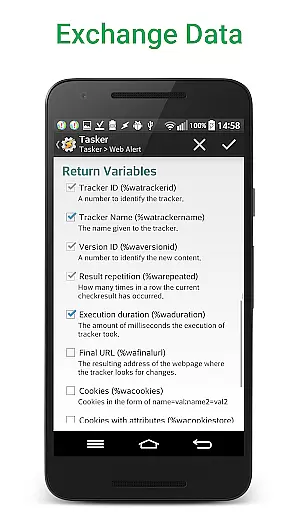
Additionally, the app integrates seamlessly with Tasker, Automate, and Automagic through an extensive plugin. This programmable interface allows users to automate complex tasks without needing programming knowledge. Such integration significantly boosts efficiency, making Web Alert (Pro) an indispensable tool for power users.
Web Alert (Pro) excels in core task management by offering users the ability to monitor web pages for changes with precision and flexibility. This feature is crucial for professionals who need to stay updated with specific web content, such as price drops in online stores.
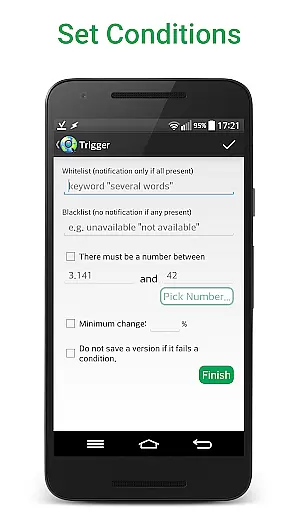
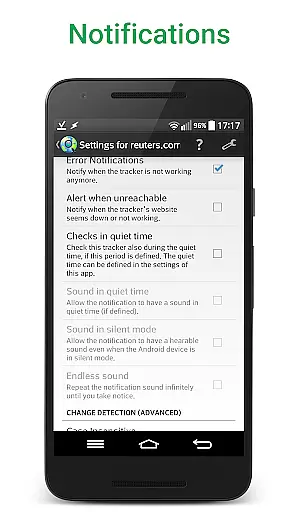
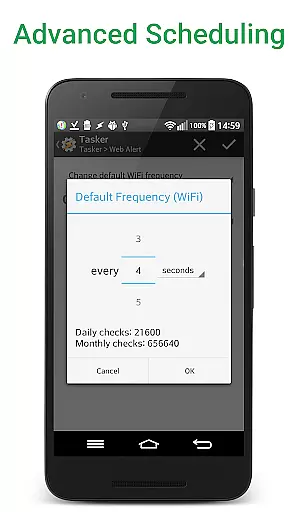
The app allows setting custom frequencies for checks, filtering text, and monitoring numbers for changes. Users can define time ranges without checks or notifications, ensuring they are only alerted when necessary. These capabilities provide a tailored experience that meets individual monitoring needs effectively.
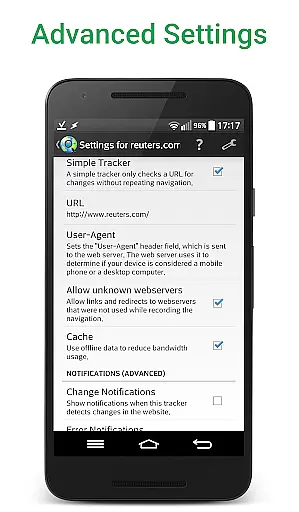
With options like change notifications based on keywords, access to websites with SSL issues, and limiting alerts to a minimum change percentage, Web Alert (Pro) ensures users receive relevant and timely updates. This level of customization enhances productivity by focusing on significant changes.
Cross-device synchronization reliability is a standout feature of Web Alert (Pro), allowing seamless integration and data sharing across multiple devices. This functionality is essential for users who manage tasks on various platforms, ensuring consistent and up-to-date information everywhere.
The app supports exporting and importing alerts, which facilitates easy transfer and backup of monitoring tasks. Whether switching devices or sharing alerts with colleagues, this feature guarantees that all data remains intact and accessible. Such reliability boosts confidence in using the app for critical monitoring tasks.
Additionally, Web Alert (Pro) offers extensive programmability through its Tasker plugin, enabling automation without requiring programming knowledge. This cross-device compatibility and programmable flexibility ensure users can efficiently manage their monitoring tasks, regardless of the device in use.
Highly customizable
Real-time notifications
Advanced filtering options
Parallel checks capability
Tasker integration
Requires free app
Complex for beginners
Higher cost
Limited UI customization
No automatic updates

Native client for Forgejo and Gitea
 5.00
5.00
The Pro Version of Android's tiniest Notepad app. Just 0.3MB but feature-packed!
4.60
Customizable calendar widget for seamless event sync, planning & scheduling.
4.00
Easiest event planning, volunteer signups & parent teacher conference scheduling
2.20
Activate Two Factor Authentication (2FA or Multi OTP), Password manager and more
4.10
Code on-the-go with VScode for Android. Edit,debug and collaborate from mobile!!
3.10
A simple Whisper AI keyboard for reliable speech transcription and rewording
4.60
Scientific calculator for Android - looks and operates like the real thing!
4.90
Use powerful, industry-leading AI tools to generate visual charts from any data
4.80
Android Wallet Password Manager
4.80
To do list widget with a notebook organizer, checklist, simple shopping list
4.60
Fill, sign & send docs, forms, agreements & contracts via electronic signature.
4.50
Translate text/voice/photos in 150+ languages. Offline & fast translator app.
4.50
Experience Reading - Night Mode for Documents
4.40
When you Focus, so will your Bean in this cozy focus timer
4.30
Device's storage information in a simple and clear graphical form (infographics)
4.10
Access your phone's notifications, calls, apps, photos & texts on your PC
3.90
All in one sketching tool. Technical and General drawing. Online Maps support.
3.70
Auto-shutoff Alarm with Sunrise, Sunset & Fixed Options.
3.50


User Reviews