

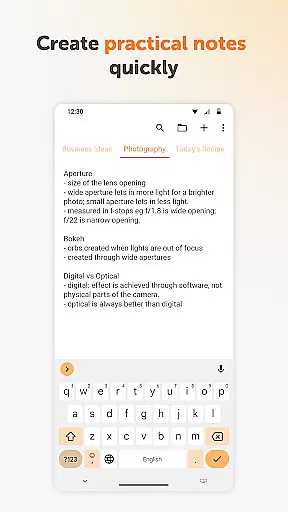
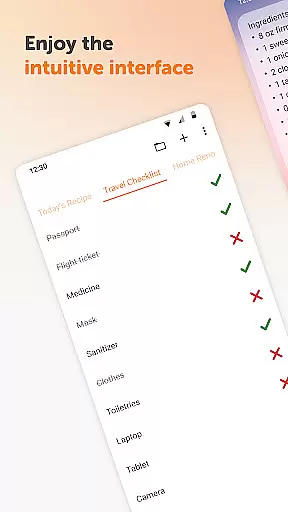
Simple Notes Pro is a productivity-focused note-taking application designed to help users manage their daily tasks and organize important information efficiently. This app allows you to create quick notes, to-do lists, and checklists with ease, making it an ideal tool for both personal and professional use. With its user-friendly interface and customizable features, Simple Notes Pro ensures that you can capture ideas instantly without any complicated setup.
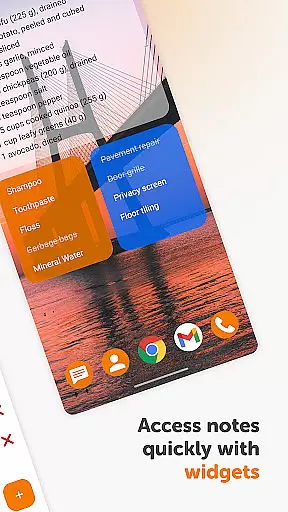
One of the standout features of Simple Notes Pro is its autosave functionality, which prevents accidental data loss. Additionally, the app supports multiple independent plain text notes, enabling users to organize various types of information seamlessly. Whether you need a shopping list for groceries or a detailed agenda for meetings, this app provides a reliable solution. Its customizable and resizable widget further enhances accessibility, allowing users to open their notes quickly and efficiently.
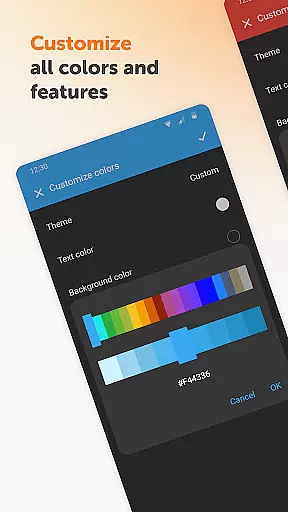
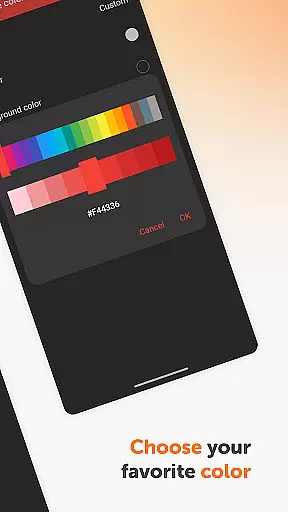
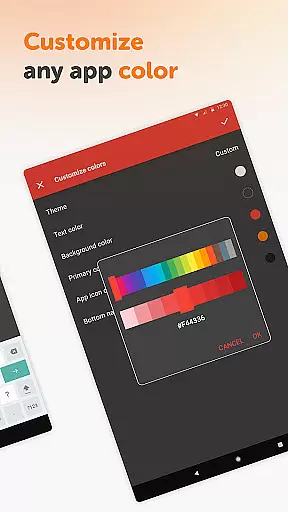
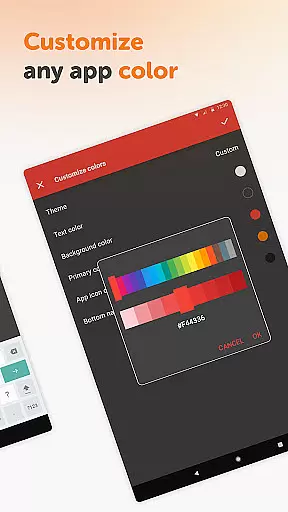
Simple Notes Pro offers a variety of features that enhance the note-taking experience. The app includes a remarkable colorful widget that serves as an invaluable tool for remembering crucial pieces of information. Users can customize the appearance of their notes with adjustable colors, ensuring a personalized experience that suits individual preferences. Furthermore, the app's material design and default dark theme provide a great user experience, focusing on simplicity and ease of use.
Privacy and security are prioritized in Simple Notes Pro, as it operates without requiring internet access. This not only ensures that your data remains private but also contributes to the app's stability. Additionally, Simple Notes Pro is fully open-source and contains no ads or unnecessary permissions, offering a seamless and uninterrupted user experience. These features collectively make Simple Notes Pro a top choice for individuals seeking a reliable and efficient note-taking app.
Task management is at the heart of productivity applications, and Simple Notes Pro excels in providing users with a streamlined experience. This functionality allows users to create, organize, and prioritize tasks efficiently, ensuring that nothing important slips through the cracks.
The app supports multiple independent plain text notes and lists, enabling users to categorize their tasks and ideas effectively. With an autosave feature, users can be confident that their changes are stored automatically, reducing the risk of losing valuable information due to unexpected interruptions.
Simple Notes Pro enhances task management with its customizable and resizable widget. This widget not only provides quick access to your notes but also opens the application directly, making it easier than ever to manage your daily agenda on the go.
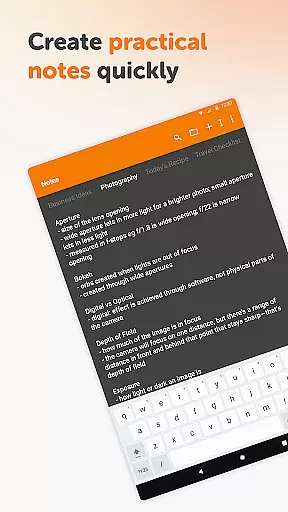
By focusing on simplicity and speed, this app ensures that users can take quick notes, make shopping lists, or set reminders without any complicated setup steps. The result is an efficient tool that helps users stay organized and productive throughout their day.
Cross-device synchronization is essential for users who need consistent access to their notes and tasks across multiple devices. Simple Notes Pro addresses this need by ensuring reliable and real-time updates, allowing users to seamlessly transition between their phone, tablet, or other gadgets without missing a beat.
Although Simple Notes Pro does not explicitly mention cloud-based syncing, its robust local saving mechanism guarantees that all notes and lists are up-to-date on the device being used. This approach prioritizes user privacy and data security, which is crucial for those handling sensitive information.
The app's lack of internet access contributes to its stability and reliability. Users won't experience sync errors or delays caused by network issues, ensuring that their data remains accessible even in offline scenarios. This feature makes it an ideal choice for individuals seeking a dependable note-taking solution.
With Simple Notes Pro, you can trust that your notes will always be there when you need them, regardless of the device you're using. This reliability empowers users to focus on their tasks without worrying about technical glitches or data inconsistencies.
User-friendly interface
Autosave functionality
Customizable colors
No ads or unnecessary permissions
Fully open-source
Limited advanced features
No cloud sync option
Basic design elements
Offline-only access
Independent notes only

Experience real multitasking on your Android!
 4.00
4.00
Ads Free App! Editor, Hide File, Copy, Move, Delete and Rename.. all facility av
1.70
Remotely view listen control and record cameras.
3.70
Easiest event planning, volunteer signups & parent teacher conference scheduling
2.20
Make apps & sites with natural language prompts
4.10
All document reader, all in one file viewer read PDF, DOCX, XLS, PPT, TXT files.
4.60
Secure, open-source, SPICE and SSH Remote Desktop for QEMU KVM virtual machines
4.00
Code on-the-go with VScode for Android. Edit,debug and collaborate from mobile!!
3.10
Ultimate Virtual AI Character for immersive Roleplay Chat. Perfect Companion
3.90
We're working to become the best machining app on the market! www.cncdirt.com
4.80
Understand anything with a personalized AI research assistant
4.80
Quickly and easily keep track of your work shifts
4.70
Absolutely the best CNC machinist speed and feed calculator around. fswizard.com
4.60
CalenGoo is a very flexible and feature-rich calendar app
4.40
Easily read and manage all your PDF files
4.10
Device's storage information in a simple and clear graphical form (infographics)
4.10
* block pre-roll ads, pop-up and forced redirect ads * Samsung certification app
4.00
Take control of your clipboard with Clipper!
3.90
Make your handwriting beautiful, even more than pen on paper.
3.60


User Reviews