
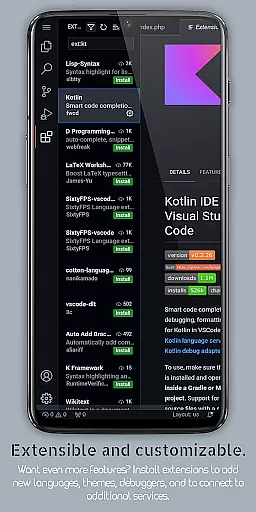
VScode for Android revolutionizes mobile coding by bringing the full functionality of desktop Visual Studio Code to your fingertips. Designed for developers who need flexibility and power while on-the-go, this productivity app supports a wide range of programming languages including HTML, CSS, JavaScript, Python, and more.
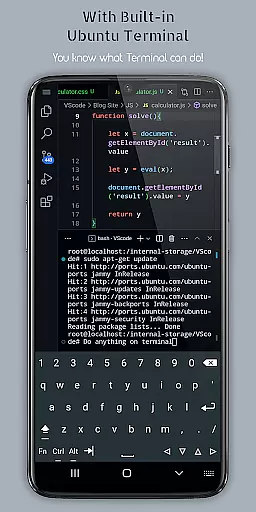
The application provides essential development tools such as syntax highlighting, IntelliSense, debugging capabilities, and embedded Git support. Its intuitive interface allows users to write, edit, and debug code efficiently from their mobile devices. The app also features customizable themes, multi-cursor editing, split view functionality, and a built-in terminal, making it a complete development environment.
Whether you're working on personal projects or collaborating with teams, VScode for Android ensures seamless productivity. The remote access feature lets developers connect to their mobile workspace from any location using just a web browser and IP address. This makes it an invaluable tool for modern developers who require maximum flexibility in their coding workflow.
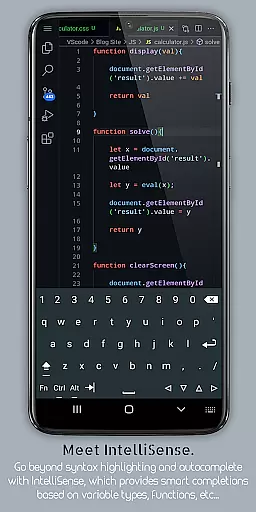
VScode for Android stands out with its comprehensive feature set tailored for professional developers. The app's syntax highlighting supports over 20 programming languages, while its IntelliSense feature provides intelligent code completion that significantly speeds up development time.
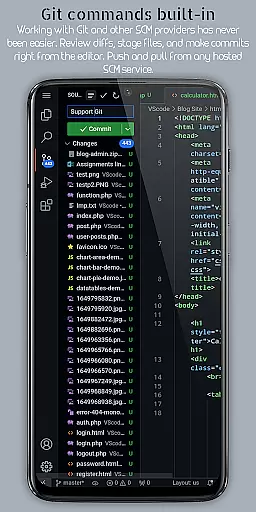
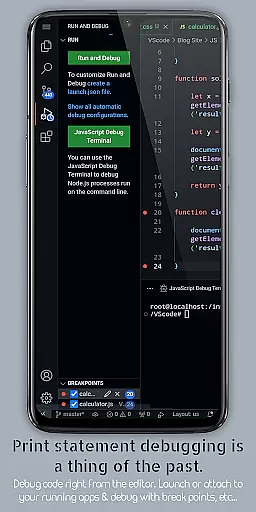
One of the most valuable aspects is its robust debugging tools. Developers can set breakpoints, inspect variables, and analyze call stacks directly from their mobile devices. The integrated Git support enables efficient version control management, allowing users to commit changes and collaborate with team members without switching applications.
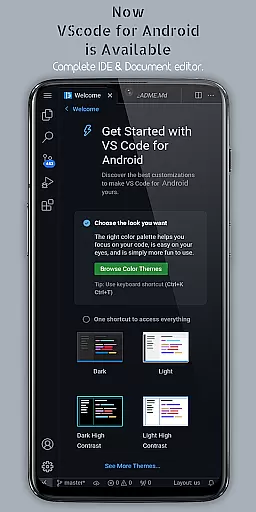
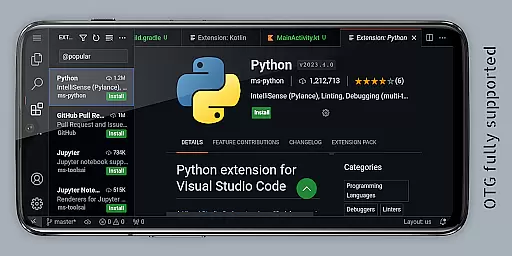
Additional notable features include customizable keyboard shortcuts, immersive full-screen mode, and split-view editing for multitasking. The built-in terminal provides direct command-line access, while the extension system allows users to enhance functionality according to their specific needs. These features collectively create a powerful mobile development environment that rivals desktop solutions.
VScode for Android revolutionizes the way developers handle task management on mobile devices. The app brings the full power of desktop Visual Studio Code to your fingertips, enabling seamless coding workflows.
At its core, the application provides robust support for essential development tasks. Users can efficiently write, edit, and debug code across various programming languages. The built-in terminal and split view editing capabilities allow developers to work on multiple files simultaneously while executing commands - all within a unified mobile environment.
What sets this app apart is its comprehensive feature set tailored for productivity. With integrated Git support, customizable keyboard shortcuts, and an intelligent code completion system, users can maintain their usual workflow standards directly from their Android device. These features ensure that professional developers can manage their coding projects effectively without being tied to a desktop computer.
Cross-device synchronization is where VScode for Android truly shines, offering developers unprecedented flexibility in their workflow. The app allows users to access their development environment from anywhere using just a web browser and their phone's IP address on port 8080.
The synchronization capabilities extend beyond mere file access. Developers can maintain consistent settings across devices, including their choice of themes, extensions, and language-specific configurations. This ensures that the coding experience remains uniform regardless of whether they're working on their desktop or mobile device.
Reliability is guaranteed through the app's support for version control systems and workspace management features. Users can switch between different projects and maintain their progress seamlessly. With real-time access to all their coding resources, developers can pick up exactly where they left off, making cross-device development not just possible but efficient and reliable.
Comprehensive language support
Powerful debugging tools
Intuitive user interface
Efficient remote access
Regular feature updates
Limited screen space
Occasional performance lag
No official Microsoft support
Requires learning curve
Premium features locked

Experience real multitasking on your Android!
 4.00
4.00
Unlock AutoNotification
4.00
Stay on top of your to-dos with Google Tasks, part of Google Workspace.
4.60
Find and delete junk files & block unwanted notifications & manage files
3.70
* block pre-roll ads, pop-up and forced redirect ads * Samsung certification app
4.00
Secure your apps with lock screens, use custom themes and different features.
4.40
Share files & memories safely. Keep your photos and videos secure.
4.40
Intelligent AI Assistant
4.10
Use powerful, industry-leading AI tools to generate visual charts from any data
4.80
Multilingual translator for text, voice, and image translation!
4.90
QuickBooks Workforce lets teams view pay info and track time in one place.
4.70
Direct Chat without saving contacts & Dual WA Account on Single Device
4.70
Quickly and easily keep track of your work shifts
4.70
Scan paperwork into PDF/JPG, generate your own e-signature and send fax or email
4.70
Absolutely the best CNC machinist speed and feed calculator around. fswizard.com
4.60
All document reader, all in one file viewer read PDF, DOCX, XLS, PPT, TXT files.
4.60
CalenGoo is a very flexible and feature-rich calendar app
4.40 4.20
4.20
Make apps & sites with natural language prompts
4.10


User Reviews