
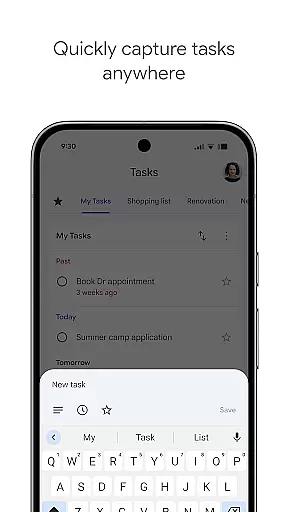
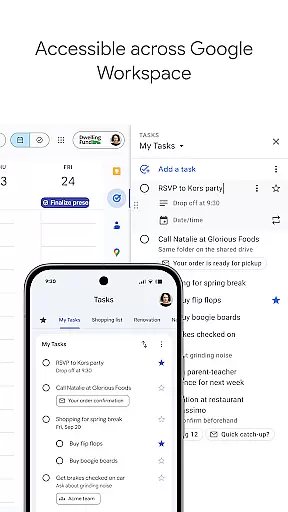
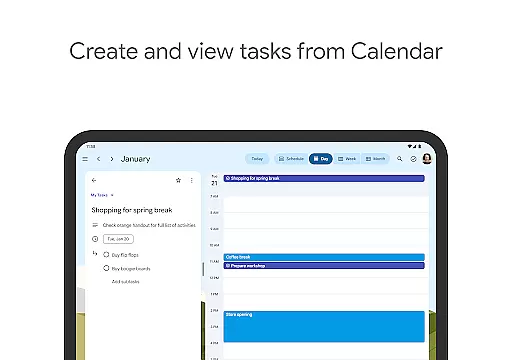
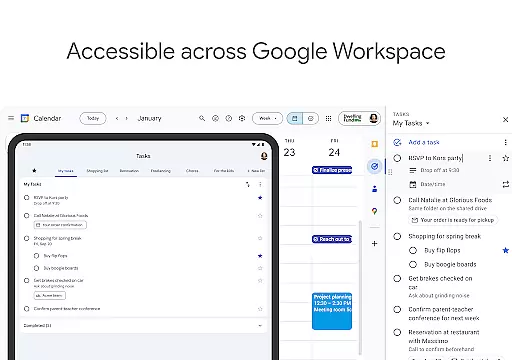
Google Tasks is a productivity app designed to help users manage their daily tasks efficiently. The app allows you to capture, organize, and track your to-dos from any device, ensuring you never miss an important deadline. With seamless integration across Gmail and Google Workspace, it creates a unified task management experience that boosts productivity.
The app's key features include creating multiple task lists for better organization, setting priority levels through drag-and-drop functionality, and adding subtasks to break larger projects into manageable steps. Notifications ensure timely completion of tasks, while the ability to create tasks directly from Gmail enhances workflow efficiency. Whether you're managing personal errands or professional projects, Google Tasks keeps you on track.
Google Tasks offers a variety of features that make task management simple and intuitive. One standout feature is its cross-platform synchronization, which ensures your tasks are updated in real-time across all devices. This means you can start a task on your phone during your commute and continue working on it from your desktop at the office.
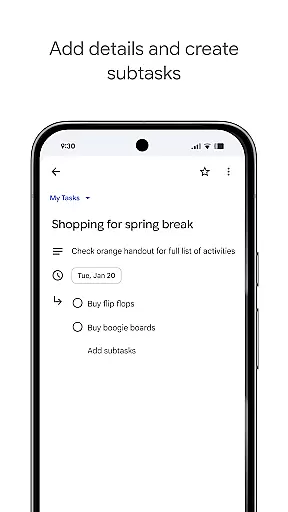
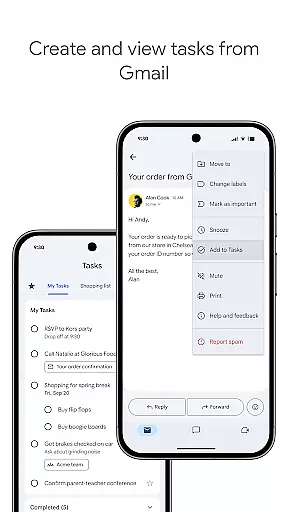
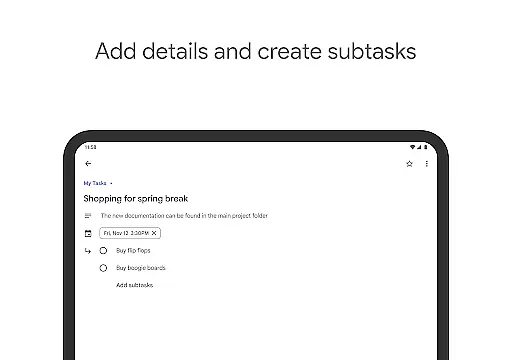
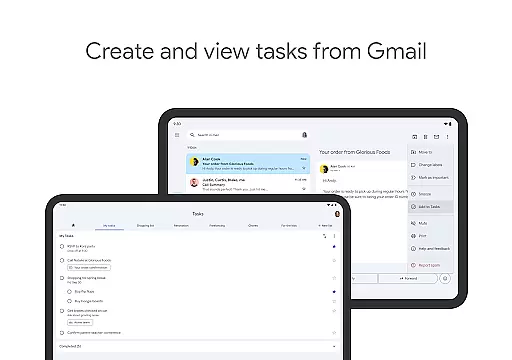
Another notable feature is its deep integration with Gmail. Users can convert emails into tasks without leaving their inbox, preserving the email link for quick reference. The app also supports subtasks, enabling users to break down complex projects into smaller, actionable steps. Additionally, the drag-and-drop prioritization and star-marking system allow for easy organization of tasks based on urgency and importance.
Finally, the app provides customizable reminders and due dates, helping users stay on top of deadlines. Its minimalist design ensures a distraction-free experience, while the ability to create multiple task lists caters to both personal and professional use cases. These features collectively enhance productivity and streamline task management.
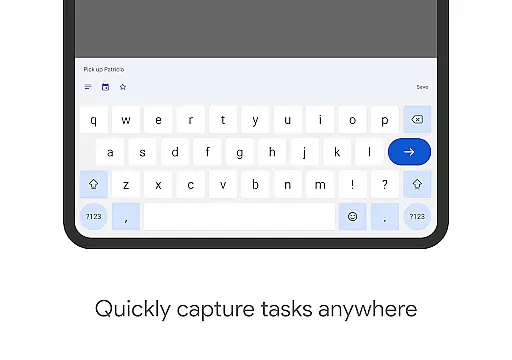
Google Tasks offers a robust core task management system that helps users stay organized and efficient. The app allows you to view, create, edit, and manage tasks on the go, ensuring that your to-do list is always up-to-date and accessible.
One of the standout features is the ability to organize tasks into different lists based on topics or priorities. This ensures that users can categorize their responsibilities effectively, making it easier to focus on what matters most at any given time.
The app also supports prioritization through drag-and-drop functionality, enabling users to reorder tasks effortlessly. Additionally, important tasks can be marked with a star, providing a visual cue for priority items. These features collectively enhance productivity by keeping users focused on their most critical tasks.
Google Tasks excels in cross-device synchronization, ensuring that your to-do lists are consistently updated across all your devices. Whether you're using a smartphone, tablet, or computer, you can access your tasks from anywhere, at any time.
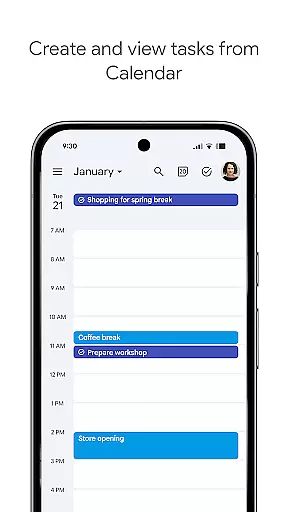
This reliable synchronization is powered by Google's robust infrastructure, which guarantees that changes made on one device are immediately reflected on others. This seamless integration extends to Gmail and Google Calendar, allowing users to create tasks directly from emails and calendar events.
Furthermore, the app provides notifications and reminders to ensure tasks are completed on time. With Google Tasks, users can trust that their data is always current and accurate, no matter which device they choose to use. This reliability fosters confidence and enhances overall productivity.
User-friendly interface
Seamless Gmail integration
Cross-device sync
Customizable task lists
Real-time updates
Limited advanced features
No team collaboration tools
Basic UI design
Few customization options
No offline mode

Send files, sync SMS, notifications & clipboard across devices via local network
 4.40
4.40
Protect and view your important info on your phone and tablet with eWallet®
4.80
⏰ Finally a timer app which can run multiple timers simultaneously on your watch
3.90
Todo reminder
4.10
Great calculator for Android named one of USA TODAY's "25 Essential Apps".
4.90
Best Tool for the professionals Electrician, Electrical contractors, etc.
4.90
A beautiful digital clock with autostart and many other functions
4.70
A Pixel Art watchface inspired by other iconic 90s designs for Wear OS devices!
4.40
Set up, print, and get support—in one place
4.20
Multilingual translator for text, voice, and image translation!
4.90
Quickly and easily keep track of your work shifts
4.70
All document reader, all in one file viewer read PDF, DOCX, XLS, PPT, TXT files.
4.60
All in One PDF Reader: Manage, Read and Edit your Documents
4.20
Make apps & sites with natural language prompts
4.10
Activate Two Factor Authentication (2FA or Multi OTP), Password manager and more
4.10
Wake up & get tasks done! Add alarms & reminders on the Clock Launcher.
4.00
Smart PDF reader & editor to view, organize and manage PDF documents easily.
3.70
Easiest event planning, volunteer signups & parent teacher conference scheduling
2.20
Ads Free App! Editor, Hide File, Copy, Move, Delete and Rename.. all facility av
1.70


User Reviews