
Reminder Pro is a versatile productivity application designed to help users manage their daily tasks, deadlines, and important events efficiently. This app allows you to create both one-time and recurring reminders for various activities such as meetings, homework assignments, bill payments, medication schedules, and more. With its simple interface and powerful features, Reminder Pro ensures that you never miss an important task or event again.
The app stands out with its customizable options including popup notifications, snooze functionality, and quiet hours settings. It also offers advanced features like multiple themes, search functionality, auto backup, and different view options for organizing your reminders. Whether you need a pill reminder, appointment alert, or deadline notification, Reminder Pro provides a comprehensive solution to keep your life organized and running smoothly.
This productivity tool is especially useful for busy professionals, students, and anyone looking to streamline their daily routines. By consolidating all your reminders in one place, Reminder Pro helps reduce stress and increase productivity, making it an essential app for managing personal and professional responsibilities effectively.
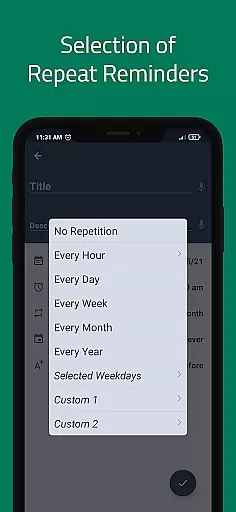
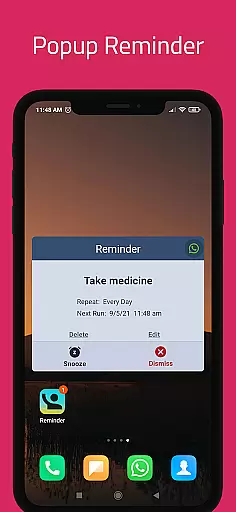
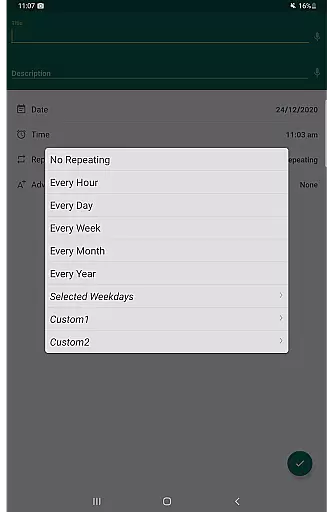
Reminder Pro boasts an array of features that cater to diverse user needs. One of the standout functionalities is the ability to set custom recurring reminders, which is perfect for routine tasks like taking medication or weekly meetings. The app also supports popup notifications and offers a snooze option, allowing users to temporarily delay reminders if they are occupied.
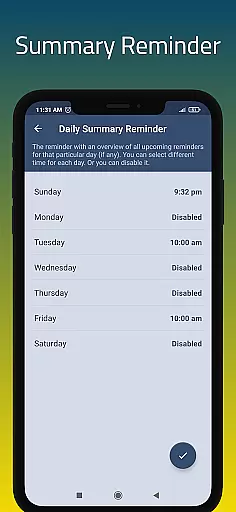
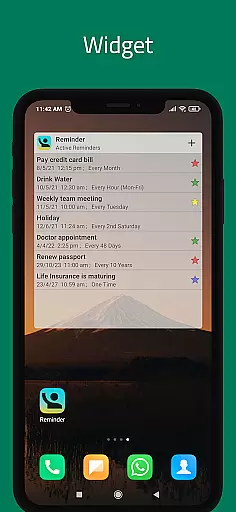
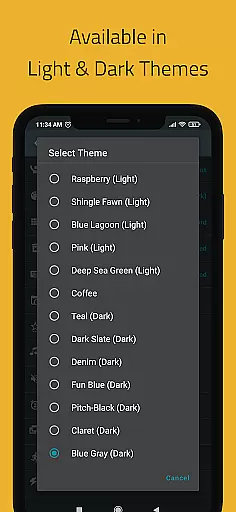
In addition to basic reminder functions, Reminder Pro includes several advanced features. Users can take advantage of widgets for quick access, daily summary reminders to start their day organized, and quiet hours settings to avoid disturbances during specific times. The app also provides multiple themes to personalize the interface, search functionality to quickly find specific reminders, and both auto and manual backup options to prevent data loss.
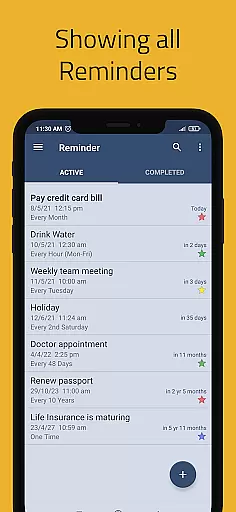
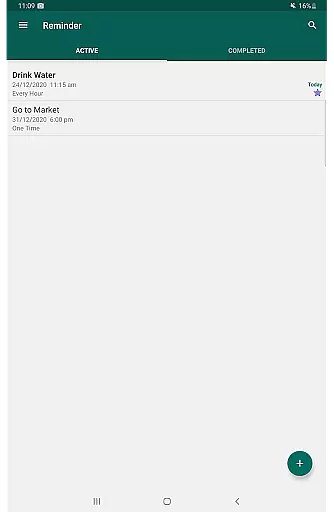
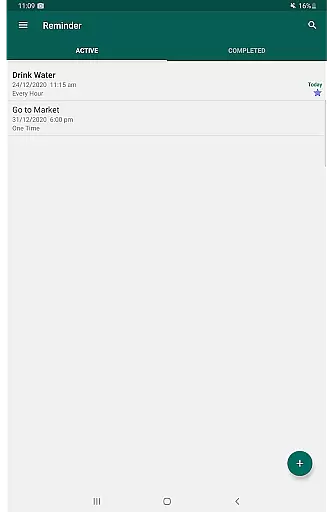
Another notable feature is the ability to categorize reminders with different colors and settings, helping users visually organize their tasks. The app offers standard, compact, and monthly grouping views, providing flexibility in how reminders are displayed. These robust features ensure that Reminder Pro remains a top choice for anyone seeking a reliable and customizable reminder solution.
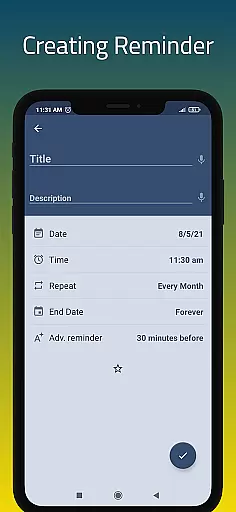
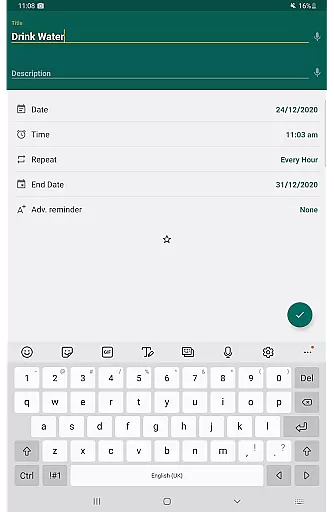
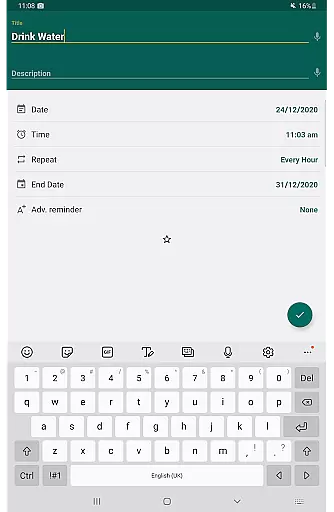
At the heart of Reminder Pro lies its robust core task management system, designed to streamline your daily life. This feature allows users to effortlessly create and organize reminders for both one-time and recurring tasks, ensuring that nothing important slips through the cracks. The app's intuitive interface makes it simple to input details such as dates, times, and notes, which are crucial for keeping track of various responsibilities.
The true power of this productivity tool is in its versatility. Whether you need a pill reminder, appointment alert, or deadline notification, Reminder Pro has got you covered. It caters to different aspects of life, from professional commitments like meetings and deadlines to personal events such as birthdays and anniversaries. With customizable categories and color-coded settings, users can prioritize their tasks effectively.
Moreover, the ability to set advance reminders and recurring notifications adds another layer of reliability. Users will appreciate the peace of mind that comes with knowing they'll be alerted well ahead of time for important events or actions needed on a regular basis. This functionality not only boosts productivity but also helps maintain an organized lifestyle without unnecessary stress.
In today's fast-paced world, having reliable cross-device synchronization is essential, and Reminder Pro excels in this area. The app ensures that all your reminders are seamlessly synced across multiple devices, allowing you to access your task lists whether you're at home, in the office, or on the go. This means no matter where you are, your reminders will always be up-to-date and readily available.
With features like auto backup and manual backup options, users can rest assured that their data is safe and can be recovered if needed. This level of security provides confidence when managing critical tasks and appointments. Additionally, quiet hours settings for hourly reminders ensure that notifications do not disturb during inappropriate times while still keeping you on track.
Furthermore, Reminder Pro offers widget support and multiple view options for reminders, including standard, compact, and monthly grouping views. These tools enhance accessibility and visibility into upcoming tasks, making it easier than ever to stay organized regardless of which device you choose to use. Such comprehensive synchronization capabilities make maintaining productivity effortless and efficient.
User-friendly interface
Customizable reminders
Multiple view options
Quiet hours setting
Auto backup feature
Limited free version
No voice assistant integration
Occasional bugs reported
Premium subscription required
Heavy on battery

 4.20
4.20
Client for Nextcloud Deck
4.60
A customizable calendar for your Wear OS watch
4.20
Experience Reading - Night Mode for Documents
4.40
Total remote control for your Android device, PC and cloud services (IFTTT)!
4.20
Unlock AutoNotification
4.00
Create and edit presentations with Google Slides, part of Google Workspace.
4.00
Subscribe to Webcal & .ics calendars and keep them up-to-date!
4.50
Put a lock on your cloud: Take the security of your data into your own hands
3.70
QuickBooks Workforce lets teams view pay info and track time in one place.
4.70
The long-awaited modern gallery app for your Nextcloud server
4.70
Calendar 2023 widget for Android. Appointment scheduler, planner, and reminder
4.60
Send files, sync SMS, notifications & clipboard across devices via local network
4.40
Automates browsing any website and notifies you of important changes or events
4.30
Enjoy classic gameplay with customizable features and retro-style graphics.
4.30
Professional calendar app for Google Calendar, MS Outlook & Exchange
4.20
Font maker keyboard with your own handwriting
4.10
Make your handwriting beautiful, even more than pen on paper.
3.60
Ads Free App! Editor, Hide File, Copy, Move, Delete and Rename.. all facility av
1.70


User Reviews