
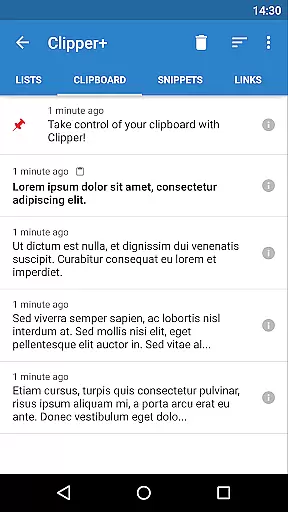
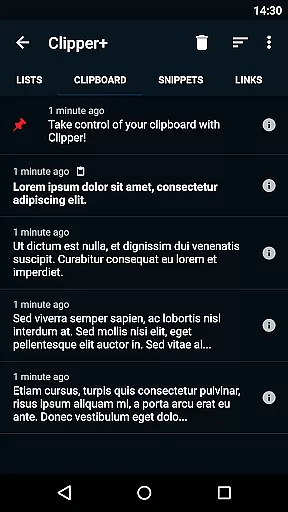
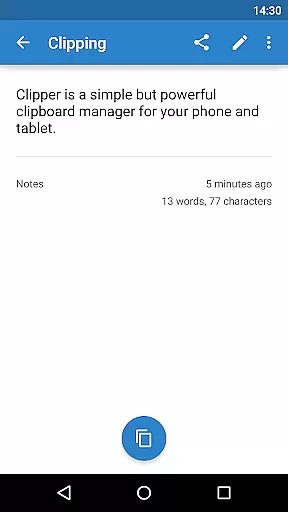
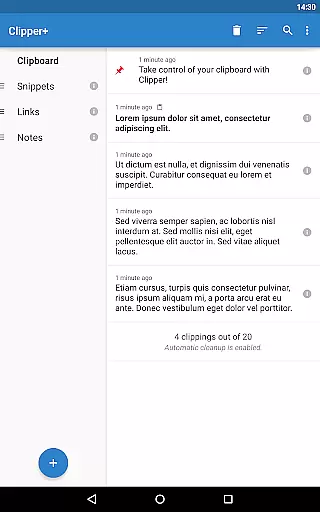
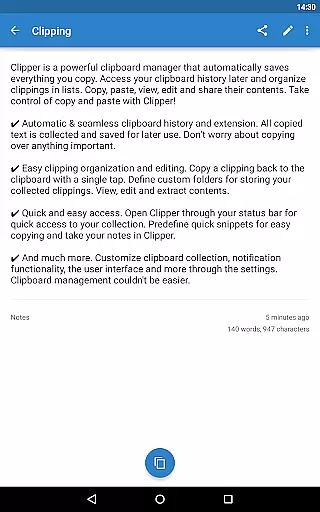
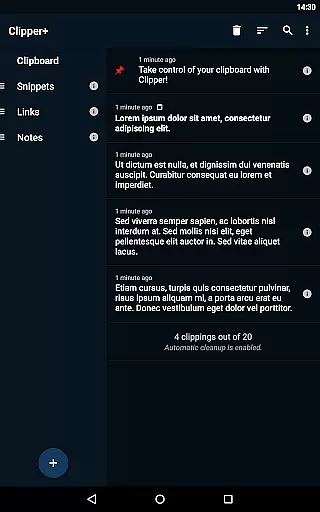
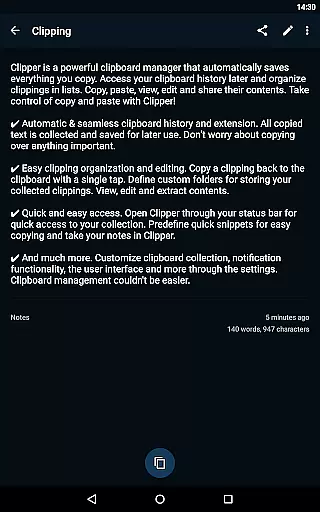
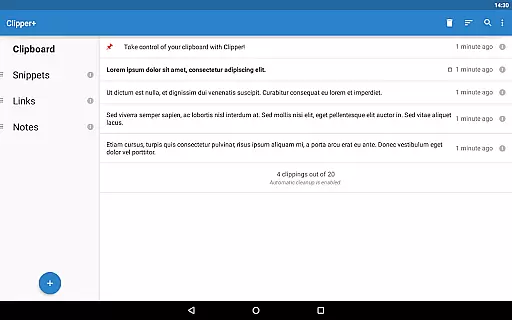
Clipper+: Clipboard Manager is a powerful productivity tool designed to enhance your clipboard experience. This application automatically saves everything you copy, allowing you to access and organize collected clippings later in lists. With features like unlimited collected clippings, dynamic values for custom snippets, and an easy-to-use clipping search, Clipper+ ensures that you never lose important copied content. The app also supports storing repetitive text pieces for quick copying whenever needed, making it ideal for professionals who handle large amounts of data daily.
One of the standout features of Clipper+ is its seamless integration with your workflow. It offers quick and easy access through the status bar, predefined quick snippets, and custom folders for organizing clippings. Whether you're managing notes or handling complex data entries, Clipper+ provides a reliable solution to streamline your tasks. Its ad-free environment and purchase-supported development model ensure a smooth and uninterrupted user experience.
Clipper+ boasts a range of features that make it an indispensable tool for productivity enthusiasts. Firstly, it offers unlimited collected clippings, allowing users to keep more than just the latest entries and even disable automatic cleanup. This ensures that all important data is retained for future use. Additionally, the app includes dynamic values, enabling users to insert the current date and time into their custom snippets, thus enhancing efficiency.
Another significant feature is the powerful clipping search functionality, which allows users to find specific clippings quickly and easily. The app also provides new settings and options, such as the ability to collect each clipping manually, giving users greater control over their clipboard history. Moreover, Clipper+ is completely ad-free, ensuring a distraction-free experience. These features collectively contribute to a robust clipboard management solution that caters to both casual users and professionals alike.
Clipper+: Clipboard Manager excels in core task management by offering users an efficient way to handle their clipboard history. This powerful clipboard manager automatically saves everything you copy, allowing for seamless access and organization of collected clippings.
With features like unlimited collected clippings and dynamic values, Clipper+ ensures that users can maintain an extensive history without the worry of losing important data. The ability to search through clippings enhances productivity by letting users quickly find what they need.
Moreover, Clipper+ provides new settings and options which empower users with control over how clippings are collectedu2014manually or automatically. This flexibility makes it easier to manage tasks effectively while ensuring a personalized experience tailored to individual workflow needs.
Cross-device synchronization is a critical feature for modern productivity tools, and Clipper+: Clipboard Manager delivers reliable performance in this area. By installing Clipper Plus on multiple devices, users can migrate their data effortlessly from one device to another after installation.
The app supports importing and exporting backup functionality to internal storage or SD card, which facilitates easy transfer of clipboard content across different platforms. This ensures that no matter where you are or what device you're using, your essential information remains accessible.
In addition, Clipper+'s design focuses on user convenience with quick access through the status bar and predefined snippets for rapid copying. Such features not only enhance cross-device operations but also streamline daily tasks, making sure that all your devices stay updated with the latest clipboard entries.
User-friendly interface
Unlimited clipping storage
Dynamic value insertion
Powerful search function
Completely ad-free
Paid application
Separate installation
Limited design customization
No cloud sync
Manual data migration

Seamlessly integrate data and reports to build your presentation to impress
 4.80
4.80
8 custom complications. Custom Time Fonts. Beautiful color schemes. A++ Design.
5.00
Smart PDF reader & editor to view, organize and manage PDF documents easily.
3.70
App Lock with fingerprint, password: Lock apps & hide photos with lock screens
4.60
Simple and reliable communication between inmates, friends and family
3.20
Translate text/voice/photos in 150+ languages. Offline & fast translator app.
4.50
Secure, open-source, SPICE and SSH Remote Desktop for QEMU KVM virtual machines
4.00
Access, manage and transfer files on Android, PC, Mac, NAS and cloud storages.
4.30
Simple notepad & memo. Take notes, to-do list, shopping list with reminders.
4.80
Great calculator for Android named one of USA TODAY's "25 Essential Apps".
4.90
Direct Chat without saving contacts & Dual WA Account on Single Device
4.70
Absolutely the best CNC machinist speed and feed calculator around. fswizard.com
4.60
PDF scanner & converter for files, photos, lottery, QR codes. One swipe away!
4.50
Tally and goal counter for Wear OS & mobile
4.50
A Pixel Art watchface inspired by other iconic 90s designs for Wear OS devices!
4.40
All in One PDF Reader: Manage, Read and Edit your Documents
4.20
* block pre-roll ads, pop-up and forced redirect ads * Samsung certification app
4.00
Mega cloud explorer plugin for Solid Explorer
3.80
Create study competitions, track your hours, and stay consistent with friends
4.0


User Reviews