
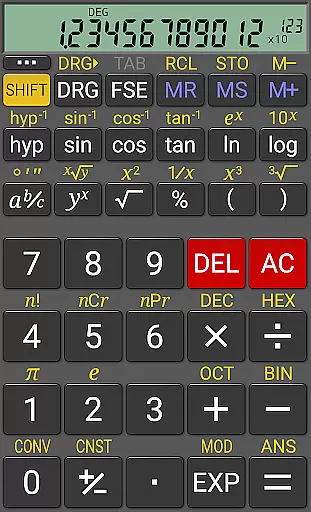
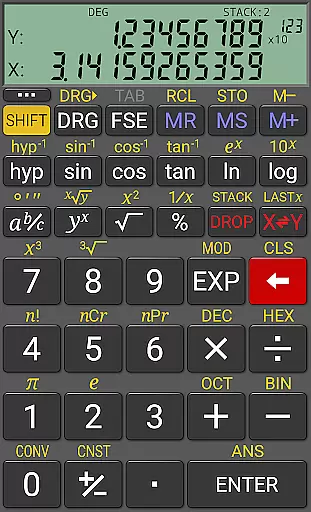
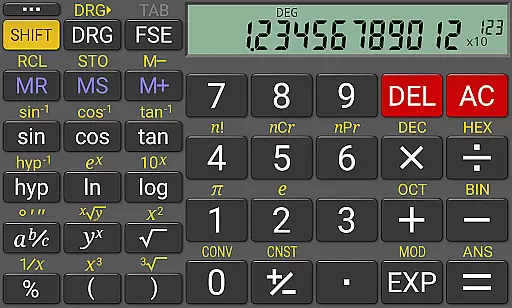
RealCalc Plus is the advanced version of RealCalc, a leading scientific calculator on Android. It mirrors the functionality of a real hand-held calculator with added features such as fraction calculations, degrees/minutes/seconds conversions, and an extended 12-digit display with 32-digit internal precision. The app supports multiple calculation modes including algebraic and RPN operations, making it versatile for various mathematical tasks.
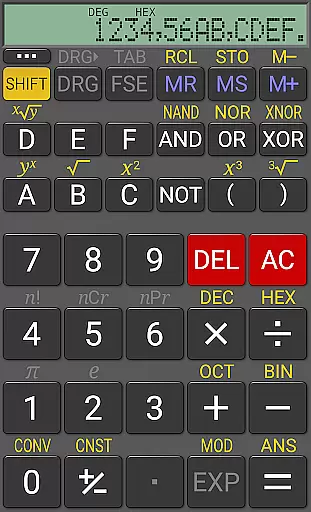
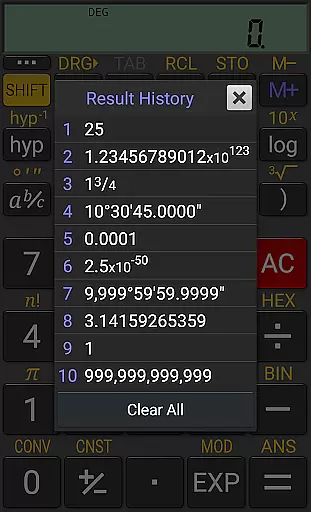
Designed for productivity, RealCalc Plus offers customizable unit conversions, constants, and multi-format displays like binary, octal, and hexadecimal. Its user-friendly interface includes a result history feature, ten memory slots, and trigonometric functions in degrees, radians, or grads. Whether you're a student, engineer, or professional requiring precise calculations, RealCalc Plus delivers reliable performance and customization options to suit your needs.
RealCalc Plus stands out with its comprehensive set of features tailored for scientific calculations. It provides traditional algebraic or RPN operation modes, catering to different calculation preferences. The app's support for fraction calculations, degrees/minutes/seconds conversions, and percentage computations makes it suitable for complex mathematical problems.
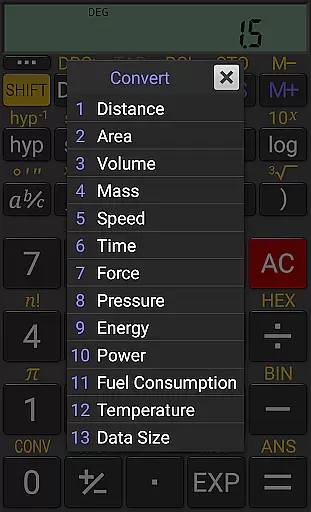
One of the key highlights is its customizable nature. Users can define their own unit conversions and constants, which is particularly useful for specialized calculations. With a choice of display styles, including 7-segment and dot-matrix fonts, users can personalize their experience. Additional functionalities include landscape mode, homescreen widget support, and external keyboard compatibility, ensuring seamless integration into various workflows.
For a productivity app like RealCalc Plus, core task management refers to how effectively it handles calculation tasks and manages the workflow of complex operations. This calculator app excels in organizing and executing both simple and advanced mathematical functions.
RealCalc Plus offers multiple calculation modes including algebraic and RPN, catering to different user preferences. Its ability to handle fractions, degrees/minutes/seconds, and various number bases (binary, octal, hexadecimal) ensures that users can perform diverse types of calculations with precision.
The inclusion of a 12-digit display and extended internal precision (32-digit) means that even the most demanding computations are displayed accurately. Additionally, features such as result history and ten memories allow users to revisit past calculations and manage multiple figures or equations efficiently.
By providing customizable unit conversions and constants, RealCalc Plus empowers users to tailor their calculation environment to specific needs, enhancing overall productivity. These features collectively ensure that users can manage their calculation tasks seamlessly, making the app an indispensable tool for students, professionals, and anyone in need of reliable computational power.
Cross-device synchronization is crucial for users who rely on consistent access to their data across multiple devices. For RealCalc Plus, this feature would translate into maintaining uniformity in calculations, settings, and customizations regardless of the device being used.
While RealCalc Plus does not explicitly advertise cloud-based synchronization, its support for multi-window operations and drag-and-drop functionality indicates a level of interoperability between different applications and potentially different devices running compatible operating systems.
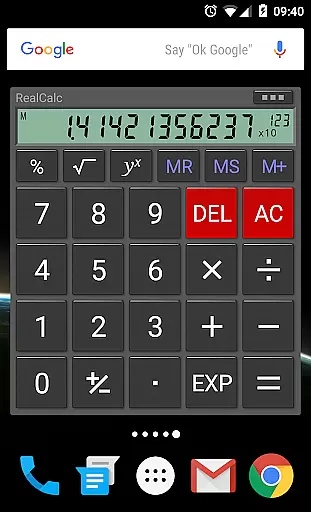
The app also provides a homescreen widget with RPN support, ensuring quick access to frequently used functions without needing to open the full application. This enhances the user experience by saving time and streamlining the workflow, which indirectly supports synchronization by keeping essential tools at the user's fingertips.
Moreover, external keyboard support and configurable digit grouping and decimal points contribute to a personalized yet consistent user interface. Users can expect the same high-quality performance and customized settings whether they are using RealCalc Plus on a smartphone or tablet, thus achieving a form of manual synchronization through meticulous design consistency.
User-friendly interface
Customizable settings
High precision calculations
Versatile calculation modes
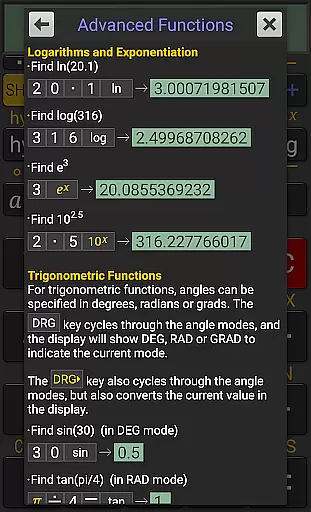
Comprehensive help documentation
Paid version only
No graphing capabilities
Limited visual themes
Advanced features may overwhelm beginners
Occasional UI lag reported

Client for Nextcloud Deck
 4.60
4.60
Experience Reading - Night Mode for Documents
4.40
Unlock AutoNotification
4.00
Remotely view listen control and record cameras.
3.70
Customizable calendar widget for seamless event sync, planning & scheduling.
4.00
Fill, sign & send docs, forms, agreements & contracts via electronic signature.
4.50
Make apps & sites with natural language prompts
4.10
* block pre-roll ads, pop-up and forced redirect ads * Samsung certification app
4.00
Quickly and easily keep track of your work shifts
4.70
Understand anything with a personalized AI research assistant
4.80
Simple notepad & memo. Take notes, to-do list, shopping list with reminders.
4.80
aCalendar+ makes your day, week and month
4.70
A simple Whisper AI keyboard for reliable speech transcription and rewording
4.60
To do list widget with a notebook organizer, checklist, simple shopping list
4.60
Tally and goal counter for Wear OS & mobile
4.50
Automates browsing any website and notifies you of important changes or events
4.30
Intelligent AI Assistant
4.10
Easiest event planning, volunteer signups & parent teacher conference scheduling
2.20
The upgraded version of Name Wheel with AI and the power to add your own wheels.
4.3


User Reviews