
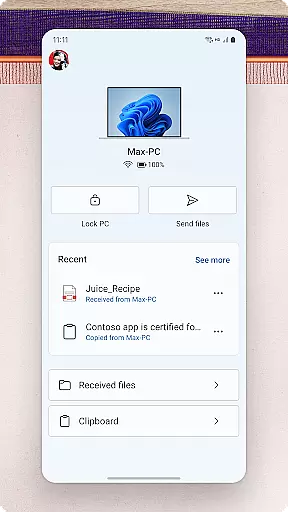
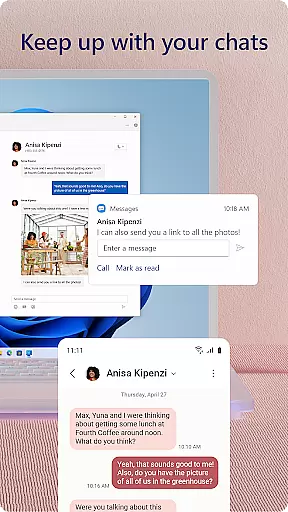
Link to Windows is a productivity-focused application that bridges the gap between your Android phone and Windows PC. This app allows users to seamlessly interact with their mobile devices directly from their computers. Key functionalities include making and receiving calls, managing notifications, accessing mobile apps, and handling text messages on the PC.
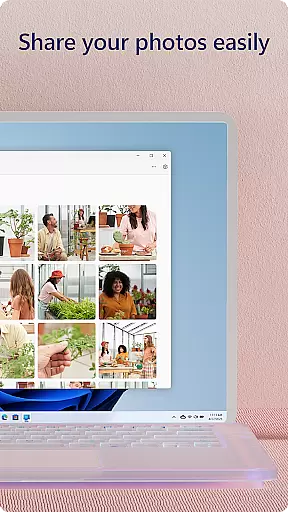
The app also supports advanced features like file sharing through drag-and-drop, copying and pasting content across devices, and instant access to phone photos. For select Samsung, Microsoft Duo, and HONOR phones, Link to Windows offers an enhanced experience with exclusive features such as cross-device copy-paste and more. These capabilities make multitasking between devices smoother and more efficient for users who rely on both their phone and PC for work and personal use.
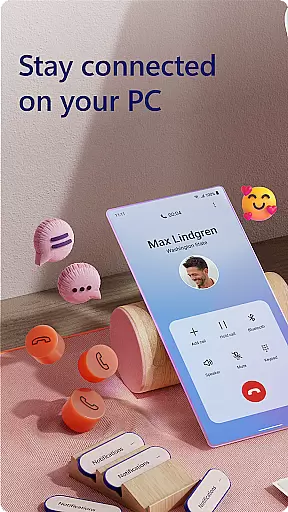
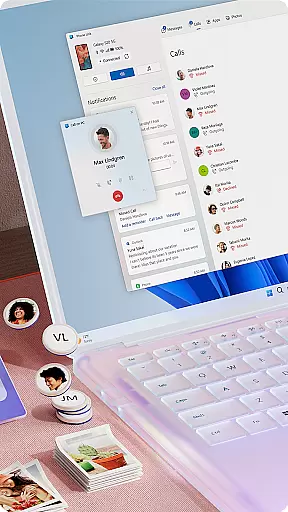
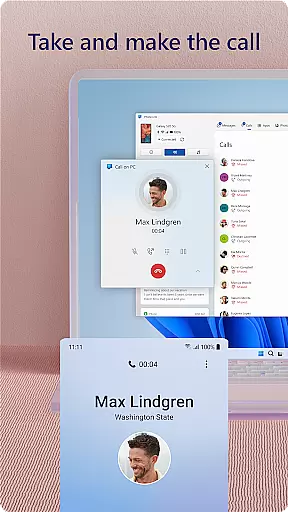
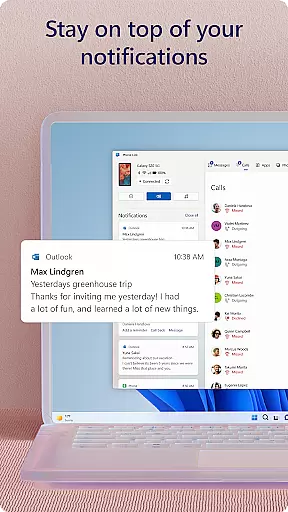
Link to Windows stands out with its comprehensive feature set designed to boost productivity. The app enables users to make and receive calls directly from their PCs, provided the computer has Bluetooth capability. It consolidates Android phone notifications on the PC, allowing users to stay updated without needing to check their phones constantly.
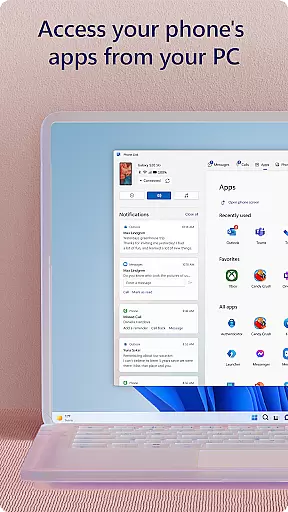
Another notable feature is the ability to access favorite mobile apps on the PC screen, which is particularly useful for replying to messages or using apps that are typically confined to mobile. The drag-and-drop functionality between the PC and phone simplifies file transfers significantly. Additionally, the app supports copying and pasting content across devices, enhancing workflow efficiency. For those with compatible devices, exclusive features like Phone screen and Apps further extend the integrated experience, making Link to Windows a versatile tool for modern multitaskers.
Task management is a cornerstone of productivity applications, and Link to Windows excels in this area by integrating your Android phone's tasks directly into your PC workflow. This seamless connection allows users to handle calls, text messages, notifications, and even mobile apps from their desktop environment.
The app achieves this through its Phone Link feature, which mirrors your phone's interface on your Windows PC. Users can make and receive calls, manage notifications, and interact with mobile apps using the PC's larger screen, keyboard, and mouse. This functionality streamlines multitasking and ensures that no important communication is missed.
For those who frequently work on a computer, having instant access to phone functionalities without needing to switch devices is invaluable. It reduces interruptions and keeps the user focused on their primary tasks, enhancing overall efficiency.
Moreover, the ability to drag and drop files between devices and use cross-device copy-paste features adds another layer of convenience. These capabilities ensure that users can maintain a smooth workflow without being bogged down by device-switching inefficiencies.
Cross-device synchronization is vital for maintaining productivity across multiple platforms. Link to Windows offers reliable synchronization between Android phones and Windows PCs, ensuring that all essential data and functionalities are accessible from either device.
This synchronization extends beyond simple notifications; it includes comprehensive integration such as making calls, replying to texts, and managing notifications directly from the PC. The Phone Link feature provides real-time updates, so users always have the latest information at their fingertips.
Exclusive features like cross-device copy-paste, file drag-and-drop, and accessing mobile apps enhance the user experience further. These functionalities require compatible devices but offer unparalleled convenience when set up correctly.
By centralizing these operations on a single platform, Link to Windows minimizes disruptions and maximizes productivity. Users benefit from a cohesive ecosystem where their devices complement each other, providing a seamless transition between different tasks and responsibilities.
Seamless cross-device integration
Enhanced productivity features
User-friendly interface
Exclusive features for select devices
Efficient notification management
Limited call functionality
Device compatibility restrictions
Advanced features need specific hardware
Privacy concerns with accessibility service
Dependent on stable internet connection

Seamlessly integrate data and reports to build your presentation to impress
 4.80
4.80
Take control of your clipboard with Clipper!
3.90
Direct Chat without saving contacts & Dual WA Account on Single Device
4.70
To do list widget with a notebook organizer, checklist, simple shopping list
4.60
Share files & memories safely. Keep your photos and videos secure.
4.40
Understand anything with a personalized AI research assistant
4.80
Simple notepad & memo. Take notes, to-do list, shopping list with reminders.
4.80
Put a lock on your cloud: Take the security of your data into your own hands
3.70
QuickEdit is a fast, stable and full featured text and code editor.
4.20
Multilingual translator for text, voice, and image translation!
4.90
Protect and view your important info on your phone and tablet with eWallet®
4.80
App lock - lock apps with fingerprint, password, pin or pattern, protect privacy
4.70
Scan paperwork into PDF/JPG, generate your own e-signature and send fax or email
4.70
Planet Free VPN - The best Fast Unlimited and Secure VPN Without Logs
4.50
Tally and goal counter for Wear OS & mobile
4.50
Total remote control for your Android device, PC and cloud services (IFTTT)!
4.20
Make apps & sites with natural language prompts
4.10
Customizable calendar widget for seamless event sync, planning & scheduling.
4.00
Easiest event planning, volunteer signups & parent teacher conference scheduling
2.20


User Reviews