
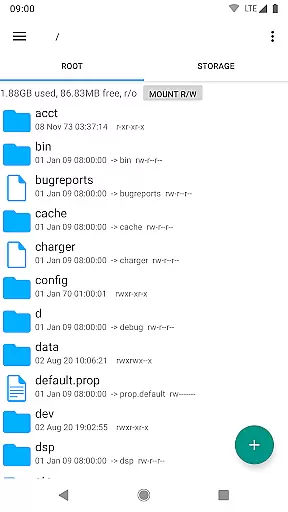
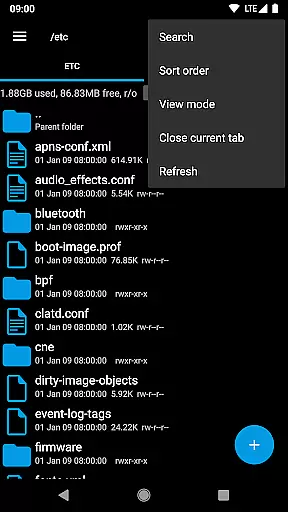
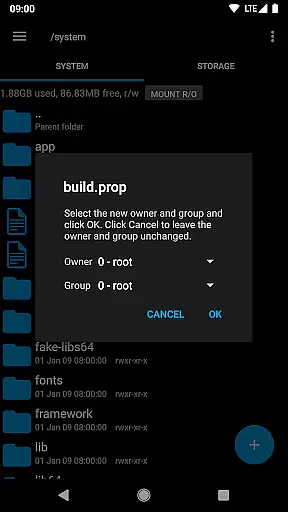
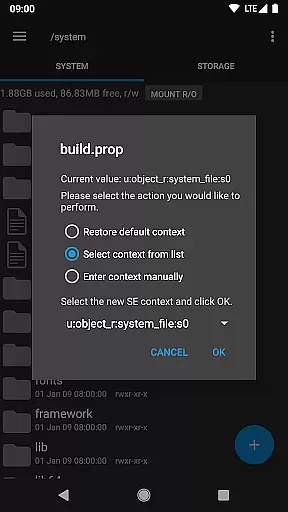
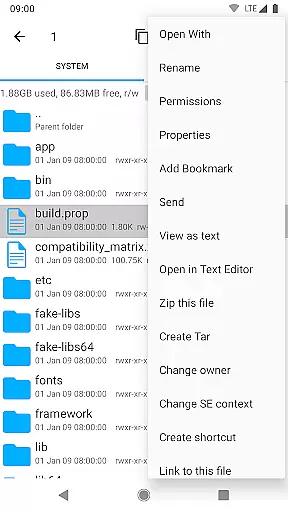
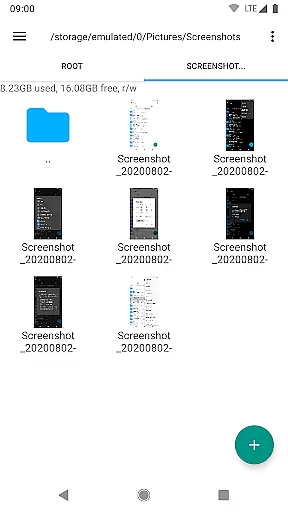
Root Explorer stands as the premier file manager tailored for root users, providing unrestricted access to Android's entire file system, including the often inaccessible data folder. This powerful tool empowers users with advanced capabilities such as multi-tab navigation, cloud storage integration, and comprehensive file manipulation options.
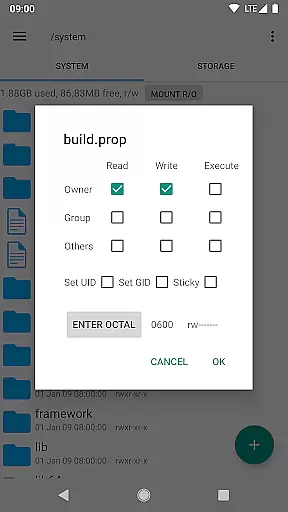
The app supports a wide array of functionalities like SQLite database viewing, script execution, and archive handling, making it indispensable for power users who demand efficiency and control over their device's file structure. Whether managing permissions, editing text files, or creating shortcuts, Root Explorer ensures seamless productivity for tech-savvy individuals.
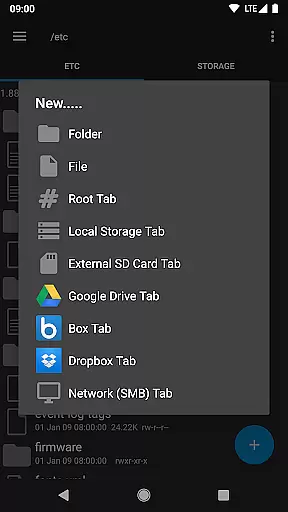
Root Explorer boasts an impressive suite of features designed to enhance file management. The app offers multiple tabs for efficient navigation, support for major cloud services like Google Drive and Dropbox, and network (SMB) connectivity for versatile file access.
Advanced tools include a SQLite database viewer, text editor, and the ability to create and extract various archive formats. Users can execute scripts, search files, remount partitions, and manage permissions effortlessly. With added capabilities like APK binary XML viewing and MD5 checksum generation, this app caters to both basic and complex user needs.
Root Explorer excels in core task management by providing users with a comprehensive suite of tools to efficiently handle files and folders. This includes multiple tabs for easy navigation, multi-select options for batch operations, and the ability to create and extract various file formats such as zip, tar, and gzip.
The app's functionality extends to executing scripts, searching through files quickly, and remounting drives with ease. These features ensure that users can perform complex file management tasks without hassle, making it an indispensable tool for power users who require precision and speed in their workflows.
With Root Explorer, users benefit from advanced capabilities like changing file permissions, creating symbolic links, and even viewing APK binary XML files. These functions are crucial for developers and IT professionals who need to manage system-level files and configurations.
Cross-device synchronization is a vital feature for users who work across multiple devices. Root Explorer ensures reliable synchronization with its support for cloud services like Google Drive, Box, and Dropbox. This allows users to seamlessly access and manage their files from any location, enhancing productivity and collaboration.
The app also supports network (SMB) connections, enabling users to connect to remote servers and shared drives effortlessly. This means that teams can share resources and documents without worrying about the physical location of their files, thus streamlining project workflows and data management.
Furthermore, Root Explorer's synchronization features are designed to be robust and secure, ensuring that no information is passed over the internet without proper protection. Users can trust that their data remains safe while they enjoy the convenience of accessing their files from any device, anywhere in the world.
Unparalleled file access
Comprehensive feature set
Efficient multi-tab interface
Cloud storage integration
Responsive customer support
Complex for beginners
Requires root access
Premium price point
Occasional stability issues
Limited appeal to casual users

Create study competitions, track your hours, and stay consistent with friends
 4.5
4.5
Customizable calendar widget for seamless event sync, planning & scheduling.
4.00
Find and delete junk files & block unwanted notifications & manage files
3.70
Cloud storage, automatic phone backup, and more.
4.10
Activate Two Factor Authentication (2FA or Multi OTP), Password manager and more
4.10
A simple Whisper AI keyboard for reliable speech transcription and rewording
4.60
Ultimate Virtual AI Character for immersive Roleplay Chat. Perfect Companion
3.90
Simple notepad & memo. Take notes, to-do list, shopping list with reminders.
4.80
Daily processing of PDF documents.
4.40
Use powerful, industry-leading AI tools to generate visual charts from any data
4.80
The AI assistant that thinks with you - write, code, and solve complex tasks
4.60
Experience Reading - Night Mode for Documents
4.40 4.20
4.20
Easily read and manage all your PDF files
4.10
Make apps & sites with natural language prompts
4.10
A Revolutionary All-in-One Artificial Intelligence Tools
3.80
All in one sketching tool. Technical and General drawing. Online Maps support.
3.70
Remotely view listen control and record cameras.
3.70
Simple and reliable communication between inmates, friends and family
3.20


User Reviews