
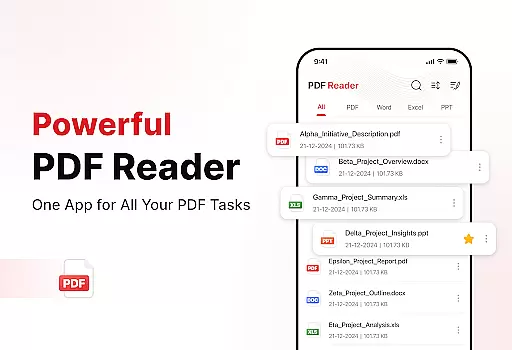
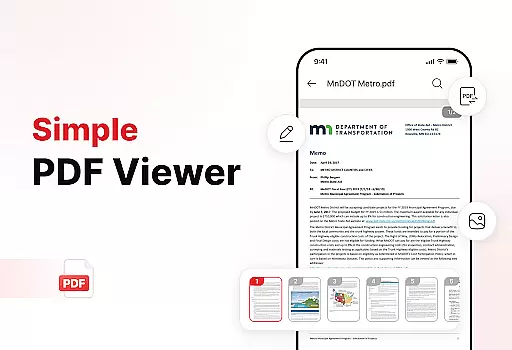
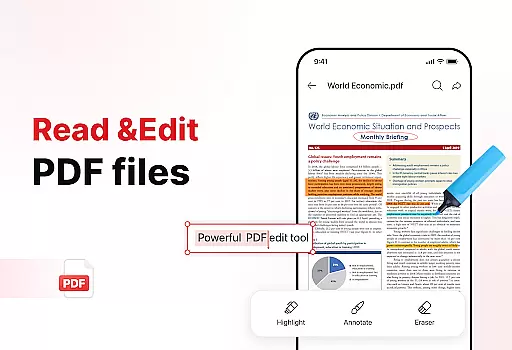
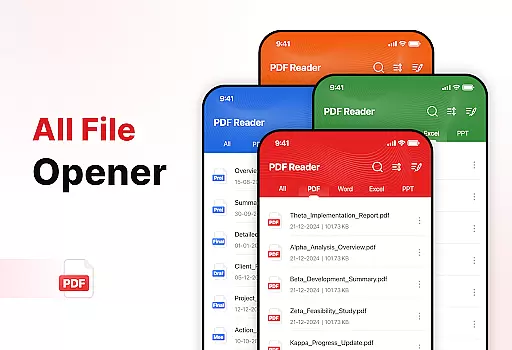
PDF Reader - Edit & View is a comprehensive document management solution designed to simplify how you handle, organize, and convert files. This productivity app allows users to seamlessly open, read, and manage PDFs of any size without lag, while also supporting multiple formats including XLS, DOCX, and PPT. The app's intuitive interface provides effortless navigation, smooth zoom functionality, and essential tools like highlighting for efficient document review.
Beyond basic reading capabilities, PDF Reader offers powerful conversion features. Users can scan physical documents and convert them into high-quality PDFs, or transform images and screenshots into professional PDF formats with just a few taps. Its enhanced productivity tools include advanced file sorting options, bookmarking for quick access, and effortless sharing capabilities. Whether you're a student, professional, or casual user, this app streamlines document management while boosting overall productivity.
PDF Reader - Edit & View distinguishes itself through its versatile feature set that caters to various document management needs. The app's core functionality lies in its powerful PDF reader, which enables smooth navigation through documents of any size. Users can easily zoom in for details, highlight important information, and switch between different viewing modes. What sets this app apart is its support for multiple file formats, making it a truly versatile document viewer.
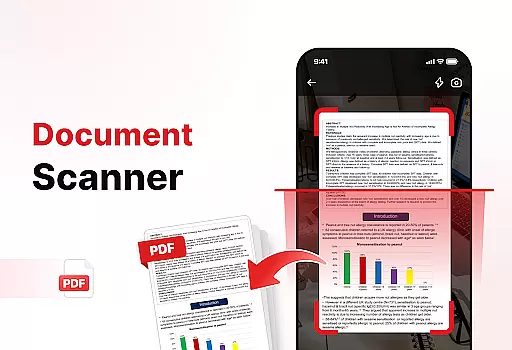
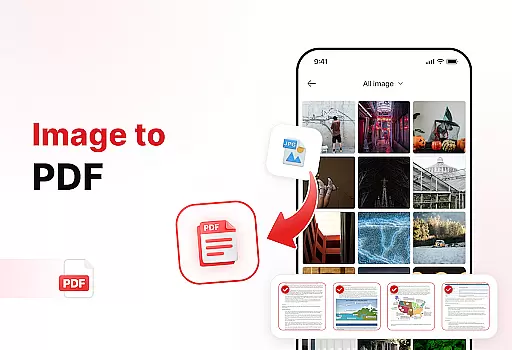
The app's document converter stands out as a particularly innovative feature. It includes a document scanner that captures text, images, and diagrams from physical papers and converts them into high-quality PDFs. Additionally, the image-to-PDF converter allows users to quickly transform various visual content into professional PDF documents. These conversion tools are complemented by enhanced productivity features such as advanced file sorting, bookmark management, and signature capabilities.
Security and organization are prioritized through several key features. The app offers robust file management tools that help users keep their storage organized and clutter-free. Users can sort files by name, date, or size, while the search function enables quick location of specific documents. The ability to add signatures to PDFs adds another layer of practicality, making this app suitable for both personal and professional use cases.
Task management is a cornerstone of productivity applications, and PDF Reader - Edit & View excels in this area by offering users a comprehensive suite of tools to handle their documents efficiently. The app allows for seamless organization, enabling users to sort files by name, date, or size, ensuring that all your documents are just a few taps away.
The application goes beyond mere file storage by providing enhanced features such as the ability to delete unnecessary files, manage documents with bookmarks for quick access, and search for specific files rapidly. These capabilities ensure that users can maintain a clutter-free digital workspace, which is crucial for maintaining focus and efficiency.
Moreover, the app's versatility extends to its support for multiple file formats including XLS, DOCX, and PPT, making it an all-in-one solution for document management. This means professionals and students alike can rely on PDF Reader - Edit & View to keep their important files organized and accessible, regardless of format.
By integrating powerful productivity tools such as document scanning and image-to-PDF conversion, the app ensures that users can transform physical documents into digital formats effortlessly. This functionality not only saves time but also enhances the user's ability to manage their workflow effectively, making PDF Reader - Edit & View an indispensable tool for anyone looking to simplify their document handling process.
Cross-device synchronization is vital for users who operate in multi-platform environments, and PDF Reader - Edit & View addresses this need by ensuring reliable and real-time updates across all devices. Whether you're switching from your phone to a tablet or a computer, the app guarantees that your documents are always up-to-date and accessible wherever you go.
This level of synchronization reliability is achieved through advanced cloud integration, which securely stores your files and keeps them in sync. As a result, users can enjoy uninterrupted access to their documents, with the assurance that any changes made will be reflected instantly across all their devices.
In addition to providing peace of mind regarding data consistency, the app also supports effortless sharing of PDFs and files with others. This feature is particularly beneficial for collaborative work environments where team members need to exchange documents frequently and reliably without worrying about version control issues.
PDF Reader - Edit & View stands out by offering a seamless experience that boosts productivity and saves time. With its robust cross-device synchronization capabilities, users can focus on their tasks without being hindered by technical limitations, knowing that their document management needs are handled with precision and care.
User-friendly interface
Multi-format support
Powerful conversion tools
Advanced organization features
Effortless sharing capabilities
Limited free features
Subscription required
Occasional performance issues
Ads in free version
Large file size

Secure, fast, open-source, VNC and SSH Remote Desktop for Windows, Linux and Mac
 4.70
4.70
QuickBooks Workforce lets teams view pay info and track time in one place.
4.70
Total remote control for your Android device, PC and cloud services (IFTTT)!
4.20
Planet Free VPN - The best Fast Unlimited and Secure VPN Without Logs
4.50
Fill, sign & send docs, forms, agreements & contracts via electronic signature.
4.50
Translate text/voice/photos in 150+ languages. Offline & fast translator app.
4.50
Tally and goal counter for Wear OS & mobile
4.50
* block pre-roll ads, pop-up and forced redirect ads * Samsung certification app
4.00
Share files & memories safely. Keep your photos and videos secure.
4.40
PDF scanner & converter for files, photos, lottery, QR codes. One swipe away!
4.50
A lightweight JSON & XML files creator, editor and viewer (Premium Version)
4.40
This small app MUST BE INSTALLED after purchase, else license won't work
4.40
When you Focus, so will your Bean in this cozy focus timer
4.30
Enjoy classic gameplay with customizable features and retro-style graphics.
4.30
Device's storage information in a simple and clear graphical form (infographics)
4.10
Make apps & sites with natural language prompts
4.10
Intelligent AI Assistant
4.10
Secure, open-source, SPICE and SSH Remote Desktop for QEMU KVM virtual machines
4.00
Ads Free App! Editor, Hide File, Copy, Move, Delete and Rename.. all facility av
1.70


User Reviews