
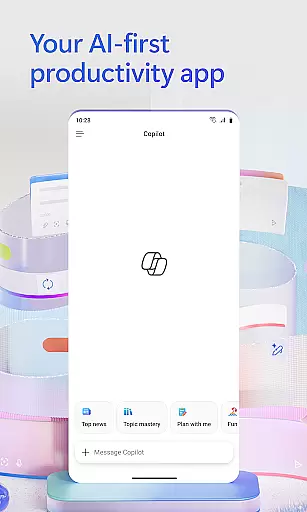
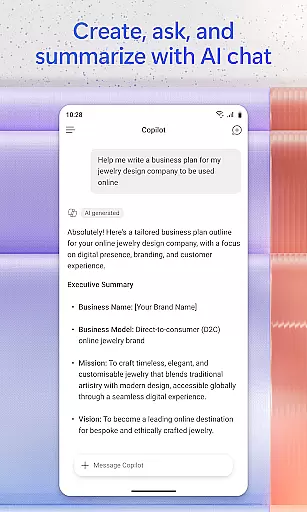
Microsoft 365 Copilot is an AI-powered productivity application designed to streamline work and personal tasks. The app serves as a centralized platform for interacting with an AI assistant, creating and editing content, scanning documents, managing projects, and locating files quickly. It supports natural language processing for document summarization, email drafting, and spreadsheet analysis, while also offering voice interaction for hands-free operation.
The application's strength lies in its ability to accelerate task completion through AI-driven features like expert insights from specialized agents, polished content creation using intuitive templates, and efficient file management. Whether you need to scan documents on the go or manage complex projects, Microsoft 365 Copilot provides the tools to enhance productivity across Word, Excel, PowerPoint, and PDFs, all accessible via a single interface.
With seamless integration into Microsoft accounts, this app is ideal for users seeking an intelligent assistant that combines document editing, project coordination, and creative tools in one place. Its value extends to professionals, students, and home users who want to maximize efficiency without switching between multiple apps.
Microsoft 365 Copilot stands out with its robust feature set tailored for productivity enthusiasts. One of its core strengths is the AI assistant, which allows users to interact naturally by asking it to summarize documents, draft emails, or analyze spreadsheets. This functionality is complemented by voice commands, enabling hands-free operations such as preparing daily schedules or brainstorming ideas.
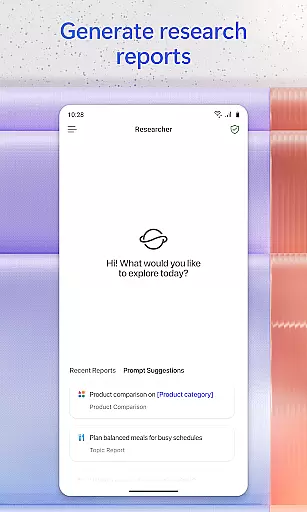
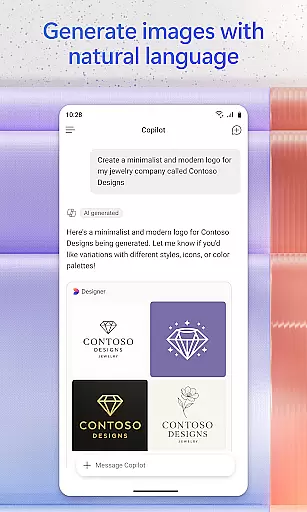
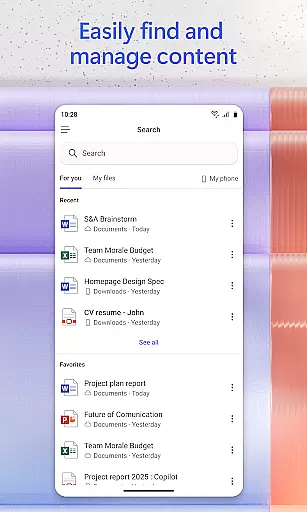
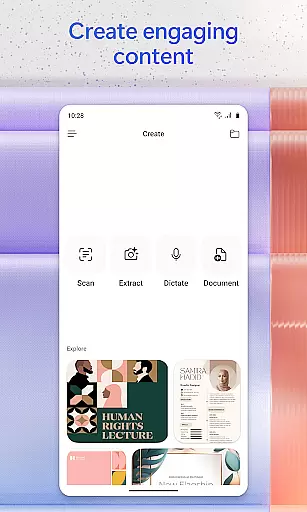
Another notable feature is its advanced search capability, which helps users locate specific files, images, or attachments effortlessly. Additionally, the app includes built-in AI agents like Researcher and Analyst, which generate research reports and analyze datasets, providing expert-level insights. For creative tasks, users can leverage easy-to-use templates to design images, posters, banners, videos, and surveys.
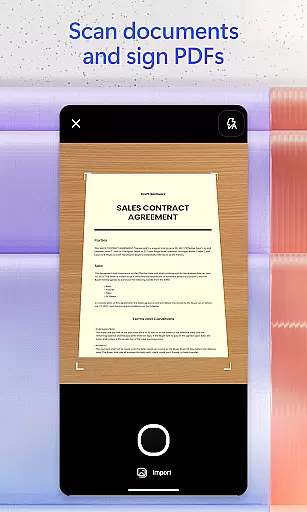
Project management is simplified through Copilot Notebooks, where users can consolidate ideas, documents, and links while receiving AI-generated summaries. Furthermore, the app supports document scanning and direct file uploads from mobile storage, ensuring seamless access to cloud-based resources. These features collectively empower users to accomplish more in less time.
Task management is a cornerstone of productivity, and Microsoft 365 Copilot excels in this area by offering users an integrated platform to manage their tasks efficiently. The app consolidates various productivity tools such as Word, Excel, PowerPoint, and PDF handling into one place, streamlining the workflow.
With Microsoft 365 Copilot, you can easily upload and save documents from your mobile device's storage, allowing for quick access and editing on the go. This feature ensures that whether you're working on a document at home or reviewing a spreadsheet during your commute, all your files are readily available.
The application also provides Copilot Notebooks, which serve as a central hub for organizing ideas, documents, and links. By using AI to summarize content and connect related information, it helps users maintain clarity and focus across multiple projects.
Ultimately, the core task management features of Microsoft 365 Copilot empower users to handle their responsibilities with greater ease and flexibility. Whether it's drafting emails, analyzing data, or preparing presentations, the app equips users with the necessary tools to accomplish their tasks effectively.
Cross-device synchronization is vital for maintaining consistency and reliability across different platforms, and Microsoft 365 Copilot addresses this need by ensuring seamless updates between devices. When you make changes to a document on one device, those modifications are instantly reflected on all other linked devices.
This reliable synchronization extends to cloud services like OneDrive and SharePoint, where documents can be saved and accessed from anywhere. Such integration means that no matter where you are or what device you're using, your work remains up-to-date and accessible.
Moreover, the ability to interact with voice commands adds another layer of convenience. You can dictate notes, ask questions, or even brainstorm ideas hands-free, knowing that these interactions will sync across your devices. This ensures continuity in your workflow, regardless of how you choose to engage with the app.
In summary, Microsoft 365 Copilot's cross-device synchronization not only enhances productivity but also offers peace of mind. Users can trust that their work is always current and consistent, empowering them to focus on their tasks without worrying about version control or data loss.
AI-powered assistance
Voice command support
Advanced file search
Creative templates
Integrated workflows
Limited free features
Requires subscription
Dependent on cloud
Occasional bugs
Learning curve

All in one sketching tool. Technical and General drawing. Online Maps support.
 3.70
3.70
Send files, sync SMS, notifications & clipboard across devices via local network
4.40
Automates browsing any website and notifies you of important changes or events
4.30
Secure, fast, open-source, Remote Desktop Client for Windows and Linux with SSH
4.60
App lock - lock apps with fingerprint, password, pin or pattern, protect privacy
4.70
Secure, open-source, SPICE and SSH Remote Desktop for QEMU KVM virtual machines
4.00
Great calculator for Android named one of USA TODAY's "25 Essential Apps".
4.90
Best Tool for the professionals Electrician, Electrical contractors, etc.
4.90
The ultimate file manager for rooted devices. The original and still the best.
4.00
Quickly and easily keep track of your work shifts
4.70
The Pro Version of Android's tiniest Notepad app. Just 0.3MB but feature-packed!
4.60
App Lock with fingerprint, password: Lock apps & hide photos with lock screens
4.60
Functional QR scanner and barcode reader that requires little storage space.
4.60
Calendar 2023 widget for Android. Appointment scheduler, planner, and reminder
4.60
Fill, sign & send docs, forms, agreements & contracts via electronic signature.
4.50
Unlock AutoNotification
4.00
A Revolutionary All-in-One Artificial Intelligence Tools
3.80
Remotely view listen control and record cameras.
3.70
A comprehensive suite of tools designed specifically for Lactation Consultants
4.0


User Reviews