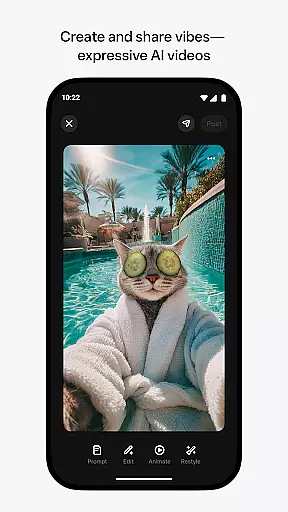
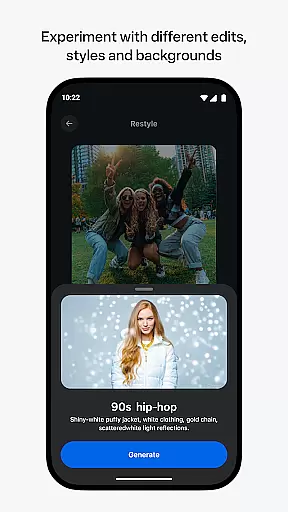
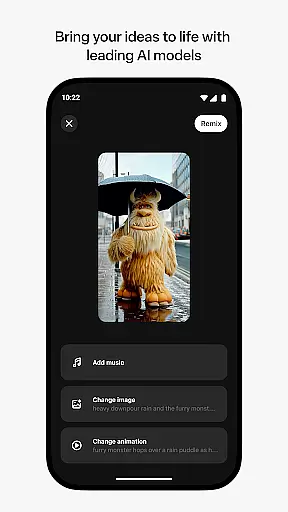
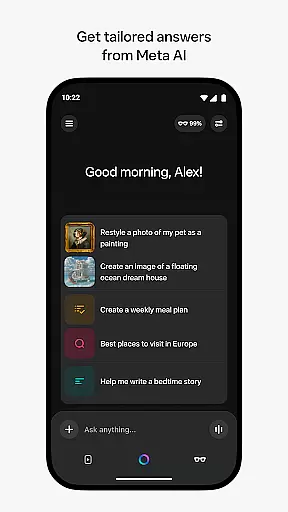
Meta AI is a productivity app that allows users to create and share AI-generated videos with custom animations, music, and more. The app serves as a creative platform where users can describe their ideas and experiment with different edits and styles to produce unique video content. It also provides tailored answers and inspiration through voice or text, making it a versatile tool for both creative expression and daily assistance.
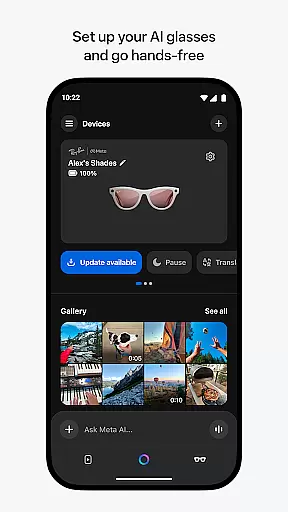
In addition to its creative capabilities, Meta AI pairs with AI glasses, enabling hands-free operation and media management. This makes the app particularly useful for professionals who need quick access to information while on the move. Whether you're looking to generate engaging content or manage your smart devices, Meta AI offers a comprehensive solution that enhances productivity and creativity.
One of the standout features of Meta AI is its ability to generate industry-leading AI videos. Users can input descriptions of what they want to create, and the app will automatically generate videos complete with custom animations and music. This feature is ideal for content creators who need high-quality visuals without spending hours on manual editing.
Beyond video creation, Meta AI offers a personalized AI assistant accessible via voice or text. This assistant can provide tailored answers and recommendations, helping users stay productive throughout the day. Additionally, the app acts as a companion for Meta AI glasses, allowing users to pair, manage, and import media from these devices seamlessly. With features rolling out gradually across different countries and languages, Meta AI ensures a customized experience for a global audience.
Meta AI offers a robust platform for creating and managing AI-generated videos, making it an ideal tool for productivity-focused users. The app allows you to describe your vision and generate custom animations and music tailored to your needs.
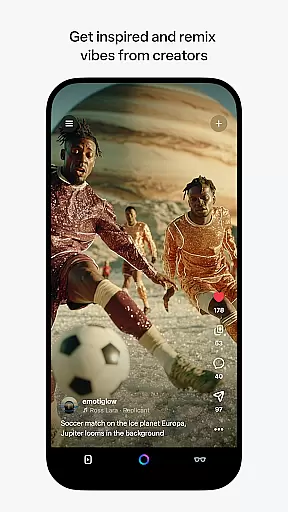
The ability to remix content from other creators adds a layer of collaborative task management. This feature not only enhances creativity but also streamlines the process of developing unique video content by building on existing works.
With voice and text-based personal AI assistance, Meta AI ensures that you can get quick answers and recommendations throughout your day. This functionality supports multitasking and boosts efficiency, allowing users to focus on their core tasks without interruption.
One of the standout features of Meta AI is its capability to pair and manage AI glasses, ensuring reliable cross-device synchronization. This integration allows users to go hands-free and manage their media with ease, providing a seamless experience across different devices.
The app serves as the central hub for all your AI-generated content and projects, ensuring that every piece of media is synchronized in real-time. Whether you're importing videos or sharing them, the process remains smooth and efficient.
Although certain features are rolled out gradually and may be limited to specific regions and languages, Meta AI's commitment to expanding its capabilities highlights its dedication to consistent and reliable performance across various platforms.
User-friendly interface
High-quality AI video generation
Versatile AI assistant
Seamless device integration
Customizable content options
Limited language support
Feature rollout delays
Requires AI glasses for full functionality
Premium features may require subscription
Dependent on internet connectivity

Client for Nextcloud Deck
 4.60
4.60
A customizable calendar for your Wear OS watch
4.20
Android Wallet Password Manager
4.80
Make your handwriting beautiful, even more than pen on paper.
3.60
Create and edit presentations with Google Slides, part of Google Workspace.
4.00
A simple Whisper AI keyboard for reliable speech transcription and rewording
4.60
Lightweight PDF, Word, Excel reader.
4.60
Understand anything with a personalized AI research assistant
4.80
Seamlessly read, manage, and organize all your PDF files solution in one place
4.40
Native client for Forgejo and Gitea
5.00
Multilingual translator for text, voice, and image translation!
4.90
Great calculator for Android named one of USA TODAY's "25 Essential Apps".
4.90
QuickBooks Workforce lets teams view pay info and track time in one place.
4.70
Quickly and easily keep track of your work shifts
4.70
Fill, sign & send docs, forms, agreements & contracts via electronic signature.
4.50
Font maker keyboard with your own handwriting
4.10
Take control of your clipboard with Clipper!
3.90
Code on-the-go with VScode for Android. Edit,debug and collaborate from mobile!!
3.10
Experience and share your SolidWorks designs on your Android® phone and tablet.
2.50


User Reviews