
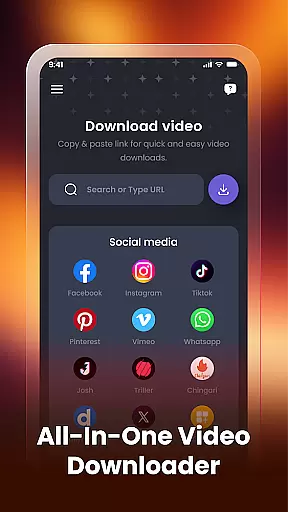

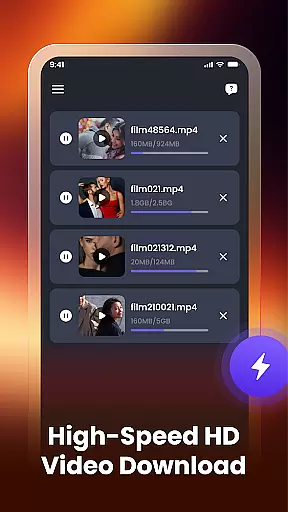
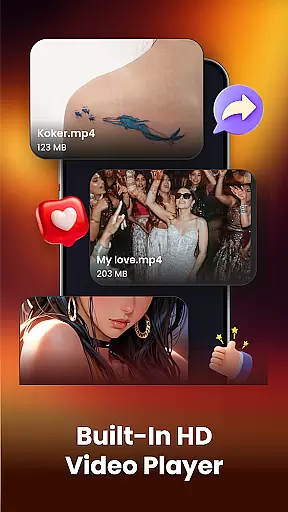
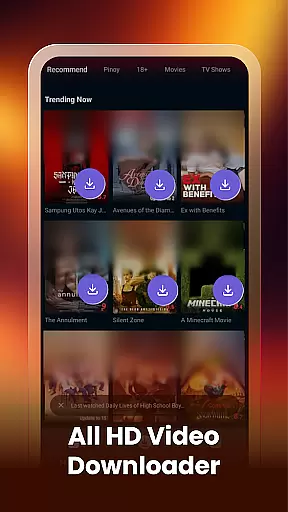
Video Downloader & Player is a versatile app designed for downloading, managing, and playing videos with ease. The app supports fast video downloading from various social apps and websites, allowing users to save their favorite content effortlessly. With its built-in video player, users can watch downloaded videos directly within the app, eliminating the need for external players.
The app also features a smart video manager that enables users to rename, share, or delete videos easily. It auto-detects existing videos on the device, ensuring all content is organized and accessible. Whether you want to download HD videos or manage your offline library, Video Downloader & Player offers a seamless experience across multiple platforms.
Video Downloader & Player stands out with its comprehensive feature set tailored for video enthusiasts. One of its key strengths is the ability to handle multiple downloads simultaneously without interruptions, making it ideal for users who need to manage several files at once. The fast video downloading capability ensures that users can instantly grab videos by simply pasting links from supported platforms.
In addition to downloading, the app includes a robust built-in video player that supports various formats, providing a smooth playback experience. Users can also view file paths, giving them precise control over where their videos are stored. This level of customization extends to the smart video manager, which simplifies tasks like renaming and sharing, enhancing overall usability.
Video format compatibility is a crucial feature for any video player, ensuring that users can enjoy content in various formats without technical barriers. Video Downloader & Player supports an extensive range of video formats, including but not limited to MP4, AVI, and MKV. This versatility allows users to download and play videos from different sources without worrying about format incompatibility.
The app's robust compatibility engine automatically detects the format of each video file and adjusts playback settings accordingly. Whether you're downloading HD videos from social media platforms or transferring files from your computer, this app ensures smooth playback every time. The built-in video player is optimized to handle high-resolution content, providing crisp visuals and accurate audio synchronization.
For users who frequently work with diverse video formats, this app eliminates the need for additional conversion tools. By supporting both common and specialized formats, Video Downloader & Player streamlines your video management process. This comprehensive format support saves time and storage space while maintaining professional-grade playback quality across all your video files.
AI-powered editing features represent the next evolution in video processing, offering users advanced tools that simplify complex editing tasks. Video Downloader & Player incorporates intelligent algorithms that automatically enhance video quality, stabilize shaky footage, and optimize audio levels. These smart features enable even novice users to produce professional-looking content with minimal effort.
The app's AI engine analyzes each video frame by frame, identifying areas for improvement and applying appropriate enhancements. For instance, it can automatically adjust brightness and contrast, remove background noise, and even suggest optimal cropping dimensions. These automated adjustments save significant time compared to manual editing while often achieving better results than traditional methods.
Advanced users can combine AI-powered enhancements with manual controls for precise editing. The app offers intuitive sliders and adjustment tools that work alongside AI suggestions, giving creators complete control over their final product. With these powerful editing capabilities, users can transform raw footage into polished content ready for sharing across various platforms, all within a single application.
User-friendly interface
Fast download speeds
Multiple format support
Smart video management
Built-in HD player
Limited platform support
No cloud integration
Basic editing tools
Ads in free version
Occasional bugs

Your media, on your terms.
 4.10
4.10
Tik & Story Saver-Download ALL social media videos, photos & reels no watermark.
4.80
Powerful HD video player with support for all formats & subtitles.
4.2
KMPlayer Plus (Divx Codec) officially support Divx codec.
4.30
AirMirror Receiver - Screen mirroring/cast web videos to Android TV by AirPlay.
4.40
The essential companion to your Blue Iris PC software
2.50
#1 Torrent App on Android ** No Ads Ever + Battery Saver **
4.80
A Simple app to download Video & Music from the Internet.
4.70
Fast & Private HD Video Downloader with Built-in Proxy Browser and Video Player.
4.50
Pro video editor app for Instagram, edit video with song, AI, effect & slowmo.
4.80
An easy-to-use and all-round screen recorder with audio
4.80
Snaptubè Video Downloader app allows to download videos and music in Snaptube. .
4.60
Turn your phone into a wireless camera!
4.20
Web Browser for LG TV to stream webvideos, online movies and livestreams in HD
4.20
Browser for Samsung TV to stream webvideos, online movies and livestreams in HD
4.10
VLC for Android is the best open source video and music player, fast and easy!
4.10
Stream Web Videos to Chromecast, Samsung, LG, Sony, Roku, Fire TV, DLNA + more
4.00
Livestream, news, & gaming content. Watch, chat, and upload. Join Rumble today!
3.80
AirMirror is Receiver for Screen Mirroring and Casting from Apple Devices.
3.60


User Reviews