
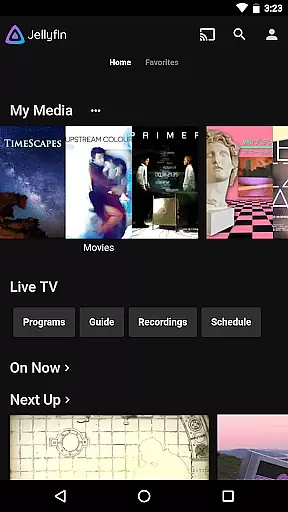
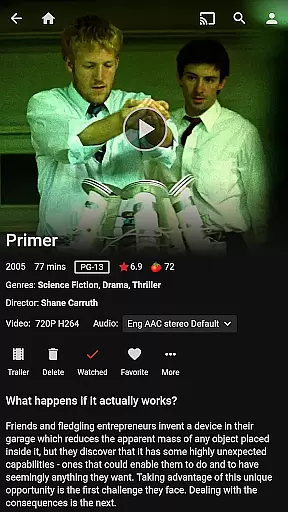

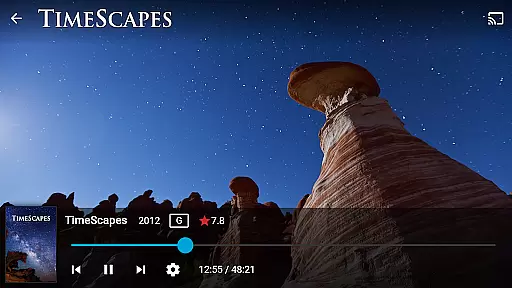
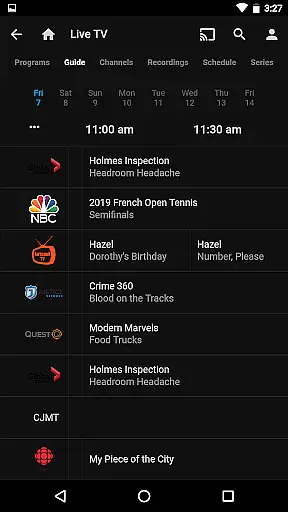

Jellyfin is an open-source media server and player that gives you complete control over your personal media library. This Android app serves as the official companion to Jellyfin, allowing users to stream their stored audio, video, and photo collections directly to their mobile devices. With no fees or hidden agendas, Jellyfin offers a transparent way to manage and enjoy your media on your own terms.
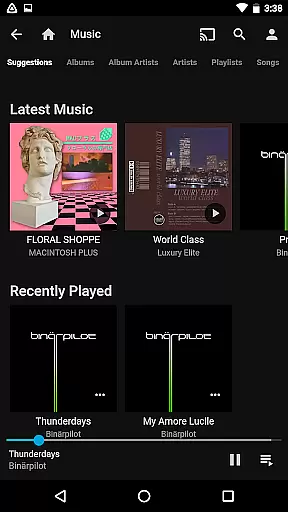
The app supports features like Live TV streaming, Chromecast integration, and Android Auto for music playback. Whether you're at home or on the go, Jellyfin provides seamless access to your entire media collection through an intuitive interface. It's perfect for users who value privacy and want to maintain full ownership of their digital content without relying on third-party services.
Jellyfin stands out with its robust feature set tailored for media enthusiasts. The app allows you to connect to your Jellyfin server, which acts as the central hub for all your media files. Once connected, you can stream live TV, access recorded shows, and play back any media stored on your server. The app also supports hardware acceleration for smoother playback on supported devices.
One of the key highlights is its Chromecast integration, enabling users to cast their favorite movies or shows to a larger screen effortlessly. Additionally, Jellyfin offers Android Auto compatibility, allowing hands-free music playback when driving. The app's user-friendly interface makes it easy to browse large media libraries, while advanced settings provide options for customizing your streaming experience based on network conditions or device capabilities.
Video format compatibility is a crucial feature for any video player, ensuring that users can enjoy their media without worrying about technical limitations. Jellyfin excels in this area by supporting a wide range of video formats, from common ones like MP4 and AVI to more specialized codecs such as MKV and OGG.
The app's robust decoding capabilities allow seamless playback of videos stored on your Jellyfin server. Whether you're streaming high-definition movies or home videos, the platform ensures smooth performance across different file types.
This versatility benefits users by eliminating the need for format conversion, saving both time and storage space. With Jellyfin's comprehensive format support, you can focus on enjoying your media collection rather than troubleshooting playback issues.
Moreover, regular updates to the Jellyfin server and mobile app ensure ongoing improvements in format compatibility, keeping pace with evolving media standards and user needs.
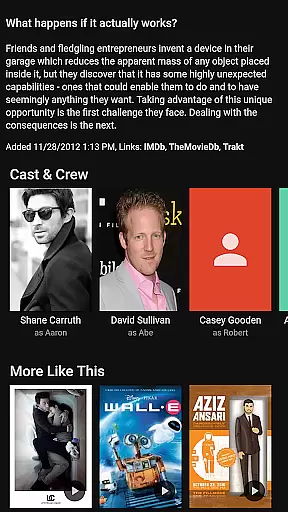
While Jellyfin primarily focuses on media streaming and playback, its AI-powered features enhance the overall user experience through intelligent content organization and presentation. The platform uses advanced algorithms to automatically categorize and tag your media library, making it easier to navigate and discover content.
The app's smart recommendation system analyzes viewing patterns and suggests relevant content based on your preferences and watch history. This personalized approach helps users rediscover forgotten favorites and explore new media they might enjoy.
Additionally, Jellyfin's AI capabilities extend to automatic metadata fetching and artwork generation, creating a visually appealing and informative interface for your media collection. These features work together to create a more engaging and intuitive media management experience.
Although not a traditional video editor, Jellyfin's intelligent features effectively streamline media consumption and organization, demonstrating how AI can enhance even non-editing applications in meaningful ways.
Full control over media
No subscription fees
Strong privacy protection
Wide format compatibility
Active open-source community
Requires separate server setup
Limited offline functionality
Dependent on network quality
Interface may feel dated
Advanced features need technical knowledge

HD Video player all format, HD Videos, Cast & Subtitle. No annoying ads.
 4.60
4.60
Support 1000+ Video Format, Subtitle Download, mp3 & Background Play, Cast On TV
4.60
1)AirPlay/DLNA Mirroring/Streaming, up to 4 connections; 2)Samba/NAS/DMS Player.
4.00
All in one HD video downloader & player for multiple formats with full privacy
4.70
Video Downloader, Multiple Resolution Options, Video Player
4.50
Download videos and play them offline
4.70
Manage your IPTV live channels and VOD playlists (no playlist included)
3.80
Photo editor & video maker with music and slideshows.
4.10
Capture the moment and Cut
3.40
Screen recorder with audio to take live videos & Screenshot in high quality!
4.70
Video Downloader is an utility that can save videos and music from web sites
4.20
Turn your phone into a wireless camera!
4.20
All format media Player, no need video converter any more!
4.00
AI Video Editor:AI Music, Text to Video,Text to Speech,Auto Caption,Video Effect
4.00
Make your own Animations, Video and Photo Edits, Visual Effects, and more!
4.00
Cast to Smart TV, Fire TV. Cast video, photo - Fast & Stable!
3.90
Livestream, news, & gaming content. Watch, chat, and upload. Join Rumble today!
3.80
Client application for NextPVR software
3.00
You can play SWF format file!
2.50


User Reviews