
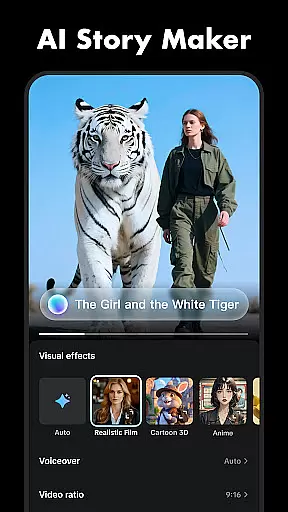
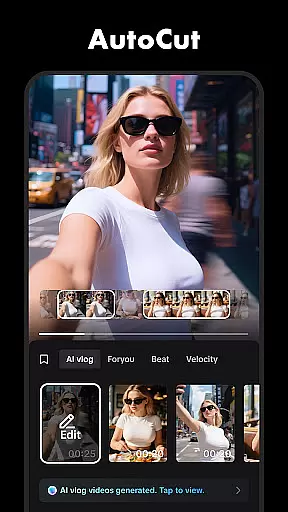
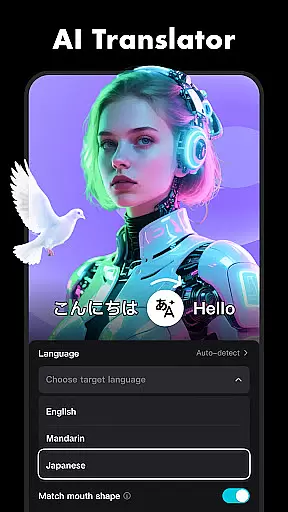




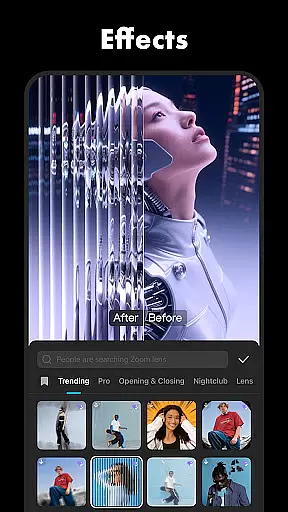
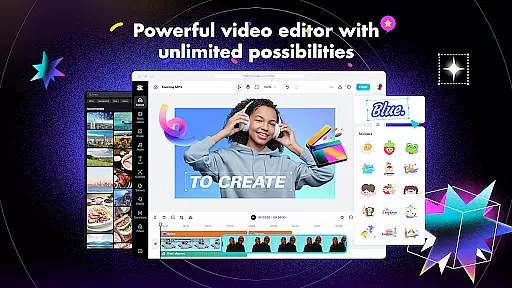
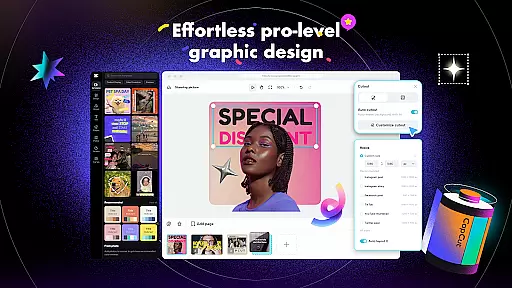
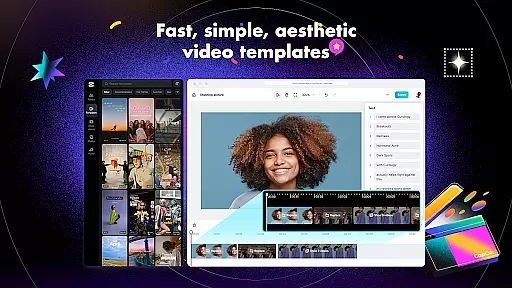
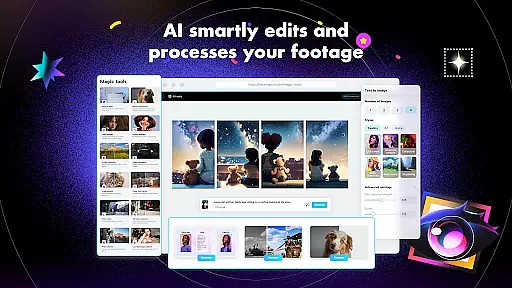
CapCut is a comprehensive video editing application that provides both basic and advanced tools for content creators. The app offers essential features such as trimming, splitting, and merging clips, alongside more sophisticated options like keyframe animation, chroma key, and stabilization. With CapCut, users can adjust video speed, apply zoom effects, and utilize smooth slow-motion capabilities to enhance their projects. Additionally, the app includes intelligent features such as auto captions, text-to-speech in multiple languages, and background removal, making it versatile for various creative needs.
Beyond its core editing functions, CapCut supports adding unique text templates, subtitles, and imported fonts, allowing users to personalize their videos further. It also provides access to trending effects, filters, music clips, and sound effects, ensuring that creators can produce engaging content that resonates with current trends. Whether exporting high-quality 4K videos or sharing creations directly on social media platforms like TikTok, YouTube, and Instagram, CapCut equips users with everything needed to create professional-grade videos effortlessly.
CapCut distinguishes itself through an extensive range of features tailored for both novice and experienced editors. Basic functionalities include trimming and shortening clips, adjusting playback speeds from 0.1x to 100x, and applying zoom effects to add dynamic visual interest. Users can highlight pivotal moments using freeze frames and experiment with diverse transition effects to maintain viewer engagement throughout their videos.
For advanced users, CapCut offers keyframe animation across all settings, enabling intricate control over video elements. The optical flow feature facilitates seamless slow-motion sequences, while the chroma key tool allows for green screen effects. Video stabilization ensures footage remains steady, even when captured under challenging conditions. Furthermore, CapCut's multi-track timeline simplifies arranging and previewing complex edits efficiently.
In addition to these robust editing tools, CapCut incorporates intelligent features designed to streamline workflows. Auto captions automate speech recognition and subtitle generation, whereas text-to-speech functionality supports multiple languages and voices. Motion tracking and background removal empower creators to produce visually striking content without requiring specialized skills. These attributes collectively position CapCut as a powerful ally for anyone looking to elevate their video production quality significantly.
CapCut stands out with its exceptional video format compatibility, ensuring that users can work with a wide range of video files without any hitches. The app supports numerous formats, allowing creators to import and export videos in their desired resolutions and qualities.
The flexibility in format support means you can seamlessly edit videos regardless of the source device. Whether your footage comes from a professional camera or a smartphone, CapCut handles it all with ease, providing smooth integration into your editing workflow.
This extensive compatibility enhances user experience by eliminating the need for prior conversion, thus saving time and preserving video quality. With CapCut, you're assured that your creative process remains uninterrupted, letting you focus on producing stunning visual content.
CapCut incorporates advanced AI-powered editing features that revolutionize the video creation process. These intelligent tools automate complex tasks such as speech recognition for auto captions and text-to-speech in multiple languages, streamlining the editing process significantly.
Moreover, the app's AI capabilities extend to background removal and motion tracking, enabling creators to produce professional-grade videos effortlessly. By leveraging these smart features, users can enhance their storytelling with minimal manual intervention.
The integration of artificial intelligence not only simplifies sophisticated editing techniques but also opens up new creative possibilities. With CapCut's AI enhancements, both novice and experienced editors can achieve remarkable results, elevating their content to new heights while maintaining an efficient workflow.
User-friendly interface
Advanced editing tools
Versatile effect options
Multi-language support
High-quality export capabilities
Limited offline functionality
Occasional ads in free version
Resource-intensive on older devices
Subscription required for premium features
Learning curve for beginners

Video player, file manager for all formats, 4K/HD media player supports subtitle
 4.30
4.30
Client application for NextPVR software
3.00
You can play SWF format file!
2.50
HD video & music player - All format support with floating & PIP mode!
3.80
Tik & Story Saver-Download ALL social media videos, photos & reels no watermark.
4.80
Create photo video with music & template. AI video maker for stunning slideshow.
4.60
Fast & Private Video Downloader App. Save all videos easily from the Internet.
4.40
Browser for Samsung TV to stream webvideos, online movies and livestreams in HD
4.10
A Simple app to download Video & Music from the Internet.
4.70
Fast, private downloading, video saving, social media
4.50
Viddo: Generate Action Figure, AI Anime, AI kiss, AI hug Video from image & text
4.40
Turn your phone into a wireless camera!
4.20
1)AirPlay/DLNA Mirroring/Streaming, up to 4 connections; 2)Samba/NAS/DMS Player.
4.00
Explore the largest library of free GIFs, Stickers & Memes - or create your own!
3.90
Save photos and videos from social apps in one tap.
3.60
AirMirror is Receiver for Screen Mirroring and Casting from Apple Devices.
3.60
All in one multi protocols stream receiver for AirPlay, Cast and DLNA.
3.60
The smartest M3U IPTV Player your playlists have ever seen.
4.4
Stream high quality video from your camera over NDI protocol
4.3


User Reviews