
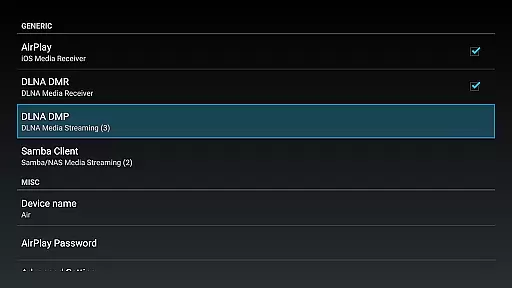
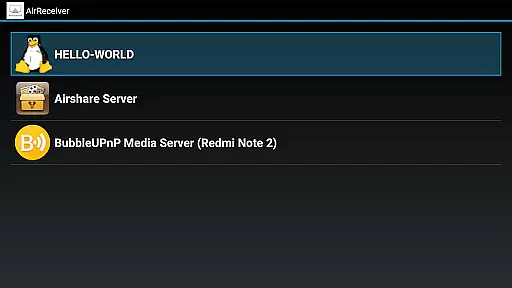

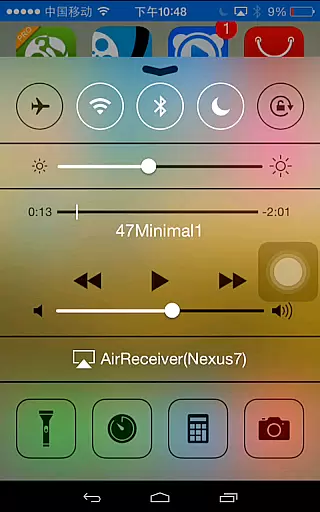
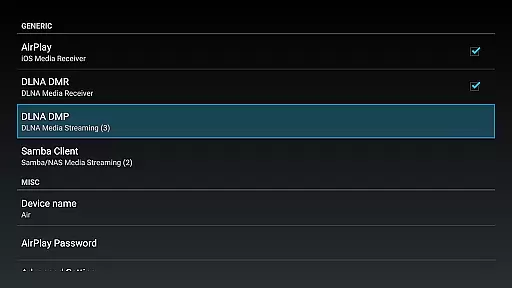
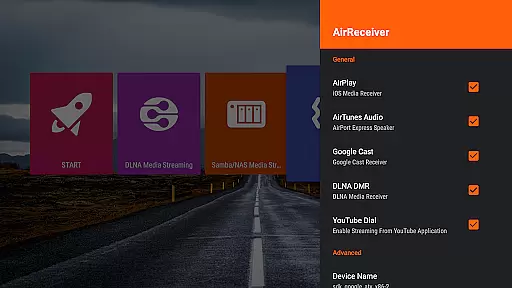
AirReceiver is a versatile video player and editor designed specifically for seamless media streaming across multiple devices. This application supports various protocols including AirPlay, Cast, Wireless Display, and DLNA, allowing users to stream screens, photos, music, and videos from their phones or laptops directly to a TV.
With its ability to run in the background as a service, AirReceiver ensures uninterrupted streaming to Android devices, making it particularly suitable for Android TV or Box. The app also offers advanced features such as support for YouTube videos, audio sync with other AirExpress devices, and compatibility with AirParrot for mirroring PC screens on Android tablets.
Whether you're looking to enjoy multimedia content on a larger screen or need a reliable solution for presentations, AirReceiver provides a comprehensive toolset that enhances your viewing experience while maintaining high performance and ease of use.
AirReceiver stands out with its extensive feature set tailored for both casual users and professionals. One of its key strengths is the support for multiple streaming protocols, which includes AirPlay, Cast, Wireless Display, and DLNA. This versatility allows users to stream various types of media, including audio, video, and photos, from different sources like iTunes, iOS devices, and Windows Media Player.
The app also boasts specialized functionalities such as AirMirror, which delivers top-notch performance among third-party AirPlay applications, and full support for iOS 16. Additionally, AirReceiver offers a slideshow feature and can be configured with a customizable network name. Its ability to start on boot and run in the background ensures that the service is always available without manual intervention.
For users seeking to mirror their Windows screen, AirReceiver provides a free tool called AirSender. By downloading and installing AirSender on a PC, users can easily mirror their desktop to a device running AirReceiver. These robust features collectively enhance user convenience and deliver a superior streaming experience.
Video format compatibility is a crucial feature for any video player and editor, ensuring that users can enjoy a wide range of media without worrying about format restrictions. AirReceiver AirPlay Cast DLNA supports multiple protocols including AirPlay, Cast, Wireless Display, and DLNA, making it versatile for streaming various types of content.
This application allows you to stream screen, photos, music, and videos from your phones or laptops directly to your TV. It works seamlessly in the background, providing an uninterrupted streaming experience to Android devices, especially suitable for Android TV/Box setups.
AirReceiver stands out with its support for popular formats and sources such as YouTube videos, AirMirror for high-performance mirroring, full IOS16 support, slideshow features, and compatibility with AirParrot for PC screen mirroring. This ensures that no matter what device or content type you have, AirReceiver can handle it efficiently.
AI-powered editing features are transforming the landscape of video players and editors by introducing smart tools that enhance user experience. AirReceiver incorporates intelligent functionalities like audio sync with other AirExpress devices, which optimizes sound alignment across different platforms automatically.
The app also excels in performance with third-party AirPlay applications through its superior AirMirror feature. By leveraging advanced algorithms, it delivers top-notch mirroring capabilities while maintaining low latency and high-quality outputu2014a must-have for modern digital entertainment systems.
Additionally, AirReceiver offers innovative solutions such as Windows Screen Mirror using AirSender tools on PCs. These AI-driven enhancements not only simplify complex tasks but also enrich the overall multimedia consumption process, setting new standards in convenience and efficiency within the realm of video playback and management.
Supports multiple protocols
Runs in the background
Compatible with iOS 16
Customizable network name
Advanced AirMirror feature
High CPU load
Limited to powerful devices
No built-in media player
Requires additional tools for PC
Potential port conflicts

HD Video player all format, HD Videos, Cast & Subtitle. No annoying ads.
 4.60
4.60
A Quick and Pro Video Editor
4.70
Snaptubè Video Downloader app allows to download videos and music in Snaptube. .
4.60
Powerful HD video player with support for all formats & subtitles.
4.2
Video player with powerful streaming playback and various convenient features.
2.10
Fast & Private Video Downloader App. Save all videos easily from the Internet.
4.40
AI Video Editor:AI Music, Text to Video,Text to Speech,Auto Caption,Video Effect
4.00
Web Browser for LG TV to stream webvideos, online movies and livestreams in HD
4.20
Powerful video player with advanced hardware acceleration and subtitle supports
4.20
AI Video Editor with Music, Filter, Slideshow, Effect, Merge & Trim Video.
4.80
#1 Torrent App on Android ** No Ads Ever + Battery Saver **
4.80
Screen recorder with audio to take live videos & Screenshot in high quality!
4.70
IPTV Loader, loads your own Playlist. DOES NOT CONTAIN ANY LIST OR CHANNELS
4.60
KineMaster, Your Ultimate Video Editor!
4.40
Fast video downloader & private browser. Save HD clips to watch offline.
4.40
AirMirror Receiver - Screen mirroring/cast web videos to Android TV by AirPlay.
4.40
Movie maker & video editing app with AI effects and green screen
4.30
Save photos and videos from social apps in one tap.
3.60
Watch full episodes of your favorite Cartoon Network and Cartoonito shows!
3.50


User Reviews