
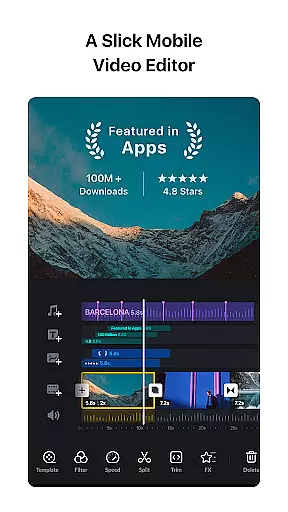
VN is a versatile video editing app that combines professional-grade features with an intuitive interface, making it accessible for both amateur and experienced editors. The app offers advanced tools such as multi-track editing, keyframe animation, and speed curve adjustments, enabling users to create high-quality videos without watermarks. Its user-friendly design allows for precise editing through quick rough cuts, easy clip reordering, and flexible material imports.
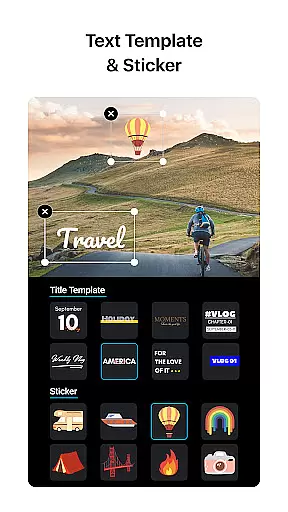
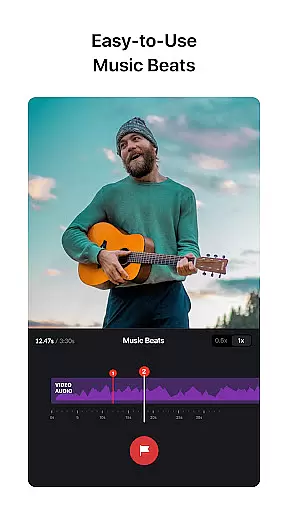
One of VN's standout features is its ability to seamlessly integrate music beats and cinematic filters into video projects. Users can add voice-overs, customize transitions, and apply rich color grading filters to enhance their videos. Additionally, the app supports creative templates, text customization, and secure collaboration via cloud services like Google Drive. Whether you're editing on mobile or desktop, VN ensures a smooth and professional editing experience.
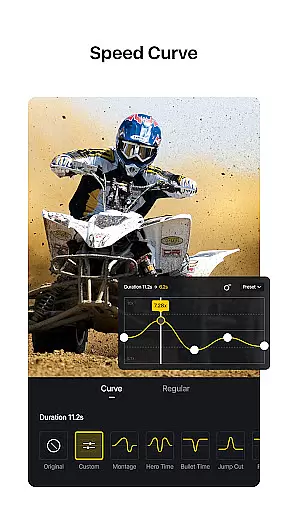
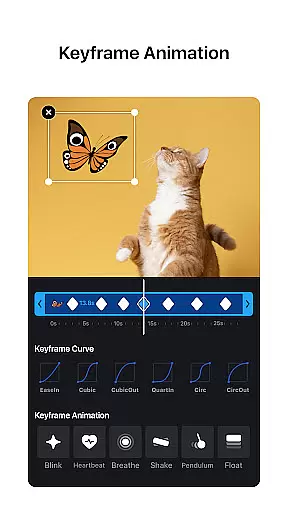
VN stands out in the video editing space with its comprehensive feature set tailored for creativity and precision. The app includes a multi-track timeline where users can layer videos, images, stickers, and text while leveraging keyframe animations for dynamic effects. Advanced tools like reverse playback, zoom effects, and freeze frames allow creators to experiment with engaging visuals. Furthermore, VN provides six preset speed curves and time remapping options akin to professional software like Adobe Premiere Pro.
The app also excels in audio and visual enhancements. With music beat markers, users can synchronize edits to the rhythm of their soundtracks. Rich cinematic filters and LUT (.cube) file support elevate the aesthetic quality of videos. For added convenience, VN enables bulk imports of materials via Wi-Fi, WhatsApp, or Telegram, streamlining the editing process. These robust capabilities ensure that users have everything they need to produce polished, professional content efficiently.
One of VN's standout features is its extensive video format compatibility, ensuring users can work with a wide array of file types without the need for prior conversion. This flexibility allows both amateur and professional video editors to import and export videos in their preferred formats, streamlining the editing process.
The app supports popular formats such as MP4, AVI, MOV, and many more, catering to various user needs from simple video cuts to complex multi-track projects. This ensures that no matter what the source of your video material is, VN can handle it efficiently and effectively.
Furthermore, VN offers customizable export settings, letting users adjust resolution, frame rate, and bit rate. Whether you're looking to produce high-quality 4K videos at 60 FPS or optimize file sizes for quicker sharing, VN provides the tools necessary to meet those demands.
This level of video format compatibility not only enhances user experience by saving time but also broadens the scope of creative possibilities, making VN a versatile choice for all video editing needs.
VN incorporates AI-powered editing features that significantly enhance the video creation process, setting it apart from conventional video editors. These intelligent tools assist users in automating tedious tasks, allowing them to focus on the creative aspects of video production.
Among these features is the advanced Speed Curve tool, akin to Time Remapping found in professional software like Adobe Premiere Pro. It enables users to control the pacing of their videos precisely, offering six preset curves for varied effects. Additionally, AI-driven music beats help synchronize video cuts with audio rhythms seamlessly.
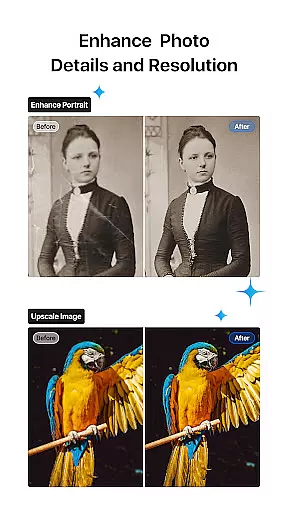
The application also leverages AI for sophisticated visual enhancements, including cinematic filters and LUT (.cube) file imports. These capabilities allow creators to achieve stunning visual styles effortlessly, elevating the overall quality of their projects.
By integrating these cutting-edge AI functionalities, VN empowers users to produce professional-grade content efficiently, bridging the gap between amateur and expert video editing experiences.
User-friendly interface
Professional editing tools
No watermark on exports
Cloud collaboration support
Rich cinematic filters
Limited advanced tutorials
Occasional performance lags
Fewer third-party integrations
Preset limitations in free version
Heavy on device resources

Video Player - Unlimited features, 30 days money back guarantee.
 4.60
4.60
Video Downloader is an utility that can save videos and music from web sites
4.20
Snaptubè Video Downloader app allows to download videos and music in Snaptube. .
4.60
Create photo video with music & template. AI video maker for stunning slideshow.
4.60
GENRAL PRO - General Pro is the best video player that fully supports all formats.
4.70
Cast to Smart TV, Fire TV. Cast video, photo - Fast & Stable!
3.90
Mix with Virtual DJ directly from your phone or tablet !
3.10
Browser + Remote for Roku to stream webvideos, online movies and livestreams
4.60
Create, Publish & Maximize
4.70
AI Video Editor with Music, Filter, Slideshow, Effect, Merge & Trim Video.
4.80
Play ALL formats in 4K & HD. Video downloader, MP3 player, Chromecast & more.
4.80
Download Hub, easy and private way to download and enjoy your videos offline
4.80
A Simple app to download Video & Music from the Internet.
4.70
Fast & Private Video Downloader App. Save all videos easily from the Internet.
4.40
Create & edit videos with AI
4.30
This app was created to edit the metadata of music files.
4.20
Web Browser for LG TV to stream webvideos, online movies and livestreams in HD
4.20
All format media Player, no need video converter any more!
4.00
Play and download HD videos from all sources — fast, simple, and all-in-one.
4.2


User Reviews