
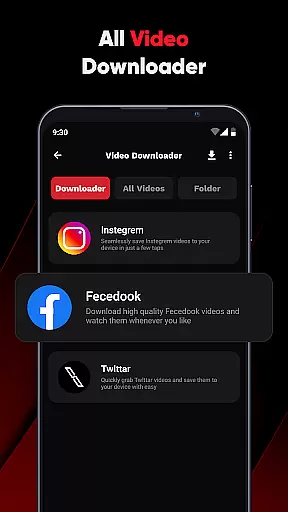
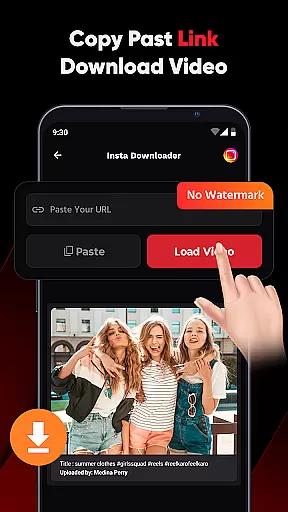
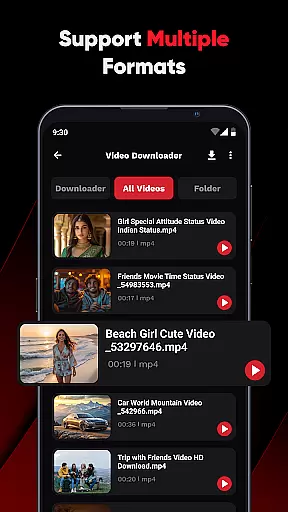
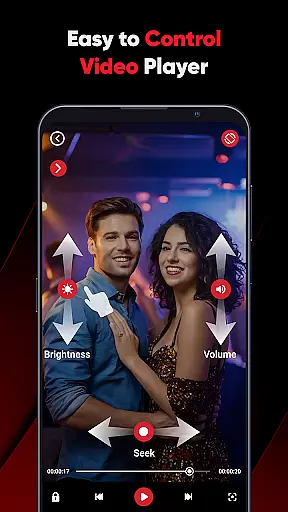
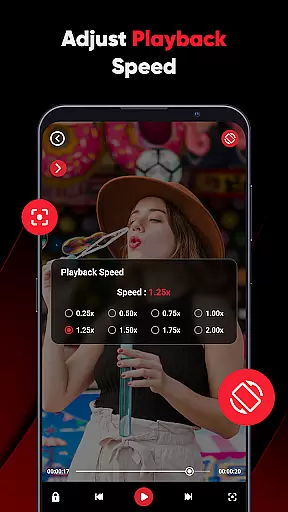
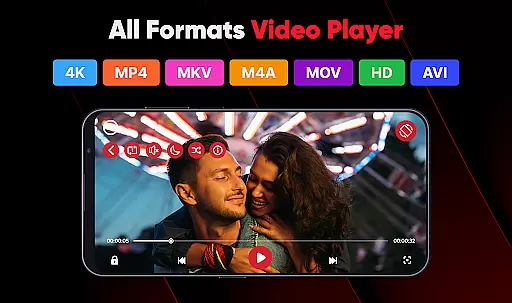
ViPlayer is a versatile video player and downloader designed to enhance your video-watching experience. This app supports all major video formats including MP4, MKV, AVI, and MOV, allowing users to play high-definition videos directly from their devices. With advanced gesture controls, users can easily adjust volume, brightness, and playback speed. ViPlayer also offers a seamless downloading feature that lets you save videos from popular social media platforms like Facebook and Instagram without requiring any login. Whether you're commuting or traveling, ViPlayer ensures you have access to your favorite content offline.
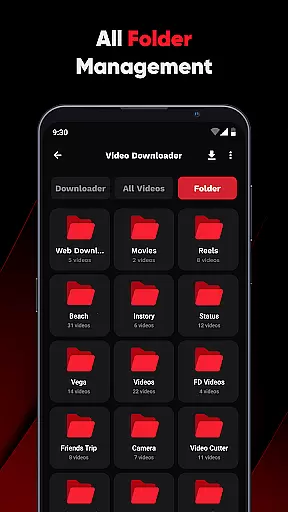
The app's intuitive interface organizes videos by folders from both internal and external storage, making it easy to locate and manage your media files. Its lightweight design guarantees fast performance while maintaining an elegant user experience. ViPlayer is perfect for anyone looking to streamline their video management and enjoy a personalized viewing experience on the go.
ViPlayer stands out with its comprehensive set of features tailored for video enthusiasts. One of its key strengths is the support for multiple video formats, ensuring compatibility with virtually any file type you may encounter. The built-in auto-detection system scans your device's storage and neatly categorizes videos into folders, simplifying navigation.
For those who prefer streaming or downloading online content, ViPlayer provides a robust solution. By simply pasting a URL from supported platforms such as Facebook and Instagram, users can preview and download HD videos effortlessly. The one-click downloader makes the process quick and hassle-free, while swipe controls offer a modern touch to traditional video playback. These innovative features not only enhance usability but also provide a secure and private environment for enjoying multimedia content.
ViPlayer stands out with its extensive video format compatibility, ensuring users can enjoy all their video content without worrying about format restrictions. The app supports major formats such as MP4, MKV, AVI, and MOV, making it a versatile choice for any user's video playback needs.
The comprehensive format support is not just limited to playing videos but extends to downloading them as well. Whether you're saving videos from social media platforms or other sources, ViPlayer ensures they are stored in a playable format on your device.
This compatibility empowers users to manage their video library more effectively. By supporting both internal and external storage organization, the app makes it easy to stream or play saved videos directly from any location on your device.
Ultimately, ViPlayer's broad video format support delivers convenience and flexibility, allowing users to focus on enjoying their content rather than troubleshooting playback issues.
While primarily a video player and downloader, ViPlayer incorporates AI-powered features that enhance the overall user experience. These intelligent tools assist users in managing and interacting with their video content more efficiently.
One notable feature is the automatic detection and organization of videos by folder, which simplifies navigation through both internal and external storage. This smart organization saves time and effort when searching for specific files or managing large video libraries.
The app also includes intuitive gesture controls powered by AI learning algorithms. Users can adjust volume, brightness, and playback using simple swipe motions, creating a more engaging and user-friendly interface.
These AI-driven enhancements demonstrate ViPlayer's commitment to providing not just basic playback functionality but an intelligent, adaptive video experience that evolves with user needs.
User-friendly interface
Supports multiple formats
Fast and reliable performance
Offline video access
Advanced gesture controls
Limited to supported platforms
No cloud integration
Basic editing tools
Ads in free version
Occasional bugs

Your media, on your terms.
 4.10
4.10
Video Trimmer, Video to MP3 Converter. Extract music from video, Easy & Fast.
4.80
Search & download videos from net with all video downloader, auto-detect & safe.
4.60
Live TV, anywhere in your home
3.80
KMPlayer Plus (Divx Codec) officially support Divx codec.
4.30
Seamlessly connect and control your smart devices, anytime, anywhere with ease.
4.60
Browser for Fire TV to stream webvideos, online movies, livestreams in HD
4.40
Video player with 4K & 1080P support, popup play, background play and subtitle.
4.20
Capture the moment and Cut
3.40
Download Hub, easy and private way to download and enjoy your videos offline
4.80
Screen recorder with audio to take live videos & Screenshot in high quality!
4.70
HD Video player all format, HD Videos, Cast & Subtitle. No annoying ads.
4.60
VLC Remote lets you control your VLC Media Player on Mac, PC or Linux.
4.60
Video Downloader, Multiple Resolution Options, Video Player
4.50
All format media Player, no need video converter any more!
4.00
1)AirPlay/DLNA Mirroring/Streaming, up to 4 connections; 2)Samba/NAS/DMS Player.
4.00
Fast private browser with secure, seamless access & supported video downloads!
4.00
You can play SWF format file!
2.50
Stream high quality video from your camera over NDI protocol
4.0


User Reviews