




XPlay Browser is a cutting-edge mobile browser designed for users who prioritize speed, privacy, and video-focused tools. This app combines fast browsing with advanced features like Private Mode, seamless video downloading, and smart file management. Its lightweight design ensures smooth performance even on older devices while maintaining battery efficiency.
With its modern interface and intuitive navigation, XPlay Browser offers an exceptional web experience tailored to both casual surfers and power users. Whether you're saving videos for offline viewing or managing your device's storage, this app provides all the necessary tools in one convenient package.
XPlay Browser stands out with its unique combination of speed, security, and multimedia capabilities. The app's Fast Browsing feature ensures quick page loads and smooth navigation, making it ideal for users who need reliable access to online content without delays.
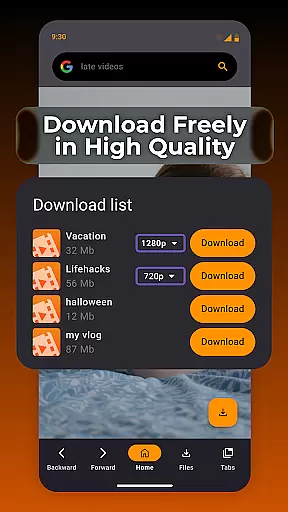
Privacy is a top priority, and XPlay Browser delivers with its robust Private Mode. This feature eliminates browsing history and restricts unnecessary permissions, ensuring secure sessions every time. Additionally, the Easy Video Downloads function allows users to save videos directly from supported websites, offering flexibility for offline playback.
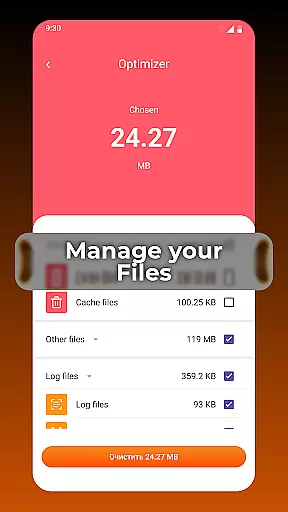
Smart File Management further enhances the user experience by helping organize device storage efficiently. By identifying and removing unnecessary files, XPlay Browser keeps your phone running smoothly while optimizing available space.
Video format compatibility is a crucial feature for any video player, ensuring that users can enjoy content in various formats without technical barriers. XPlay Browser excels in this area by supporting an extensive range of video formats, making it versatile and user-friendly.
The app's advanced decoding technology allows seamless playback of both common and less-known video formats. Whether you're streaming online or playing locally stored files, XPlay Browser delivers smooth performance across different media types.
For users, this means no more frustration over unsupported files. You can download videos from supported websites and watch them offline without worrying about format issues. This flexibility enhances the overall browsing and viewing experience.
By prioritizing comprehensive video format support, XPlay Browser ensures that users can focus on enjoying their content rather than dealing with compatibility problems. This feature sets the app apart as a reliable tool for all video-related needs.
AI-powered editing features represent the cutting edge of video processing technology, enabling users to enhance and modify their video content with unprecedented ease. XPlay Browser incorporates these intelligent tools to offer a smarter way to manage and edit videos directly within the app.
Using sophisticated algorithms, the browser can automatically optimize video quality, adjust settings for better playback, and even suggest edits based on content analysis. These AI-driven capabilities ensure that every video you watch or save is presented in the best possible way.
For users who frequently work with video content, these features provide significant time savings and improved results. The AI assistance simplifies complex editing tasks, making professional-quality adjustments accessible to everyone.
XPlay Browser's integration of AI-powered editing features demonstrates its commitment to delivering a comprehensive and modern web experience. By combining powerful editing tools with fast browsing and privacy protection, the app offers a complete solution for today's digital lifestyle.
Fast browsing speeds
Private Mode protection
Easy video downloads
Smart file management
Battery-efficient design
Limited video site support
No desktop syncing
Few customization options
Occasional bugs
Ads in free version

Auto video maker with music & exclusive filters. Video editing made simple.
 4.50
4.50
Cast Videos from Web Browser, IPTV to Roku, Chromecast, DLNA, Smart TV +more
4.60
Watch full episodes of your favorite Cartoon Network and Cartoonito shows!
3.50
VLC Remote lets you control your VLC Media Player on Mac, PC or Linux.
4.60
GENRAL PRO - General Pro is the best video player that fully supports all formats.
4.70
Make your own Animations, Video and Photo Edits, Visual Effects, and more!
4.00
Manage your IPTV live channels and VOD playlists (no playlist included)
3.80
This app is an emulator of some specific IPTV boxes
3.50
convenient, safe and fast at Video Downloader & Player
4.60
Fast & easy HD video downloader for all formats, support 4K playback & download.
4.60
HD Video player all format, HD Videos, Cast & Subtitle. No annoying ads.
4.60
Add date and time watermark to photos and videos
4.50
Photo and Music Video Creator into Stunning Videos—Effortlessly
4.40
Video player, file manager for all formats, 4K/HD media player supports subtitle
4.30
Movie maker & video editing app with AI effects and green screen
4.30
AirMirror is Receiver for Screen Mirroring and Casting from Apple Devices.
3.60
Client application for NextPVR software
3.00
The essential companion to your Blue Iris PC software
2.50
Powerful HD video player with support for all formats & subtitles.
4.0


User Reviews