
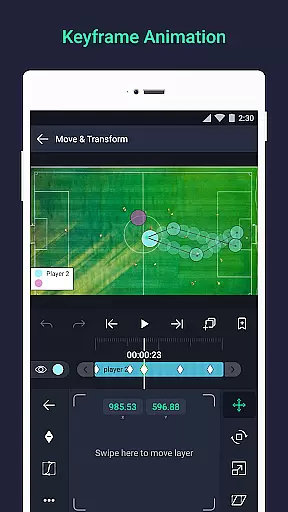
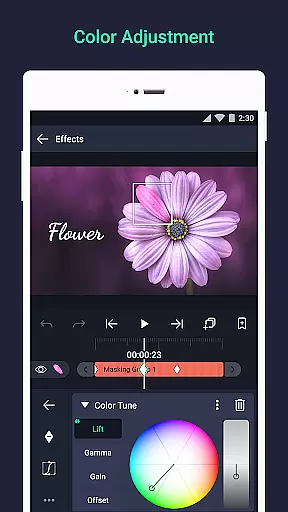
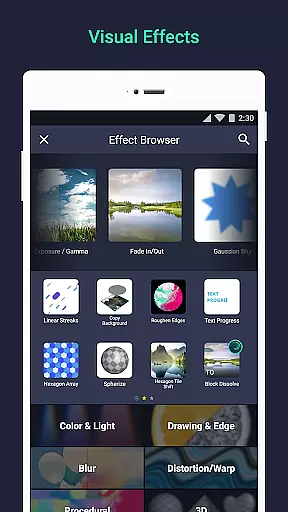

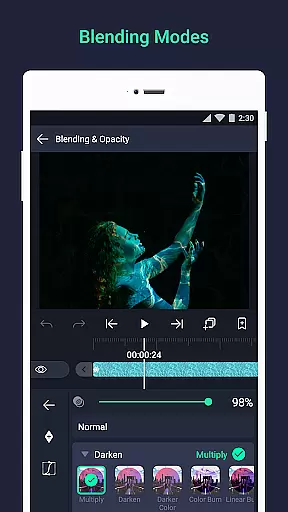
Alight Motion is a pioneering motion design app that brings professional-quality animation and video editing tools to your mobile device. With its comprehensive feature set, the app allows users to create sophisticated visual effects, motion graphics, and video composites directly from their phones or tablets. The app supports both vector and bitmap editing, features keyframe animation capabilities, and offers advanced options like camera effects and color adjustments.
Designed for creators who are passionate about animation and video production, Alight Motion provides an intuitive platform to produce high-quality content. Whether you're crafting promotional videos, social media clips, or experimenting with visual storytelling, this app delivers the tools necessary to bring creative visions to life. Its multi-layer support for graphics, video, and audio ensures that even complex projects can be managed with ease.
Alight Motion stands out with its extensive range of features tailored for professional motion design. The app includes over 160 basic effect building blocks, enabling users to construct intricate visual effects by combining these elements. Animation easing presets allow for fluid motion, while velocity-based motion blur ensures smooth video output. Users can also link parent and child layers, rig character joints, and utilize cameras with pan, zoom, and focus blur capabilities.
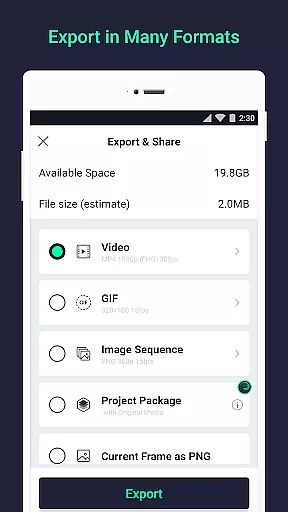
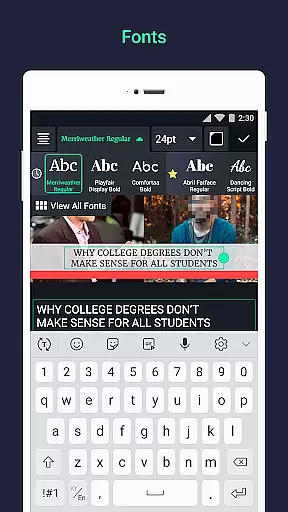
Additional functionalities include group layering, mask creation, and customizable color adjustments. The app supports text addition with custom fonts, copying and pasting of entire layers or just their styles, and saving favorite elements for future use. Export options are versatile, allowing MP4 video, GIF animation, PNG sequences, and stills. Sharing project packages facilitates collaboration, making it ideal for teams working on joint projects.
Video format compatibility is a crucial feature for any video editing application, ensuring that users can work with a wide range of file types. Alight Motion supports multiple formats including MP4 video, GIF animation, and PNG sequences, making it versatile for various creative projects.
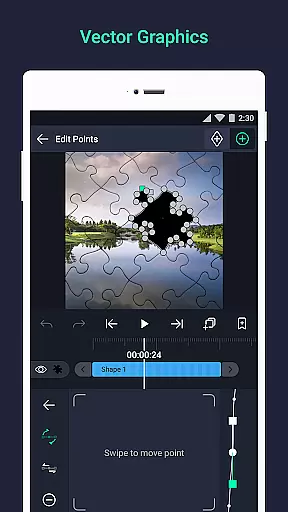
The app's ability to handle both vector and bitmap graphics adds another layer of flexibility. This means you can import and edit different graphic types without worrying about format limitations. The inclusion of solid color and gradient fill effects further expands the creative possibilities.
Users benefit from this comprehensive format support as it streamlines their workflow. Whether you're creating motion graphics or visual effects, having extensive format options ensures your work can be easily shared and integrated into other platforms or projects.
Alight Motion's commitment to format diversity demonstrates its dedication to professional-quality design. By supporting industry-standard formats, the app empowers creators to produce content that meets professional requirements while maintaining ease of use.
AI-powered editing features are revolutionizing how we approach video creation, and Alight Motion incorporates several intelligent tools to enhance the editing process. The app offers animation easing presets that help create more fluid motion, while still allowing users to build custom timing curves for precise control.
One standout feature is the velocity-based motion blur, which creates smoother videos by automatically adjusting blur effects based on movement speed. This AI-driven capability gives animations a more natural and professional appearance without requiring manual calculations.
The app also includes smart layer management systems, enabling users to group layers, create masks, and link parent-child relationships efficiently. These AI-assisted organizational tools help maintain project clarity even when working with complex compositions.
By integrating these intelligent features, Alight Motion significantly reduces the technical burden on creators while expanding creative possibilities. The combination of automated functions and manual controls strikes a balance that caters to both beginners and experienced motion designers.
User-friendly interface
Extensive effect library
Advanced animation tools
Multi-platform support
Regular updates
High system requirements
Watermark on free version
Paid subscriptions needed
Occasional glitches
Steep learning curve

HD Video player all format, HD Videos, Cast & Subtitle. No annoying ads.
 4.60
4.60
Your media, on your terms.
4.10
Snaptubè Video Downloader app allows to download videos and music in Snaptube. .
4.60
Capture images & record videos for USB Camera, Webcam, Microscopes, Endoscopes
3.80
Turn your phone into a wireless camera!
4.20
Download website videos fast&privacy
4.40
AI Video Editor:AI Music, Text to Video,Text to Speech,Auto Caption,Video Effect
4.00
Video&Drama Player All Format is a HD video player, music player
3.00
Photo editor & video maker with music and slideshows.
4.10
Download videos and play them offline
4.70
GENRAL PRO - General Pro is the best video player that fully supports all formats.
4.70
Video Player - Unlimited features, 30 days money back guarantee.
4.60
Search & download videos from net with all video downloader, auto-detect & safe.
4.60
Create photo video with music & template. AI video maker for stunning slideshow.
4.60
Photo and Music Video Creator into Stunning Videos—Effortlessly
4.40
Viddo: Generate Action Figure, AI Anime, AI kiss, AI hug Video from image & text
4.40
Movie maker & video editing app with AI effects and green screen
4.30
Live TV, anywhere in your home
3.80
AirMirror is Receiver for Screen Mirroring and Casting from Apple Devices.
3.60


User Reviews