
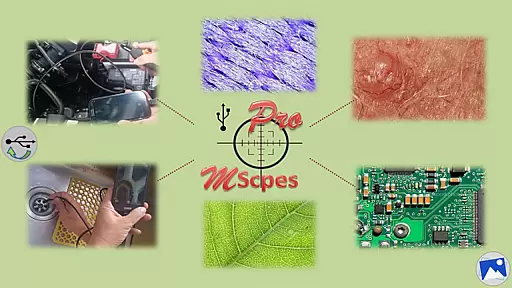
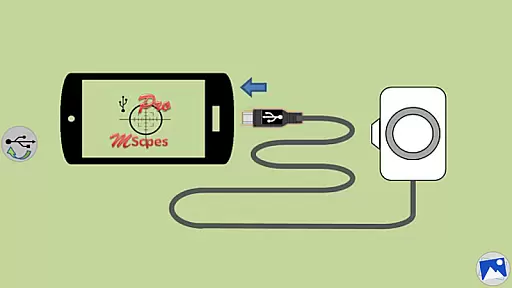
MScopesPro for USB Camera is a versatile application designed to enable users to connect and utilize USB video class (UVC) cameras with their Android devices. This app facilitates the viewing, capturing of images, and recording of videos from digital microscopes, endoscopes, borescopes, camcorders, or webcams via USB connection. For optimal performance, it requires devices that fully support UVC standards, and an OTG adapter may be necessary for type-A connectors.
The Pro version offers advanced features such as full-screen mode, zoom and pan functionality, multiple image resolutions, adjustable color parameters, and options for adding date/time stamps and notes. These capabilities make it ideal for professionals in microscopy, inspection, and other fields requiring detailed visual analysis on-the-go.
By providing portability and flexibility, MScopesPro transforms how microscopic objects or hard-to-reach areas are observed. Its comprehensive feature set ensures high-quality imaging and convenient operation, making it a valuable tool for both professional and casual use.
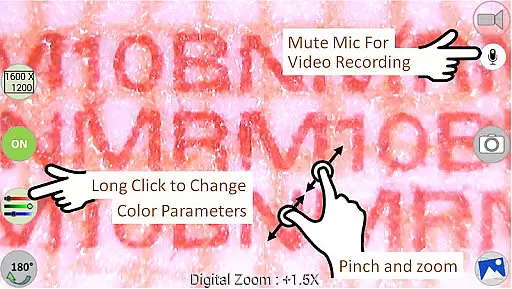
MScopesPro stands out with its extensive range of features tailored for enhancing the user's experience with USB cameras. The app supports various image types like JPEG and PNG, and provides options for adding date/time stamps, notes, and cross-hairs on previews. Users can enjoy a watermark-free experience with pinch and zoom functionality during previews.
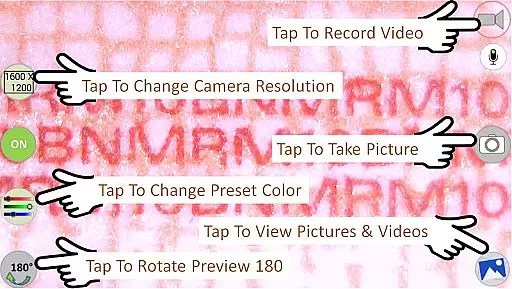
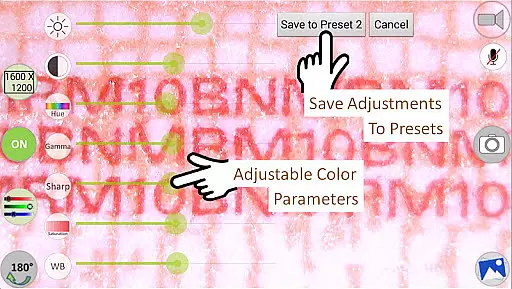
One of the key highlights is the ability to adjust color parameters including brightness, contrast, hue, gamma, sharpness, saturation, and white balance. These settings can be saved into three presets, allowing quick access to preferred configurations. Additionally, the app offers multiple preview sizes such as 640x480, 800x600, 1280x720, and 1600x1200, ensuring compatibility with different camera resolutions.
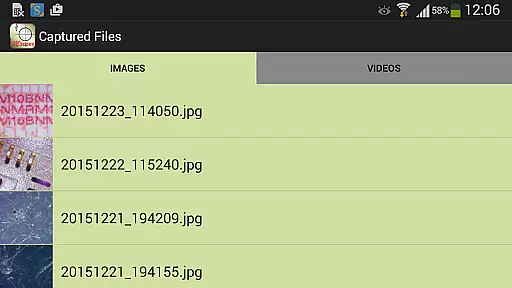
Other notable features include buttons for sharing, editing, and deleting images and videos, along with the option to turn the microphone on or off during video recording. The intuitive swipe interface allows easy navigation through images and video files, enhancing overall usability and convenience.
Video format compatibility is a crucial feature for any video player or editor application. MScopesPro supports various video resolutions, making it versatile for different types of USB cameras.
The app allows users to select from multiple preview sizes such as 640x480, 800x600, 1280x720, and 1600x1200. This flexibility ensures that users can work with their preferred resolution settings, enhancing the overall video viewing and editing experience.
In addition to supporting diverse resolutions, MScopesPro also provides adjustable color parameters including brightness, contrast, hue, gamma, sharpness, saturation, and white balance. These features enable users to fine-tune their videos according to specific requirements or preferences.
By offering comprehensive video format compatibility along with advanced customization options, MScopesPro empowers users to create high-quality content tailored to their needs while maintaining optimal performance across different devices.
AI-powered editing features are transforming how users interact with video content by providing intelligent tools that simplify complex tasks. MScopesPro incorporates several AI-driven functionalities designed to enhance user convenience and efficiency.
One notable feature is the option to add date and time stamps on both previews and captured images automatically. This functionality not only saves time but also ensures accurate documentation of when each piece of content was created.
Furthermore, MScopesPro offers three lines of customizable notes that can be added to previews, allowing users to include additional context or information directly within the frame. The presence of a cross-hair on the preview adds another layer of precision, particularly useful in scientific or technical applications.
With these innovative AI-powered editing features, MScopesPro significantly streamlines the process of capturing, editing, and managing video content, thereby improving productivity and ensuring professional-grade results.
User-friendly interface
Extensive customization options
High-quality imaging capabilities
Versatile connectivity options
Comprehensive feature set
Compatibility issues with some devices
Does not support Android 5.1.1
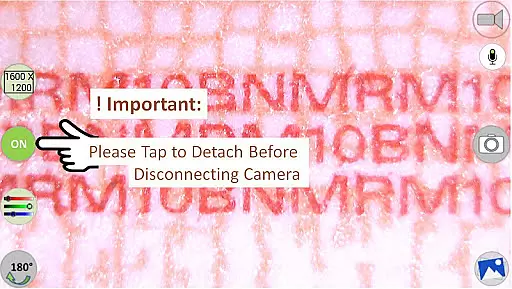
Requires OTG adapter for certain connections
Premium pricing for Pro version
Dependent on device UVC support

Save photos and videos from social apps in one tap.
 3.60
3.60
Cast to Chromecast, Xbox, Fire Stick, Roku, DLNA, Smart TV & No Feature Limited!
4.50
Create & edit videos with AI
4.30
Seamlessly connect and control your smart devices, anytime, anywhere with ease.
4.60
IPTV Loader, loads your own Playlist. DOES NOT CONTAIN ANY LIST OR CHANNELS
4.60
This app is an emulator of some specific IPTV boxes
3.50
#1 Torrent App on Android ** No Ads Ever + Battery Saver **
4.80
Viddo: Generate Action Figure, AI Anime, AI kiss, AI hug Video from image & text
4.40
Manage your YouTube channel on the go
4.40
Watch IPTV on your Android device
4.60
HD Video player all format, HD Videos, Cast & Subtitle. No annoying ads.
4.60
Photo and Music Video Creator into Stunning Videos—Effortlessly
4.40
KMPlayer Plus (Divx Codec) officially support Divx codec.
4.30
Web Browser for LG TV to stream webvideos, online movies and livestreams in HD
4.20
Your media, on your terms.
4.10
Stream Web Videos to Chromecast, Samsung, LG, Sony, Roku, Fire TV, DLNA + more
4.00
Kodi media center, a free and open source cross-platform entertainment hub
3.60
A full editing room to accompany your Insta360 cameras and handheld gimbals.
3.30
Play and download HD videos from all sources — fast, simple, and all-in-one.
4.2


User Reviews