






Insta360 is a powerful video editing and camera companion app designed for creators, athletes, and adventurers. It offers advanced AI-powered tools to enhance the video creation process, including auto-editing features, reframing capabilities, and creative templates. Compatible with Insta360 cameras and handheld gimbals, this app allows users to edit directly on their mobile devices without downloading files, saving storage space while providing professional-grade control.
One standout feature is its ability to streamline workflows through AI technology. Whether it's detecting subjects for easy reframing or generating viral-ready clips with just a few taps, Insta360 ensures that even beginners can achieve polished results. Additionally, tools like Deep Track, Hyperlapses, and Download-Free Editing make it versatile for various shooting scenarios, from action sports to creative storytelling.
For content creators who value efficiency and creativity, Insta360 serves as an all-in-one solution. By combining intuitive manual controls with automated processes, it empowers users to focus more on capturing moments and less on post-production complexities.
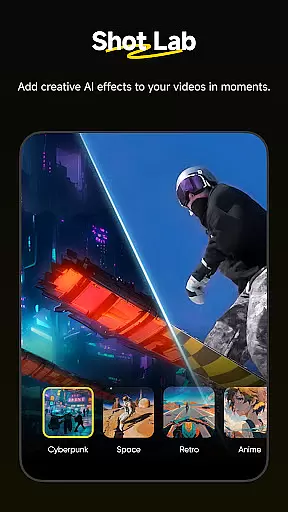
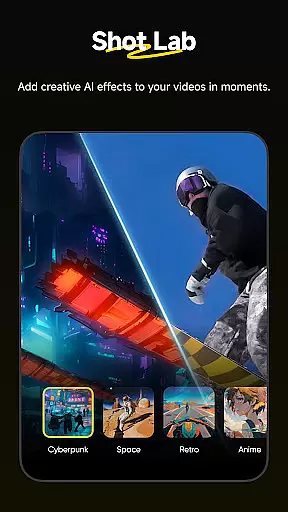
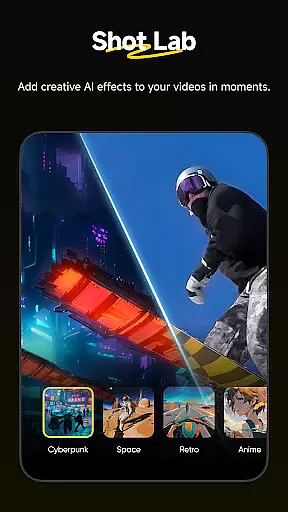
Insta360 stands out with its innovative features tailored for modern creators. The app includes AI Edit, which automates the reframing process by detecting subjects and highlighting key moments in footage. This feature significantly reduces editing time while maintaining high-quality output. Another notable addition is Shot Lab, offering over 25 AI-powered templates such as Nose Mode, Sky Swap, and Clone Trail, enabling users to produce engaging social media content effortlessly.
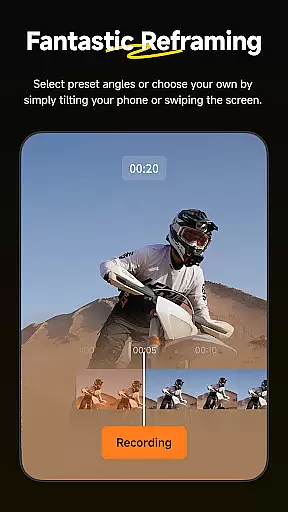
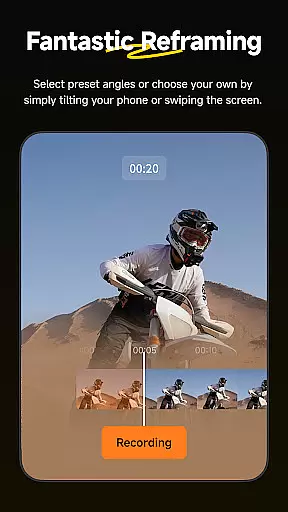
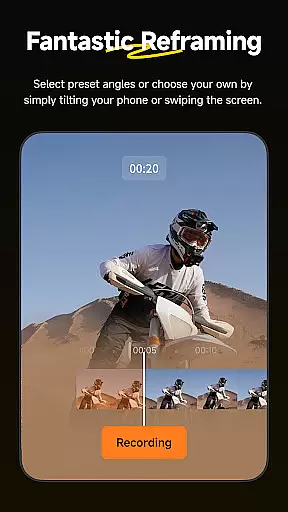
The Reframing tool provides endless creative possibilities by allowing users to adjust perspectives dynamically using keyframes. Paired with Deep Track, which keeps moving subjects centered in the frame, these features ensure smooth and visually appealing shots. Furthermore, Hyperlapses let users speed up videos into stabilized time-lapse sequences, giving them full control over both timing and viewpoint.
Download-Free Editing is another game-changing feature, letting users edit and share clips directly from their cameras without consuming phone storage. These functionalities collectively position Insta360 as a leader in mobile video editing solutions, catering to professionals and hobbyists alike.
Insta360 supports a wide range of video formats, ensuring that creators can work with footage from various sources without compatibility issues. The app's ability to handle different file types makes it versatile for both amateur and professional use.
Whether you're importing videos from other devices or capturing directly with an Insta360 camera, the app ensures smooth processing. This flexibility allows users to focus on their creative process rather than worrying about format restrictions.
The application's sophisticated conversion algorithms maintain high video quality during editing. Users can seamlessly switch between formats while retaining optimal resolution and frame rates.
With download-free editing capabilities, Insta360 enables direct sharing to social media platforms in compatible formats. This saves storage space and streamlines the content distribution process for creators.
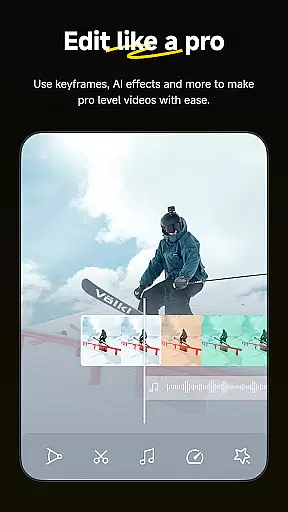
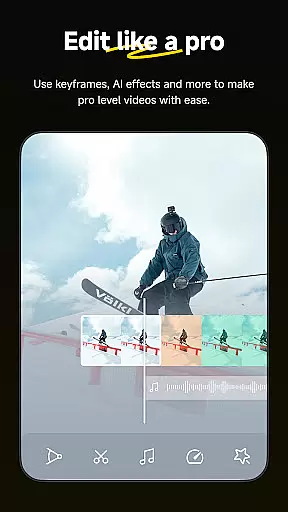
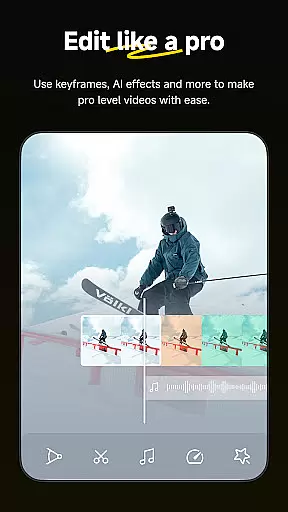
Insta360 incorporates advanced AI-powered editing tools that revolutionize video post-production. The AI Edit feature automatically reframes and enhances action highlights, making professional-quality edits accessible to all users.
Shot Lab offers over 25 AI-driven templates, including innovative effects like Nose Mode and Clone Trail. These templates enable creators to produce viral-worthy content with just a few taps, significantly reducing editing time.
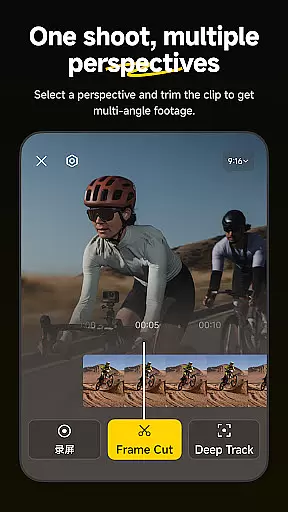
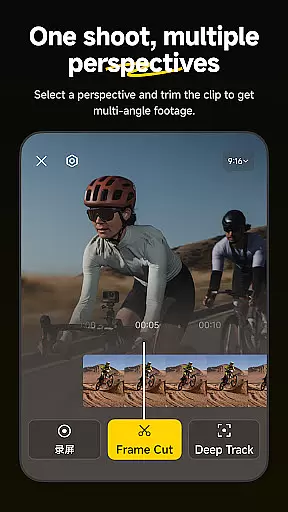
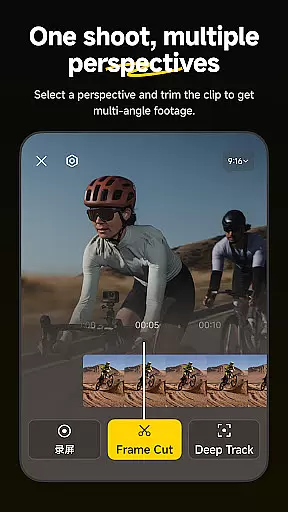
Deep Track technology uses AI to keep subjects centered in shots, whether it's a person, animal, or moving object. This intelligent tracking system simplifies complex camera movements and ensures professional-looking results.
The combination of AI reframing tools, automatic subject detection, and smart editing features creates a powerful mobile editing suite. These innovations make Insta360 a comprehensive solution for modern content creators seeking efficiency and creativity in their video projects.
User-friendly interface
Advanced AI editing tools
Versatile creative templates
Efficient download-free workflow
Real-time subject tracking
Requires compatible hardware
Occasional Wi-Fi connectivity issues
Premium features may need subscription
Steep learning curve for beginners
Limited offline functionality

Video player, file manager for all formats, 4K/HD media player supports subtitle
 4.30
4.30
Kodi media center, a free and open source cross-platform entertainment hub
3.60
Save photos and videos from social apps in one tap.
3.60
KMPlayer Plus (Divx Codec) officially support Divx codec.
4.30
Explore the largest library of free GIFs, Stickers & Memes - or create your own!
3.90
A Simple app to download Video & Music from the Internet.
4.70
Powerful video player with advanced hardware acceleration and subtitle supports
4.20
Screen recorder with audio to take live videos & Screenshot in high quality!
4.70
convenient, safe and fast at Video Downloader & Player
4.60
An easy-to-use and all-round screen recorder with audio
4.80
Fast & easy HD video downloader for all formats, support 4K playback & download.
4.60
Cast movies, tv shows and live streams to Chromecast, Roku, DLNA, Fire TV & more
4.60
AirMirror Receiver - Screen mirroring/cast web videos to Android TV by AirPlay.
4.40
LumaFusion: The Ultimate Storytelling Experience for Video Editing
4.10
Powerful, professional, versatile teleprompter. Developed by an active film crew
4.00
Make your own Animations, Video and Photo Edits, Visual Effects, and more!
4.00
Fast private browser with secure, seamless access & supported video downloads!
4.00
This app is an emulator of some specific IPTV boxes
3.50
The essential companion to your Blue Iris PC software
2.50


User Reviews