
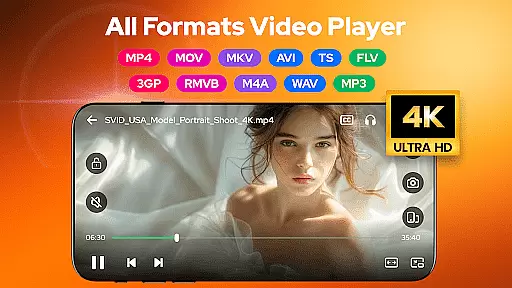
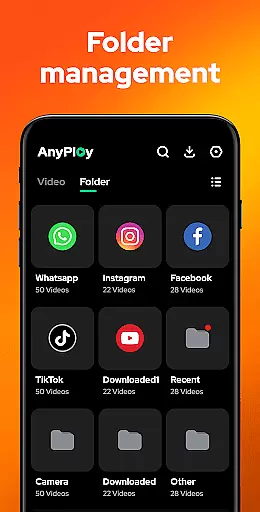
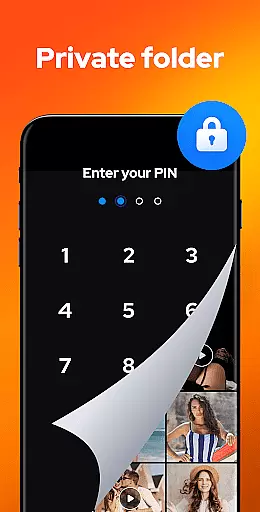

Video Player - AnyPlay is a versatile media solution for Android users, combining an all-in-one video player, file manager, and video downloader. This app supports videos in all formats, ensuring smooth HD playback with customizable subtitles, gesture controls, and pop-up playback. It also offers powerful file management features, including auto-detection of media files on your phone and SD card, sorting options, and a private folder to hide sensitive content.
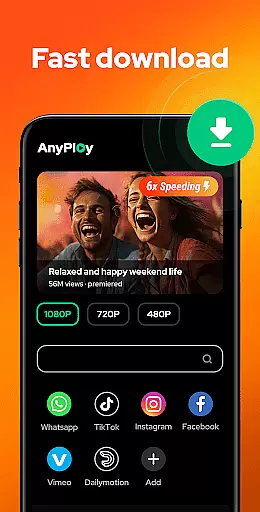
In addition to its core video capabilities, AnyPlay includes a built-in browser for downloading HD videos from any website or social media platform. The app also doubles as a high-quality music player, supporting various audio formats like MP3 and M4A. With features such as equalizer settings, reverb effects, and multiple looping modes, it provides an immersive audio experience. Lightweight yet full-featured, this app caters to diverse media needs, making it ideal for users who want a comprehensive tool for managing and enjoying their multimedia content.
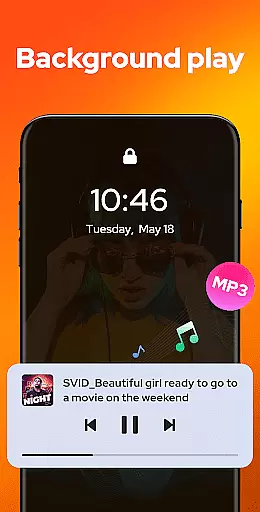
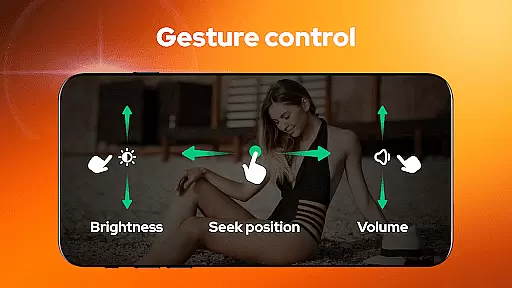
Video Player - AnyPlay stands out with its extensive feature set tailored for media enthusiasts. As an HD video player, it supports all video formats and offers advanced functionalities such as subtitle customization, smart gesture control, and background play. Users can adjust brightness, volume, and playback speed with simple gestures, while the pop-up play feature allows multitasking by playing videos in a floating window. Both hardware and software decoders are supported, ensuring optimal performance across devices.
The app's file management capabilities are equally impressive. It automatically detects and organizes media files from your phone and SD card into clear lists or playlists. You can sort files by date, name, length, or size, and even hide videos in a private folder to protect your privacy. Additionally, the built-in HD video downloader lets you browse websites and download videos in resolutions up to 1080P. For music lovers, the HQ music player supports equalizer presets, reverb effects, and various looping modes, creating a rich audio experience.
Video Player - AnyPlay stands out with its exceptional video format compatibility, ensuring users can play virtually any video file they encounter. This versatility eliminates the frustration of incompatible formats that plague many media players.
The application supports an extensive range of video formats including MKV, MP4, AVI, MOV, and many more. This comprehensive support allows users to enjoy all their video content without the need for format conversion or additional codecs.
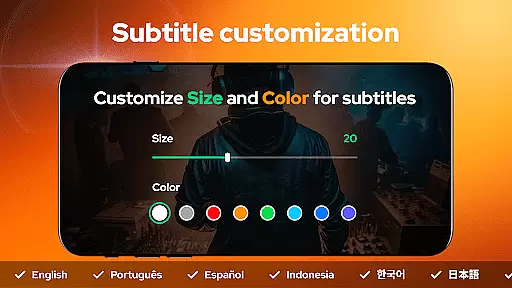
Beyond basic playback, the app provides advanced features like subtitle support and customizable playback settings. Users can import local subtitles or download them directly within the app, while adjusting subtitle appearance to their preference.
This level of format compatibility and feature integration delivers a seamless viewing experience across different devices and media sources. Whether users are watching locally stored videos or streaming content, they can be confident in consistent, high-quality playback performance.
While primarily a video player, AnyPlay incorporates innovative AI-powered editing features that enhance the user's media management capabilities. These intelligent tools help streamline video organization and improve overall usability.
The app's AI functionality automatically detects and categorizes media files across both internal storage and SD cards. This smart detection system saves users time by eliminating manual searching and sorting of video files.
Advanced AI algorithms also enable smart playlist creation and video optimization suggestions. The system analyzes viewing patterns and file characteristics to recommend optimal playback settings and organizational structures.
These AI-powered features work seamlessly in the background, enhancing the user experience without adding complexity. The result is a more intuitive and efficient media management system that adapts to each user's unique preferences and viewing habits.
User-friendly interface
Comprehensive format support
Advanced playback features
Efficient file management
Privacy protection tools
May drain battery faster
Occasional ads in free version
Limited cloud integration
Large app size
Complex for beginners

Kodi media center, a free and open source cross-platform entertainment hub
 3.60
3.60
Capture images & record videos for USB Camera, Webcam, Microscopes, Endoscopes
3.80
Live TV, anywhere in your home
3.80
AI Video Editor:AI Music, Text to Video,Text to Speech,Auto Caption,Video Effect
4.00
Make your own Animations, Video and Photo Edits, Visual Effects, and more!
4.00
Download videos and play them offline
4.70
IPTV Loader, loads your own Playlist. DOES NOT CONTAIN ANY LIST OR CHANNELS
4.60
A Simple app to download Video & Music from the Internet.
4.70
Download Hub, easy and private way to download and enjoy your videos offline
4.80
Play ALL formats in 4K & HD. Video downloader, MP3 player, Chromecast & more.
4.80
All in one HD video downloader & player for multiple formats with full privacy
4.70
Create photo video with music & template. AI video maker for stunning slideshow.
4.60
Fast & easy HD video downloader for all formats, support 4K playback & download.
4.60
Photo and Music Video Creator into Stunning Videos—Effortlessly
4.40
AirMirror Receiver - Screen mirroring/cast web videos to Android TV by AirPlay.
4.40
Web Browser for LG TV to stream webvideos, online movies and livestreams in HD
4.20
Connect 2 UVC devices for recording and broadcast video/audio stream
3.90
HD video & music player - All format support with floating & PIP mode!
3.80
Download videos easily & play them all in one smart, powerful video manager.
3.40


User Reviews