
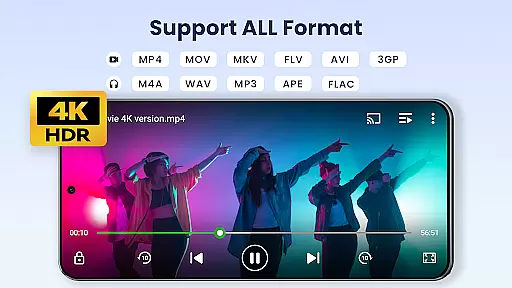

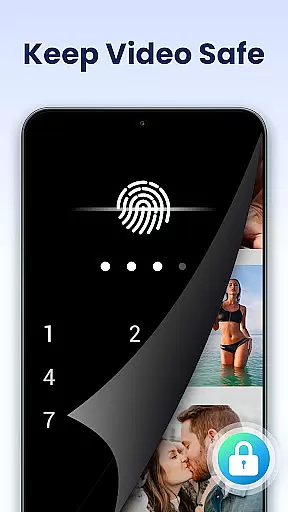


Video Player All Format is a versatile video playback tool designed for Android users. This professional-grade player supports all video formats including MKV, MP4, AVI, and more, ensuring smooth 4K and ultra HD playback. The app's key feature is its ability to protect user privacy through password-protected private albums, keeping personal videos secure.
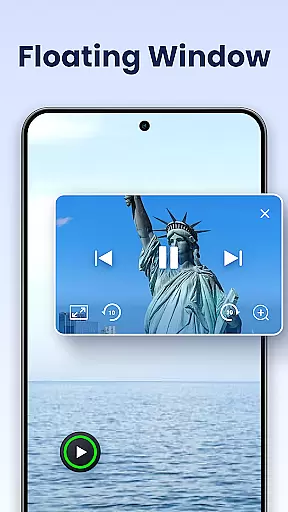
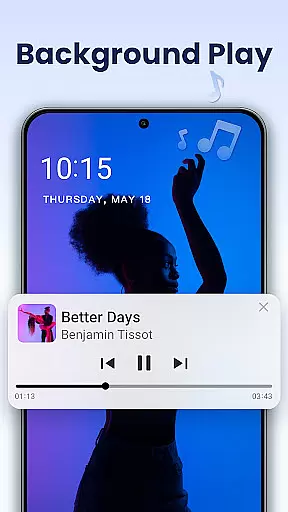
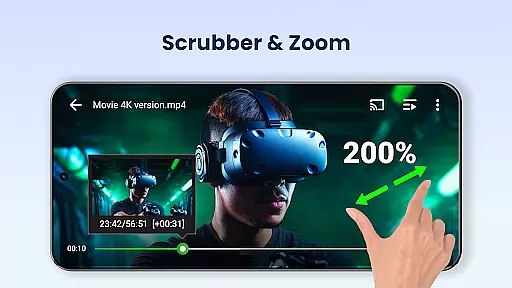
Beyond basic playback, the app offers advanced functionalities such as hardware acceleration, Chromecast support, and subtitle downloading. Users can enjoy flexible viewing options like pop-up windows, split-screen mode, and background playback. Its intuitive interface allows easy control of volume, brightness, and playback speed while supporting multiple playback settings including auto-rotation and aspect ratio adjustments.
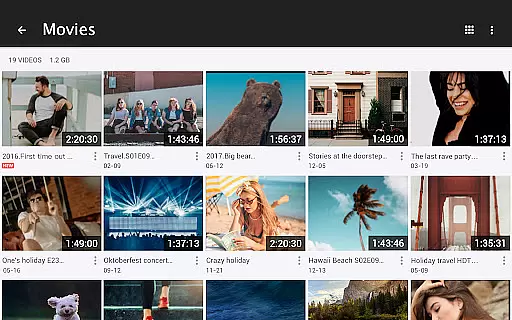
Ideal for both Android tablets and phones, this video player combines powerful features with user-friendly design. Whether you need to manage large video libraries or stream content to your TV, Video Player All Format delivers a comprehensive solution for all your video playback needs.
Video Player All Format distinguishes itself through an impressive array of features that cater to diverse user requirements. The app's universal format support covers all major video file types, from common formats like MP4 to more specialized ones like RMVB and TS. This ensures seamless playback regardless of video source or quality, even supporting 4K resolution for premium viewing experiences.
Security-conscious users will appreciate the private folder feature that safeguards sensitive content with password protection. The innovative floating video player enables true multitasking by allowing videos to play in resizable pop-up windows above other applications. Additional professional-grade features include customizable playback speed (0.5x to 2.0x), automatic video file detection across devices and SD cards, and comprehensive file management capabilities.
The app's integration with Chromecast extends its functionality to home entertainment systems, while its night mode and quick mute features enhance practical usability. These carefully considered features demonstrate the developer's commitment to creating an all-in-one video solution that addresses both basic and advanced user needs.
Video Player All Format stands out as a versatile video playback tool due to its extensive video format compatibility. This application supports an impressive range of formats including MKV, MP4, AVI, and many others, ensuring that users can play virtually any video file regardless of its origin or encoding.
The importance of this feature cannot be overstated in today's multimedia environment where video formats can vary significantly. By accommodating all major and even less common video types, the app removes the need for separate conversion software, streamlining the user experience.
Users benefit from seamless playback of high-definition content up to 4K resolution, without worrying about codec issues or format restrictions. The inclusion of hardware acceleration further enhances performance, allowing smooth video rendering even on less powerful devices.
This comprehensive format support makes Video Player All Format an essential tool for anyone dealing with diverse video collections, whether for personal entertainment or professional media management purposes.
While primarily a video player, Video Player All Format incorporates several features that leverage AI-powered capabilities to enhance the viewing experience. Although not a traditional video editor, the application provides intelligent tools that optimize video playback and presentation quality.
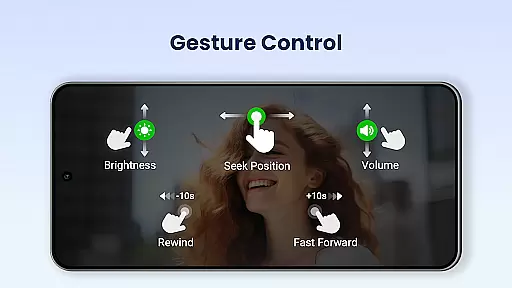
The implementation of advanced playback options demonstrates this technological advantage. Features like automatic video file identification across devices and SD cards, smart volume control through screen gestures, and adaptive screen rotation all contribute to a more intuitive user interface.
These AI-driven enhancements extend to practical functionalities such as multi-window playback options, including pop-up and background video modes. The system intelligently manages resources while maintaining optimal performance across different usage scenarios.
For users, these features translate into significant time savings and improved convenience when managing or viewing their video collections. The application's ability to automatically organize and present media files creates a more efficient workflow, particularly valuable for those handling large video libraries.
User-friendly interface
Comprehensive format support
Advanced privacy protection
Chromecast integration
Multitasking capabilities
May drain battery faster
Some features may be complex
Requires sufficient storage
Potential compatibility issues
Privacy concerns with certain permissions

Snaptubè Video Downloader app allows to download videos and music in Snaptube. .
 4.60
4.60
Create photo video with music & template. AI video maker for stunning slideshow.
4.60
1)AirPlay/DLNA Mirroring/Streaming, up to 4 connections; 2)Samba/NAS/DMS Player.
4.00
Video player with powerful streaming playback and various convenient features.
2.10
All in one multi protocols stream receiver for AirPlay, Cast and DLNA.
3.60
Browser for Samsung TV to stream webvideos, online movies and livestreams in HD
4.10
Video player with 4K & 1080P support, popup play, background play and subtitle.
4.20
Manage your YouTube channel on the go
4.40
Make videos you’re proud to share with Edits, a video editor for creators.
4.70
Flud is a simple and beautiful BitTorrent client for Android.
4.80
An easy-to-use and all-round screen recorder with audio
4.80
AI Video Editor with Music, Filter, Slideshow, Effect, Merge & Trim Video.
4.80
HD video maker with no watermark, no ads & vlog maker with music, PIP, text
4.50
Video Downloader is an utility that can save videos and music from web sites
4.20
Your media, on your terms.
4.10
Powerful, professional, versatile teleprompter. Developed by an active film crew
4.00
AI Video Editor:AI Music, Text to Video,Text to Speech,Auto Caption,Video Effect
4.00
Download videos easily & play them all in one smart, powerful video manager.
3.40
The smartest M3U IPTV Player your playlists have ever seen.
4.3


User Reviews