
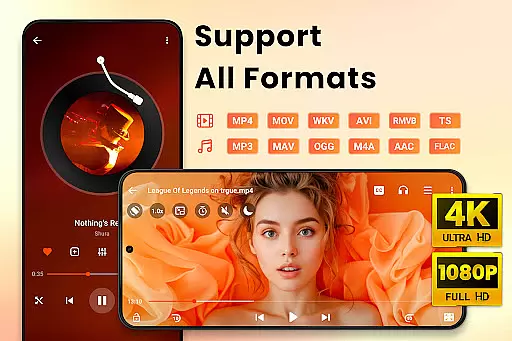
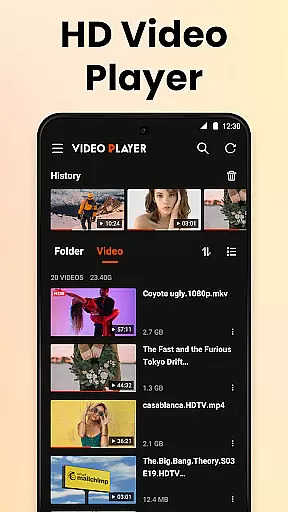

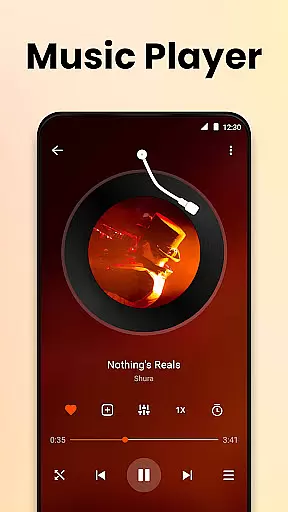
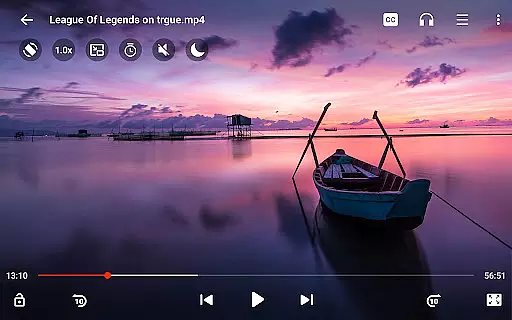
Video Player All Format HD is a versatile and feature-rich video player designed for Android devices. This application supports all major video formats including MKV, MP4, AVI, and more, ensuring seamless playback of 4K and 1080p videos with impressive clarity. The app's compact size belies its powerful capabilities, offering users an exceptional viewing experience through advanced features such as popup play, background playback, and speed control ranging from 0.5x to 2x.
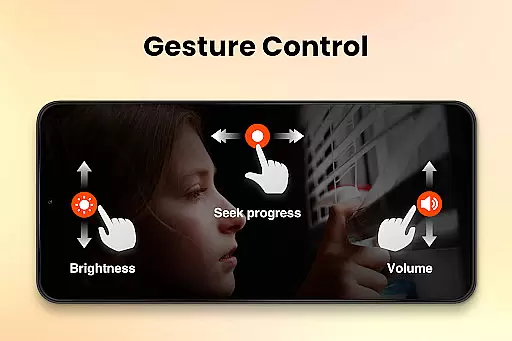
In addition to supporting various video formats, the app provides practical functionalities like gesture controls, automatic detection of video files, and easy management options including delete and rename. Users can also enjoy added conveniences such as a sleep timer, night mode, quick mute, and a five-band equalizer with bass boost. Whether you're watching videos in a floating window while multitasking or listening to them with the screen off, Video Player All Format HD caters to diverse user needs efficiently.
This app is particularly beneficial for those who require high-quality video playback without consuming much storage space. Its lightweight design ensures quick installation and fast loading times, making it ideal for users with performance constraints on their devices. With its intuitive interface and comprehensive feature set, Video Player All Format HD stands out as an excellent choice for anyone seeking a reliable and user-friendly video player.
Video Player All Format HD distinguishes itself through a rich array of features tailored to enhance the video playback experience. One of its standout capabilities is the support for all video formats, including but not limited to MKV, MP4, AVI, MOV, and FLV. This ensures that users can play any video file without compatibility issues, providing a seamless viewing experience regardless of the source format.
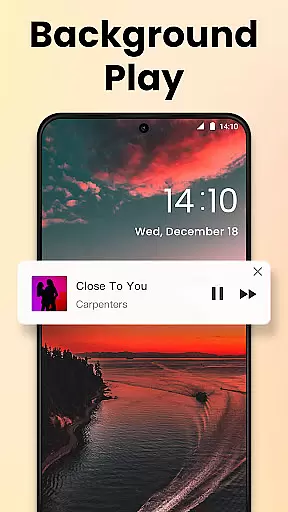
The app incorporates innovative functionalities such as popup play and background playback. Popup play allows users to watch videos in a floating window, facilitating multitasking activities like chatting while viewing content. Background playback enables users to listen to videos akin to audiobooks, even when the screen is off. Additionally, the media player offers adjustable playback speeds from 0.5x to 2.0x, catering to preferences for slow-motion or accelerated viewing, which is especially useful for educational content.
Further enhancing user convenience are features like gesture controls for 10-second forward/backward skips, automatic detection of video files across phone storage and SD cards, and robust video management options such as delete and rename functions. The inclusion of a sleep timer, night mode, quick mute, and a five-band equalizer with bass boost underscores the app's commitment to delivering a customizable and comfortable viewing experience. These features collectively ensure that Video Player All Format HD meets the diverse needs of its users effectively.
Video Player All Format HD stands out for its exceptional video format compatibility, supporting an extensive range of formats including MKV, MP4, M4V, AVI, MOV, 3GP, FLV, WMV, RMVB, and TS. This ensures that users can play virtually any video file without the need for conversion or additional software.
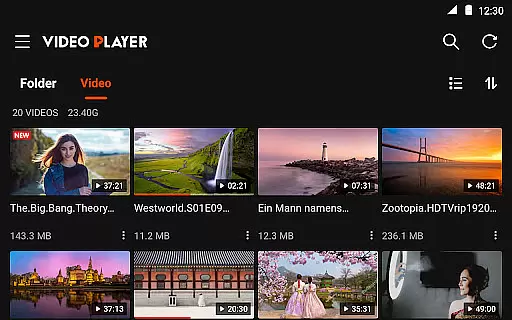
The application's auto-detection feature scans both internal storage and SD cards to locate compatible video files and folders, streamlining media management. With this functionality, users can easily organize, delete, or rename their video files directly within the app.
By offering support for high-definition video playback, including 4K and 1080p resolutions, the player guarantees a superior viewing experience. Users can enjoy crisp visuals and vibrant colors, making it an ideal choice for those who demand quality in their media consumption.
While Video Player All Format HD primarily focuses on video playback, it incorporates AI-powered features that enhance the viewing experience. The equalizer with bass boost is one such feature, allowing users to customize audio output for optimal sound quality tailored to individual preferences.
Gesture controls represent another intelligent feature, enabling intuitive navigation through videos. Users can effortlessly skip forward or backward by 10 seconds, adjust volume, or control brightness with simple swipe motions, enhancing user interaction and accessibility.
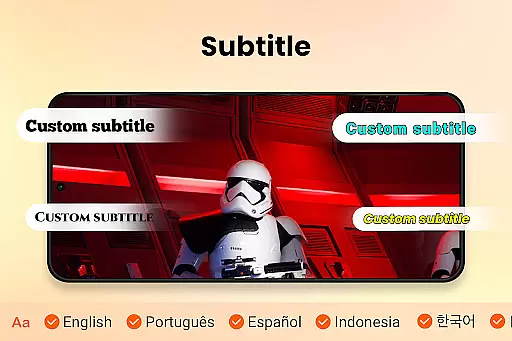
Additionally, the app supports subtitle downloads and easy audio track switching, which are powered by smart detection algorithms. These features collectively contribute to a more immersive and personalized viewing experience, setting the application apart in the realm of video players and editors.
User-friendly interface
Supports all video formats
Lightweight and fast
Advanced playback options
Convenient multitasking tools
Limited to Android
No iOS version available
Occasional ads
Basic editing features
Interface may feel cluttered

HD Video player all format, HD Videos, Cast & Subtitle. No annoying ads.
 4.60
4.60
Cast to Chromecast, Xbox, Fire Stick, Roku, DLNA, Smart TV & No Feature Limited!
4.50
Search & download videos from net with all video downloader, auto-detect & safe.
4.60
Create & edit videos with AI
4.30
High-Quality USB Camera Viewer & HDMI Display
4.70
All in one HD video downloader & player for multiple formats with full privacy
4.70
AI Video Editor:AI Music, Text to Video,Text to Speech,Auto Caption,Video Effect
4.00
Cast to Smart TV, Fire TV. Cast video, photo - Fast & Stable!
3.90
Browser for Sony TV to stream web videos, online movies and live tv
3.20
Cast Videos from Web Browser, IPTV to Roku, Chromecast, DLNA, Smart TV +more
4.60
Photo and Music Video Creator into Stunning Videos—Effortlessly
4.40
KineMaster, Your Ultimate Video Editor!
4.40
Browser for Fire TV to stream webvideos, online movies, livestreams in HD
4.40
Turn your phone into a wireless camera!
4.20
Online Videos Player
3.90
AirMirror is Receiver for Screen Mirroring and Casting from Apple Devices.
3.60
Watch full episodes of your favorite Cartoon Network and Cartoonito shows!
3.50
Mix with Virtual DJ directly from your phone or tablet !
3.10
Video player with powerful streaming playback and various convenient features.
2.10


User Reviews