
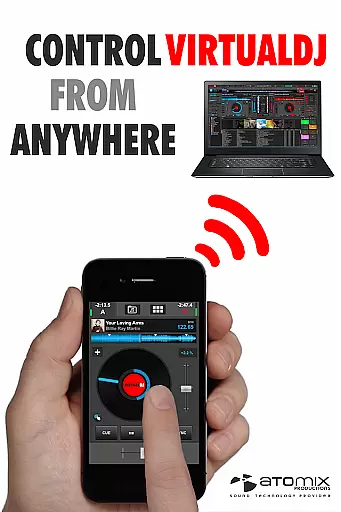
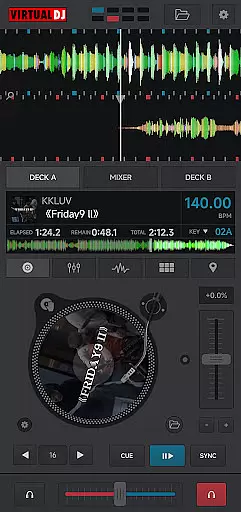
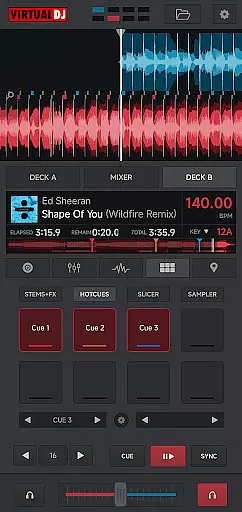
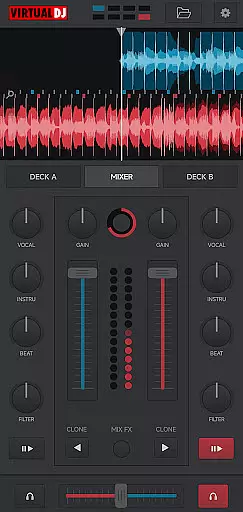
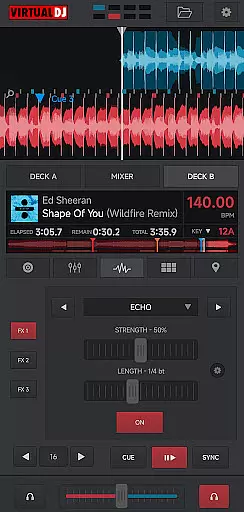
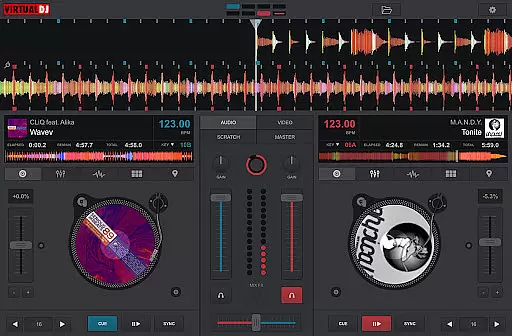
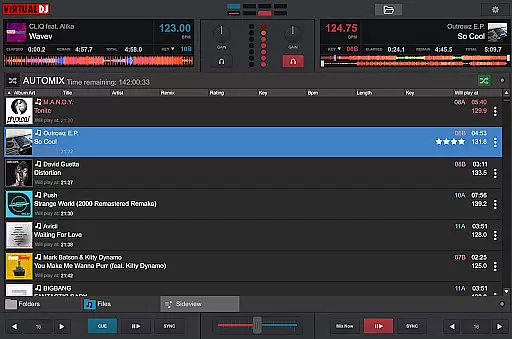
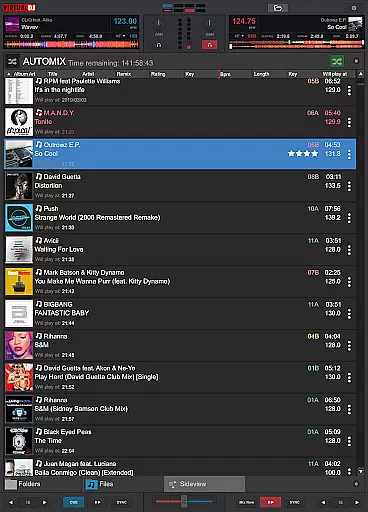
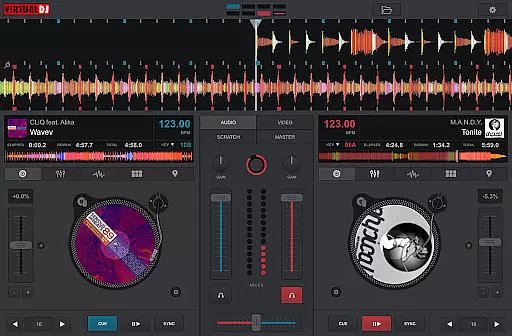
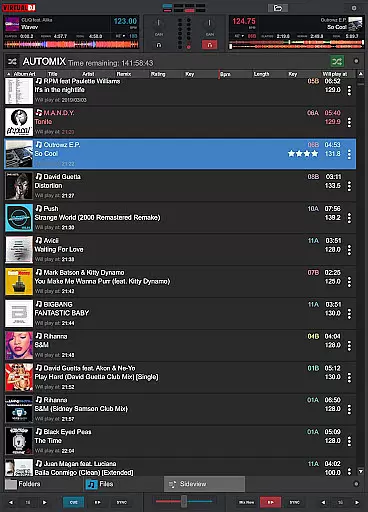
VirtualDJ Remote is a powerful application that allows DJs to control VirtualDJ software directly from their mobile devices. This innovative app transforms your phone or tablet into a versatile DJ controller, enabling wireless mixing and monitoring over a WIFI connection. Whether you want to use your device as a virtual scratch turntable or manage the entire set remotely, this app provides complete operational freedom.
The application supports the full range of VirtualDJ's capabilities, including beat mixing, effects, song suggestions, samplers, and video mixing. It also features an adaptable interface that can be customized using skins compatible with VirtualDJ’s skin SDK. With support from a large community of users creating skins, you can tailor the app to fit your specific needs, whether it's for a sampler pad, effect table, or complete DJ controller setup.
This app is ideal for both amateur and professional DJs who require mobility and flexibility during performances. By connecting to the VirtualDJ software running on a PC or Mac, users can enjoy seamless integration and reliable performance, making it an essential tool for modern DJing.
VirtualDJ Remote offers a comprehensive set of features designed to enhance the DJing experience. One of its standout capabilities is the ability to connect wirelessly to the VirtualDJ software via a simple WIFI setup. This allows DJs to operate away from the booth while maintaining full control over their mixes. The app supports automatic connections on existing WIFI networks or through ad-hoc networks by entering the device IP address in the VirtualDJ software.
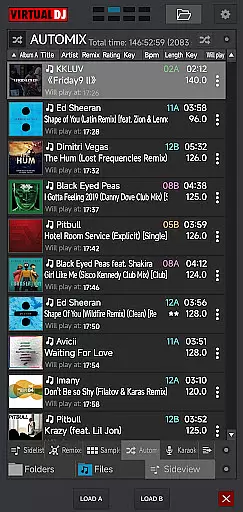
The app fully supports VirtualDJ's extensive feature set, which includes advanced functionalities like beat mixing, effects, song suggestions, samplers, and video mixing. These tools enable DJs to create complex and engaging performances. Additionally, the audio configuration is streamlined, as the sound is played through the computer connected to the audio system, eliminating the need for additional audio wiring to the mobile device.
Customization is another key feature of VirtualDJ Remote. Users can modify the interface and functionalities by utilizing skins compatible with VirtualDJ’s skin SDK. This flexibility allows for personalized setups tailored to individual preferences and requirements. With thousands of users contributing to the skin library, DJs have access to a wide array of options, ensuring they can find or create a skin that perfectly matches their workflow.
VirtualDJ Remote supports a wide range of video formats, ensuring that DJs can mix and play videos without worrying about compatibility issues. The application leverages the power of the VirtualDJ software running on a PC or Mac, which is renowned for its extensive format support.
This means you can seamlessly mix music videos, visual effects, and even live streams in various formats. Whether you're using MP4, AVI, or MKV files, the system ensures smooth playback and mixing. This versatility allows users to incorporate diverse multimedia content into their performances.
The app's ability to handle different formats extends to its recording and broadcasting features. Users can record their sessions or broadcast live on internet radios without worrying about format restrictions. This flexibility makes it an essential tool for professional DJs who need reliable performance in any setting.
While VirtualDJ Remote is primarily designed for DJing, it incorporates AI-powered features that enhance the editing and mixing experience. These smart tools help DJs create seamless transitions, suggest songs based on current mixes, and provide real-time feedback on performance quality.
The AI algorithms analyze beat patterns, tempo, and song structures to offer intelligent suggestions for the next track. This feature, known as LiveFeedback, helps DJs maintain audience engagement by recommending tracks that match the current vibe. Additionally, the system can automatically adjust EQ settings and effects for optimal sound quality.
These AI-powered capabilities extend to video mixing as well. DJs can mix music videos with precision, knowing that the system will handle synchronization and format adjustments automatically. This combination of traditional DJ tools with modern AI assistance makes VirtualDJ Remote a powerful solution for both beginners and experienced professionals.
User-friendly interface
Wireless control
Comprehensive feature set
Customizable skins
Reliable performance
Requires VirtualDJ software
Dependent on WIFI
Limited standalone functionality
Complex setup for beginners
Device compatibility issues

Watch full episodes of your favorite Cartoon Network and Cartoonito shows!
 3.50
3.50
KineMaster, Your Ultimate Video Editor!
4.40
Capture images & record videos for USB Camera, Webcam, Microscopes, Endoscopes
3.80
Turn your phone into a wireless camera!
4.20
IPTV Loader, loads your own Playlist. DOES NOT CONTAIN ANY LIST OR CHANNELS
4.60
The essential companion to your Blue Iris PC software
2.50
Watch IPTV on your Android device
4.60
#1 Torrent App on Android ** No Ads Ever + Battery Saver **
4.80
Screen recorder with audio to take live videos & Screenshot in high quality!
4.70
An easy-to-use and all-round screen recorder with audio
4.80
?100% FREE! Download & save videos? safely in this app. All formats supported.
4.60
Fast & Private HD Video Downloader with Built-in Proxy Browser and Video Player.
4.50
Powerful, professional, versatile teleprompter. Developed by an active film crew
4.00
AI Video Editor:AI Music, Text to Video,Text to Speech,Auto Caption,Video Effect
4.00
Explore the largest library of free GIFs, Stickers & Memes - or create your own!
3.90
Connect EasyCap or UVC devices for recording and broadcast video/audio stream
3.60
Download videos easily & play them all in one smart, powerful video manager.
3.40
You can play SWF format file!
2.50
Stream high quality video from your camera over NDI protocol
4.0


User Reviews