
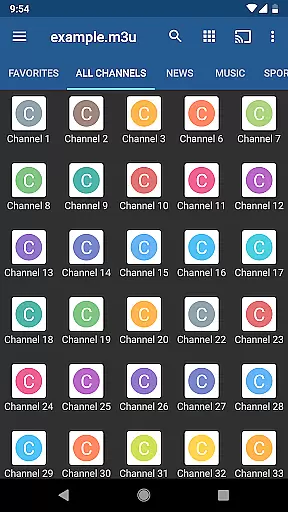
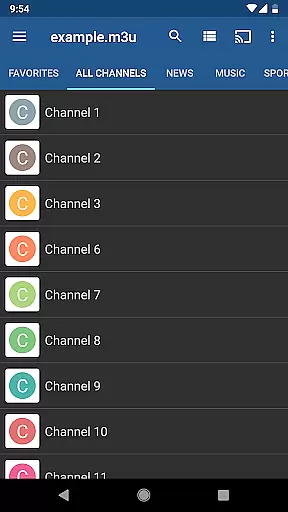
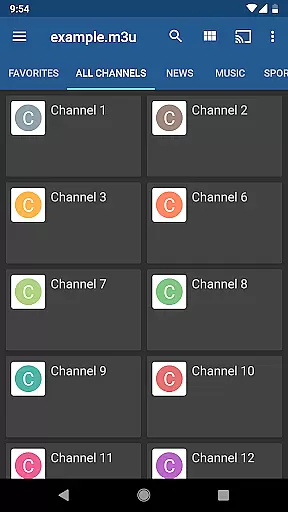
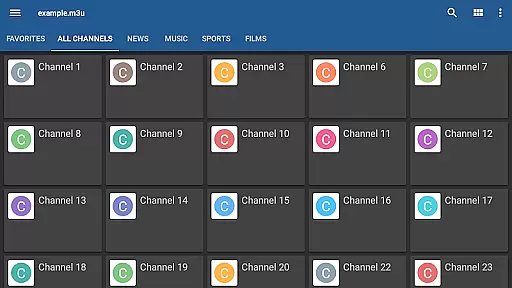
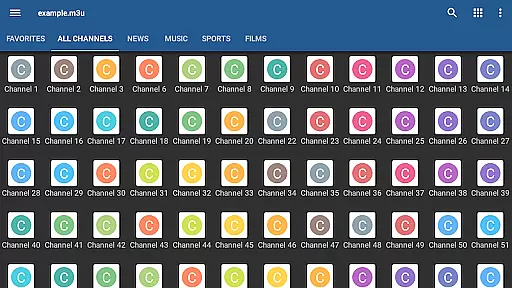
IPTV Pro is the premium version of IPTV app, offering an ad-free experience with advanced features for seamless TV streaming. It supports M3U and XSPF playlists, multicast streams via UDP proxy, EPG in XMLTV and JTV formats, and multiple viewing options including grid, list, or tile views.
Designed for both casual viewers and tech-savvy users, this app allows auto-play of the last channel and extended playlist history. It also provides parental controls and the option to start on device boot, making it ideal for set-top boxes. Note that IPTV Pro does not include built-in channels; users must provide their own playlist.
This application is perfect for those looking to stream live TV from internet providers or other web sources while enjoying a high level of customization and control over their viewing experience.
IPTV Pro stands out with its comprehensive feature set tailored for uninterrupted streaming. The app supports various playlist formats like M3U and XSPF, ensuring compatibility with numerous sources. Its ability to play multicast streams through a UDP proxy makes it versatile for different network setups.
One of the key highlights is the choice between internal and external video players, giving users flexibility in playback options. Parental controls add a layer of security, allowing families to manage content access effectively. Additionally, the app offers multiple viewing modes—grid, list, or tile view—to suit user preferences.
For power users, features such as starting on device boot and auto-playing the last channel enhance convenience. With extended playlist history and EPG support in XMLTV and JTV formats, IPTV Pro ensures you never miss your favorite shows. However, remember that the app requires users to supply their own channel playlists.
Video format compatibility is a crucial feature for any video player application, ensuring that users can access content in various formats without technical hindrances. IPTV Pro supports M3U and XSPF playlists, which are commonly used for internet television and radio. This compatibility allows users to seamlessly stream content from their Internet service provider or other web sources.
The application's ability to handle multicast streams with a UDP proxy further enhances its format compatibility. By recommending specific proxies for Windows and Linux, IPTV Pro ensures that users can manage complex streaming types, even within local network environments. This makes the app versatile and adaptable to different user setups and requirements.
Moreover, IPTV Pro offers internal and external video player options, giving users flexibility in how they consume media. Whether it's through the integrated player or an external one, users can enjoy a smooth playback experience. This dual-option approach caters to both simplicity and advanced customization needs, enhancing overall user satisfaction.
While IPTV Pro does not focus on AI-powered editing features like some video editors, it provides essential functionalities that enhance the viewing experience. The app includes EPG support in XMLTV and JTV formats, allowing users to access electronic program guides. This feature simplifies navigating through channels and scheduling, making it easier for users to find and watch their preferred content.
Parental control is another significant feature of IPTV Pro, ensuring a safe viewing environment for families. By enabling parents to restrict access to certain channels or content, the app helps maintain a family-friendly media consumption space. This function is crucial for households with children, providing peace of mind while using the application.
Additionally, IPTV Pro offers grid, list, or tile views of TV channels, catering to individual preferences for content browsing. These customizable viewing options allow users to organize and access channels in a way that best suits their viewing habits. Such features, although not AI-driven, significantly contribute to a personalized and user-friendly interface.
Ad-free experience
Advanced parental controls
Multiple video player options
Supports various playlist formats
Auto-play last channel feature
No built-in channels provided
Requires technical setup for UDP proxy
Playlist management can be complex
Limited use without personal playlists
Not beginner-friendly

Save photos and videos from social apps in one tap.
 3.60
3.60
Cast Videos from Web Browser, IPTV to Roku, Chromecast, DLNA, Smart TV +more
4.60
Photo and Music Video Creator into Stunning Videos—Effortlessly
4.40
Watch a large amount of high-definition short drama content
4.60
Support 1000+ Video Format, Subtitle Download, mp3 & Background Play, Cast On TV
4.60
AirMirror is Receiver for Screen Mirroring and Casting from Apple Devices.
3.60
AirMirror Receiver - Screen mirroring/cast web videos to Android TV by AirPlay.
4.40
Connect EasyCap or UVC devices for recording and broadcast video/audio stream
3.60
Manage your YouTube channel on the go
4.40
Download videos and play them offline
4.70
HD Video player all format, HD Videos, Cast & Subtitle. No annoying ads.
4.60
Video Downloader, Multiple Resolution Options, Video Player
4.50
Download website videos fast&privacy
4.40
1)AirPlay/DLNA Mirroring/Streaming, up to 4 connections; 2)Samba/NAS/DMS Player.
4.00
Fast private browser with secure, seamless access & supported video downloads!
4.00
Capture images & record videos for USB Camera, Webcam, Microscopes, Endoscopes
3.80
Kodi media center, a free and open source cross-platform entertainment hub
3.60
All in one multi protocols stream receiver for AirPlay, Cast and DLNA.
3.60
The smartest M3U IPTV Player your playlists have ever seen.
4.1


User Reviews