
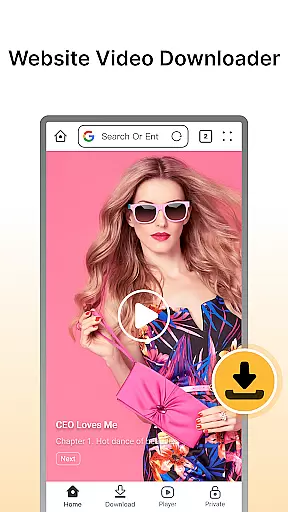

Fast Downloader - Video Player is a versatile video downloader and player designed for users who want to save videos from websites and social media platforms. The app offers an easy solution for downloading content in multiple formats and resolutions, ensuring that users can enjoy their favorite videos offline without worrying about internet connectivity.
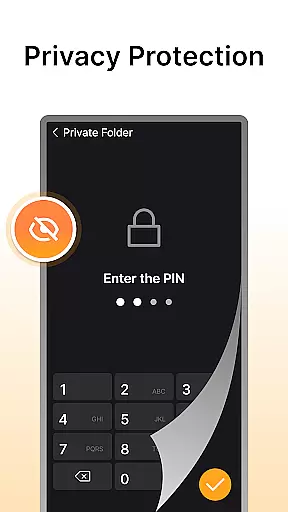
In addition to its downloading capabilities, the app features a built-in video player that supports various formats, providing a seamless viewing experience. With privacy protection measures such as password-protected storage, Fast Downloader ensures that your downloaded content remains secure. Whether you're looking to download videos for later viewing or need a reliable player, this app meets all your video-related needs.
Fast Downloader - Video Player stands out with its comprehensive feature set tailored for both casual and power users. One of its key features is the ability to download videos from a wide range of websites and social media platforms with just a few clicks. This functionality allows users to save videos in multiple resolutions, from standard to HD, catering to different device capabilities and user preferences.
The app also includes a robust privacy protection system. Users can store downloaded videos in a secure, private space protected by a password. This ensures that sensitive content remains confidential. Additionally, the built-in video player eliminates the need for third-party apps, supporting various video formats and delivering a smooth playback experience. These features collectively make Fast Downloader - Video Player a top choice for managing and enjoying digital video content.
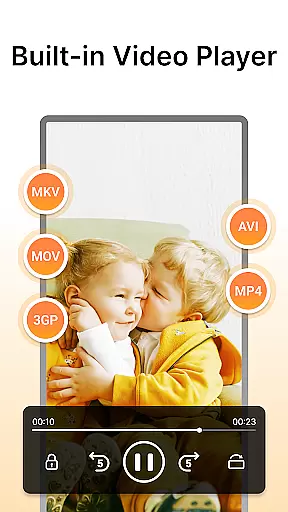
Video format compatibility is a crucial feature for any video player and editor, ensuring that users can enjoy content in various formats without technical barriers. Fast Downloader - Video Player excels in this area by supporting multiple video formats, making it versatile for different user needs.
The app allows you to download and play videos from websites and social media platforms in formats such as MP4, AVI, and more. This flexibility ensures that no matter the source of the video, you can save and view it without worrying about format issues. The built-in player further enhances this experience by seamlessly playing these formats.
For users, this means they are not limited by specific video formats when saving or viewing content. Whether downloading high-definition videos for offline viewing or streaming on different devices, Fast Downloader - Video Player provides a hassle-free experience. This compatibility significantly broadens the range of content you can access and enjoy.
AI-powered editing features represent the cutting-edge technology integrated into modern video players and editors, enhancing both functionality and user experience. Fast Downloader - Video Player incorporates advanced AI capabilities to streamline video management and playback processes.
This app leverages AI to optimize video downloads and ensure high-quality playback. For instance, its AI algorithms can automatically detect the best resolution for your device, providing an optimal viewing experience. Additionally, AI-driven privacy protection features safeguard your downloaded videos, storing them securely with password protection.
Users benefit from these intelligent features through improved efficiency and security. With AI handling complex tasks like format conversion and quality adjustment, you can focus on enjoying your content. Overall, Fast Downloader - Video Player's AI-powered tools make video management smarter and more intuitive.
User-friendly interface
Multi-resolution support
Secure privacy mode
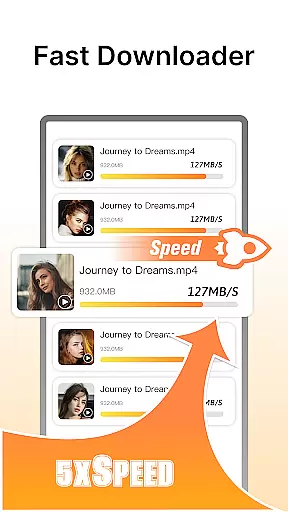
Fast download speeds
Built-in video player
Limited format compatibility
No batch download option
Occasional download failures
Ads in free version
Privacy concerns on shared devices

Client application for NextPVR software
 3.00
3.00
Stream high quality video from your camera over NDI protocol
4.2
Capture images & record videos for USB Camera, Webcam, Microscopes, Endoscopes
3.80
Support 1000+ Video Format, Subtitle Download, mp3 & Background Play, Cast On TV
4.60
KMPlayer Plus (Divx Codec) officially support Divx codec.
4.30
Powerful Video Editor & Photo Editing App —— Quick Edits & Stunning Effects!
4.30
Video Downloader, Multiple Resolution Options, Video Player
4.50
Connect EasyCap or UVC devices for recording and broadcast video/audio stream
3.60
Fast private browser with secure, seamless access & supported video downloads!
4.00
#1 Torrent App on Android ** No Ads Ever + Battery Saver **
4.80
Fast & easy HD video downloader for all formats, support 4K playback & download.
4.60
Cast movies, tv shows and live streams to Chromecast, Roku, DLNA, Fire TV & more
4.60
Web Browser for LG TV to stream webvideos, online movies and livestreams in HD
4.20
Your media, on your terms.
4.10
VLC for Android is the best open source video and music player, fast and easy!
4.10
1)AirPlay/DLNA Mirroring/Streaming, up to 4 connections; 2)Samba/NAS/DMS Player.
4.00
Stream Web Videos to Chromecast, Samsung, LG, Sony, Roku, Fire TV, DLNA + more
4.00
Manage your IPTV live channels and VOD playlists (no playlist included)
3.80
IPTV Player - Watch live TV from m3m & m3u8 playlist, stream IPTV on mobile
3.30


User Reviews