
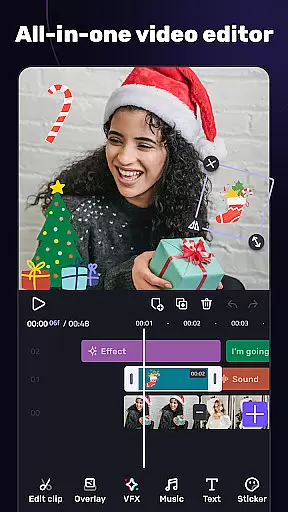
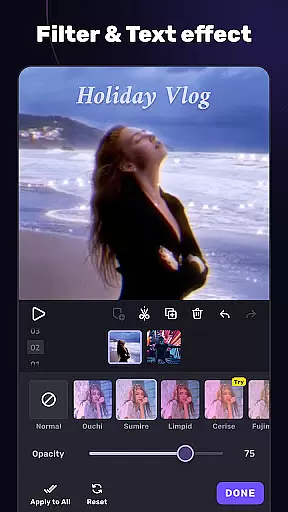
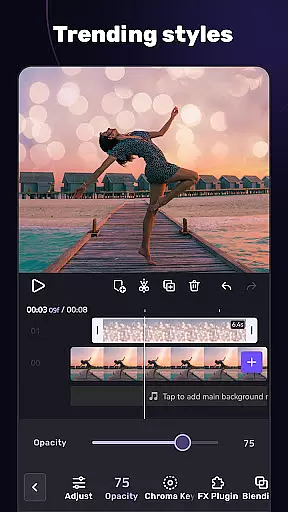
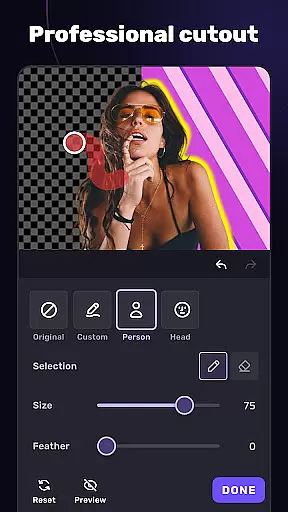
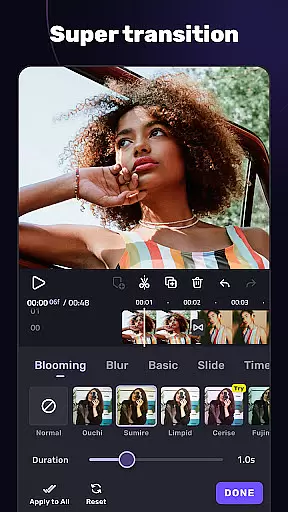
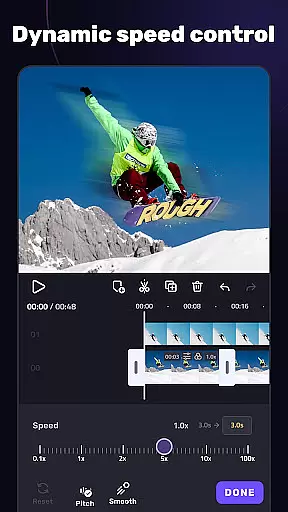
VivaCut is a versatile video editor and maker that caters to both casual users and professional content creators. The app offers an intuitive multi-layer timeline interface with precise frame-by-frame editing capabilities, making it easy to create high-quality videos. With features like chroma key, speed control, and advanced animation options, VivaCut allows users to produce cinematic content for platforms like YouTube, Instagram, and TikTok.
The application stands out with its professional-grade tools such as green screen effects, keyframe animations, and blending modes. These features enable users to craft visually stunning videos with custom transitions, filters, and effects. Whether you're looking to make engaging short clips or more complex video projects, VivaCut provides the necessary tools to bring creative visions to life while offering export options in 720p, 1080p, and even 4K resolutions.
VivaCut distinguishes itself through a comprehensive suite of video editing tools designed for various skill levels. It includes basic functionalities such as trimming, splitting, and merging video clips with transition effects, alongside text editing options with diverse fonts and styles. The app also supports speed adjustments, allowing creators to experiment with fast and slow-motion effects seamlessly.
For advanced users, VivaCut offers Hollywood-level features like green screen (chroma key) effects, keyframe animations, and masking tools. These enable intricate video compositions, including picture-in-picture effects and video collages. Additionally, the app provides a variety of blending modes and glitch effects, empowering users to push creative boundaries. With customizable video resolutions and one-click sharing to social media platforms, VivaCut ensures both quality and convenience in video production.
Video format compatibility is a crucial feature for any video editing application, ensuring that users can work with a wide range of video file types. AI Video Editor supports an extensive array of formats, allowing creators to import and export videos without worrying about compatibility issues.
The app's dedication to comprehensive format support means that whether you're working with MP4, AVI, MOV, or other common formats, the editor maintains the quality and integrity of your footage throughout the editing process. This flexibility empowers content creators to focus on their artistic vision rather than technical limitations.
Moreover, the ability to export in multiple resolutions, including 720p, 1080p, and even 4K, caters to various platforms' requirements, from social media to professional-grade video hosting services. This ensures that your final product looks polished and professional, regardless of where it's viewed.
By providing robust video format compatibility, AI Video Editor not only simplifies the editing workflow but also enhances the overall user experience, making it an indispensable tool for both amateur enthusiasts and seasoned professionals alike.
AI-powered editing features represent the cutting edge of video editing technology, automating complex tasks and enabling creators to produce high-quality content more efficiently. AI Video Editor incorporates these advanced capabilities, offering tools like automatic glitch effects, transitions, and filters that adapt to the rhythm of your music.
One standout feature is the Music Marker, which intelligently marks tracks and synchronizes visual effects with audio beats. This creates dynamic, rhythmic edits that enhance the emotional impact of your videos. Additionally, the AI-driven Audio Extraction tool allows users to pull music or sound from any video, streamlining the process of creating multi-layered audiovisual projects.
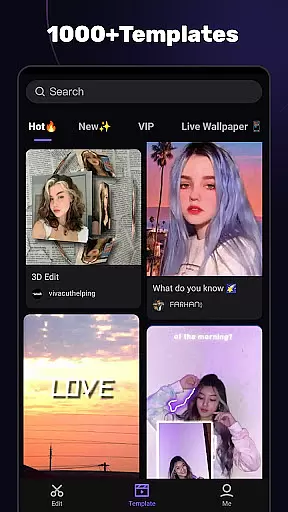
The inclusion of smart templates further exemplifies the app's commitment to leveraging artificial intelligence. These templates automatically apply unique filters and effects based on the content, helping users quickly generate professional-looking videos without extensive manual adjustments.
By integrating sophisticated AI-powered editing features, AI Video Editor significantly reduces production time while maintaining creative control, positioning itself as a powerful ally for anyone looking to elevate their video content with minimal effort.
User-friendly interface
Advanced editing tools
High-quality export options
One-click social sharing
Regular feature updates
Paid subscription model
Complex for beginners
Occasional bugs
Limited free features
Resource-intensive

Fast, private downloading, video saving, social media
 4.50
4.50
Powerful, professional, versatile teleprompter. Developed by an active film crew
4.00
?100% FREE! Download & save videos? safely in this app. All formats supported.
4.60
Create & edit videos with AI
4.30
AirMirror is Receiver for Screen Mirroring and Casting from Apple Devices.
3.60
Browser for Samsung TV to stream webvideos, online movies and livestreams in HD
4.10
Cast movies, tv shows and live streams to Chromecast, Roku, DLNA, Fire TV & more
4.60
A Simple app to download Video & Music from the Internet.
4.70
Enjoy your favorite videos and channels with the official YouTube app.
3.90
A Quick and Pro Video Editor
4.70
Cast Videos from Web Browser, IPTV to Roku, Chromecast, DLNA, Smart TV +more
4.60
Watch a large amount of high-definition short drama content
4.60
Watch IPTV on your Android device
4.60
Cast to Chromecast, Xbox, Fire Stick, Roku, DLNA, Smart TV & No Feature Limited!
4.50
Fast video downloader & private browser. Save HD clips to watch offline.
4.40
Video player, file manager for all formats, 4K/HD media player supports subtitle
4.30
Stream Web Videos to Chromecast, Samsung, LG, Sony, Roku, Fire TV, DLNA + more
4.00
The essential companion to your Blue Iris PC software
2.50
Play and download HD videos from all sources — fast, simple, and all-in-one.
4.4


User Reviews