

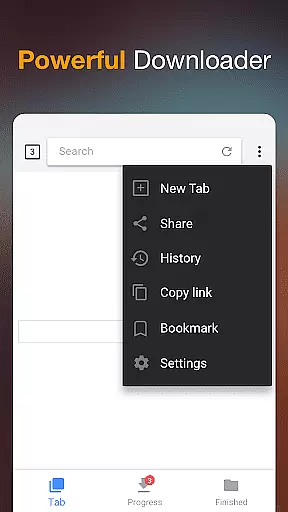


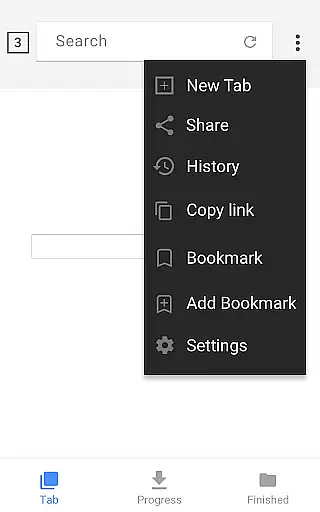
Video Downloader is a versatile tool designed for users who need to download and manage video content directly on their mobile devices. The app supports all popular video formats, including MP4, AVI, and WMV, making it suitable for various use cases. Whether you're looking to save online tutorials for offline viewing or create a personal media library, this app provides the necessary tools to do so efficiently.
The application's standout feature is its powerful download manager that allows multi-tasking, background downloading, and pause-resume functionality. This ensures that even large files can be handled with ease. Additionally, the built-in browser simplifies the process of finding and downloading videos from the web, while the integrated media player lets you preview and play downloaded content without needing additional apps.
With its user-friendly interface and fast download speeds, Video Downloader is particularly beneficial for students, content creators, and frequent travelers who need reliable access to video content without an internet connection. The password-protected folder feature also adds an extra layer of security for sensitive downloads.
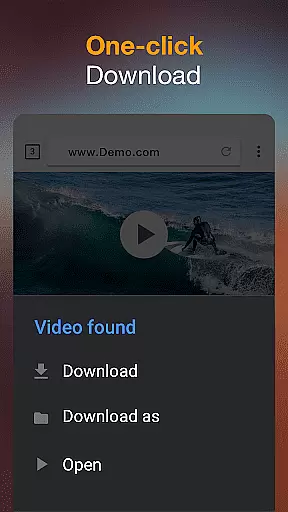
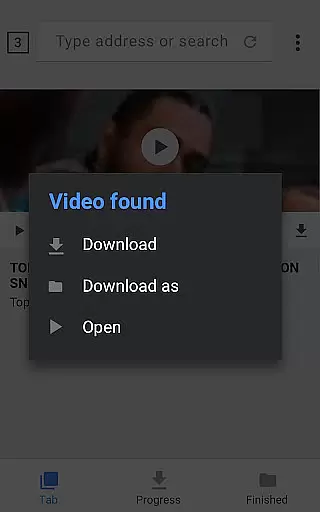
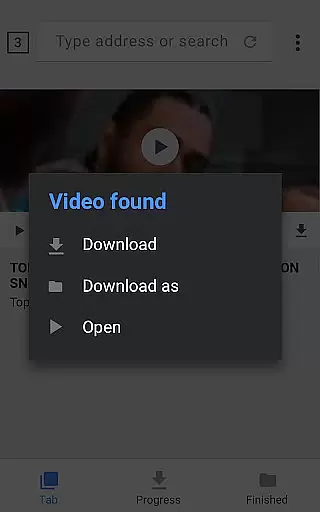
Video Downloader offers an impressive array of features that cater to both casual users and power users alike. The app's automatic video detection system scans web pages and identifies downloadable content, streamlining the entire download process. Once detected, users can initiate downloads with a single tap, choosing from multiple quality options when available.
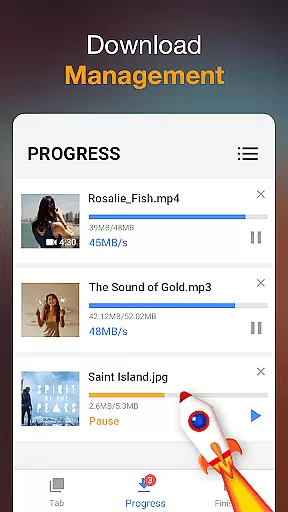
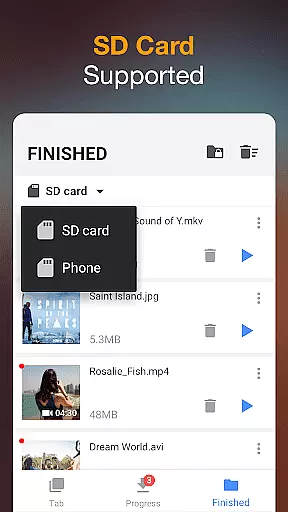
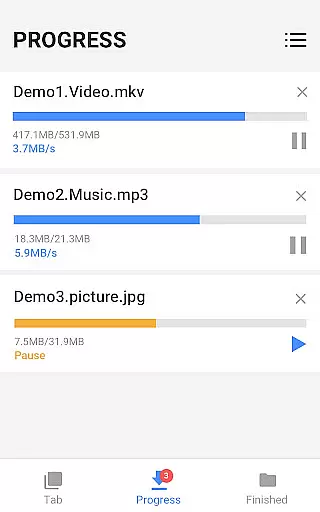
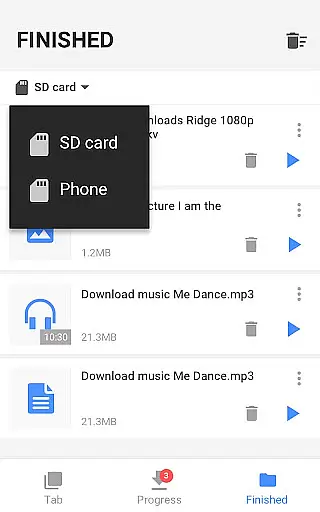
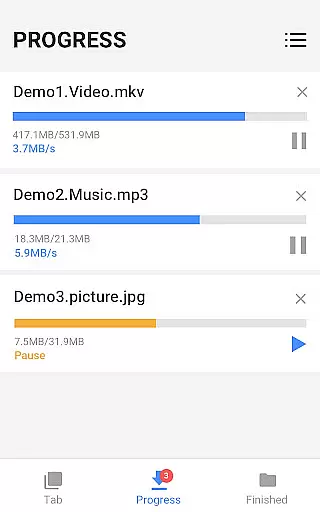
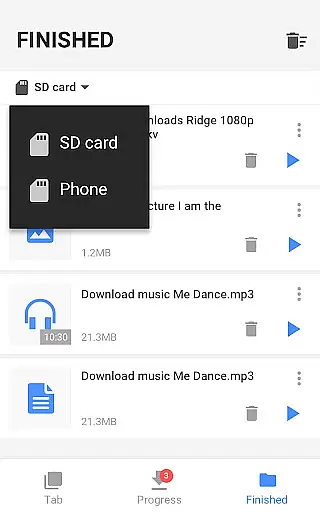
The built-in download manager is where this app truly shines. It provides advanced controls such as pausing and resuming downloads, managing multiple simultaneous downloads, and monitoring progress through a detailed download bar. The background download capability ensures that other applications can run smoothly while files are being saved. Moreover, the app supports SD card storage, giving users flexibility in managing their device's internal memory.
Additional notable features include format conversion capabilities, HD video support, and bookmark management for favorite websites. The combination of these features makes Video Downloader not just a simple downloading tool but a comprehensive solution for managing digital media content on mobile devices.
Video Downloader stands out for its exceptional video format compatibility, ensuring users can download and enjoy content in their preferred formats. This application supports an extensive range of formats including mp3, m4a, mp4, m4v, mov, avi, wmv, and more, catering to diverse user needs.
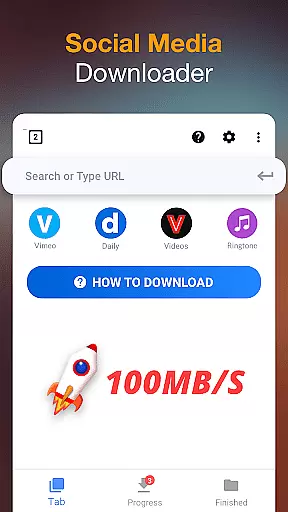
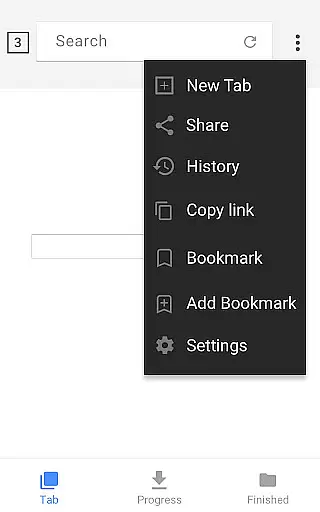
The app's built-in browser allows users to browse and detect videos easily from the internet, offering a seamless experience when downloading videos or music directly onto their devices. With just one click, detected videos can be downloaded, making it incredibly user-friendly.
Moreover, Video Downloader provides a powerful download manager that enhances the downloading process by allowing users to pause, resume, and remove downloads as needed. This flexibility ensures that users have control over their downloads, regardless of the file format they choose.
While Video Downloader primarily focuses on providing a robust platform for downloading videos in various formats, it also integrates AI-powered editing features to enhance user experience. These features allow users not only to download but also to edit their videos effortlessly.
Upon downloading, users can utilize the built-in player to preview videos offline before making any edits. The AI enhancement tools automatically adjust video quality settings, ensuring optimal playback performance without manual intervention.
Additionally, the app supports background downloading and SD card storage options, which indirectly benefit the editing process by organizing files efficiently. Users can manage large files with ease, thanks to the app's ability to handle high-definition video downloads effectively.
User-friendly interface
Fast download speeds
Multi-format support
Background downloading
Password protection
Limited format customization
No cloud integration
Occasional detection issues
Ads in free version
Large app size

Online Videos Player
 3.90
3.90
Kodi media center, a free and open source cross-platform entertainment hub
3.60
You can play SWF format file!
2.50
An easy-to-use and all-round screen recorder with audio
4.80
Fast & easy HD video downloader for all formats, support 4K playback & download.
4.60
IPTV Loader, loads your own Playlist. DOES NOT CONTAIN ANY LIST OR CHANNELS
4.60
Manage your IPTV live channels and VOD playlists (no playlist included)
3.80
Browser for Samsung TV to stream webvideos, online movies and livestreams in HD
4.10
Enjoy your favorite videos and channels with the official YouTube app.
3.90
Play ALL formats in 4K & HD. Video downloader, MP3 player, Chromecast & more.
4.80
Download videos and play them offline
4.70
Search & download videos from net with all video downloader, auto-detect & safe.
4.60
HD video maker with no watermark, no ads & vlog maker with music, PIP, text
4.50
Fast & Private Video Downloader App. Save all videos easily from the Internet.
4.40
Powerful video player with advanced hardware acceleration and subtitle supports
4.20
LumaFusion: The Ultimate Storytelling Experience for Video Editing
4.10
VLC for Android is the best open source video and music player, fast and easy!
4.10
Fast private browser with secure, seamless access & supported video downloads!
4.00
Browser for Sony TV to stream web videos, online movies and live tv
3.20


User Reviews